
How to collect transactions
Show me
The details of a "To be sent" profile
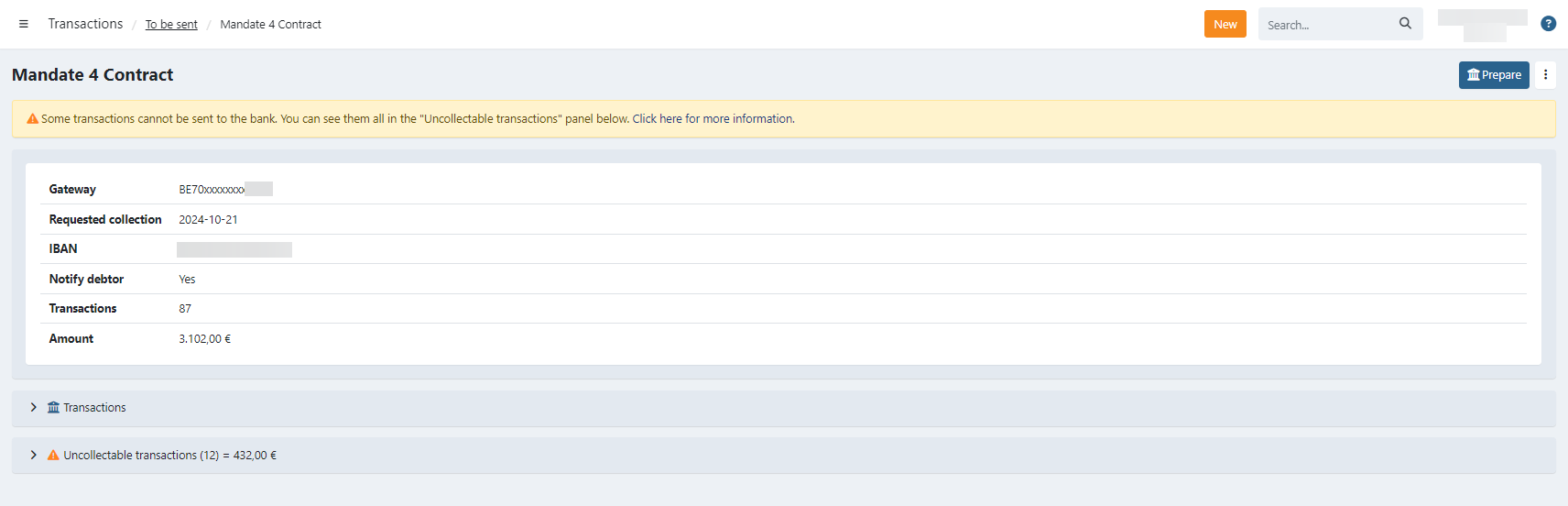
On the details of a To be sent profile, you find various information about transactions that are ready to be sent and the ones that are uncollectable due to the status of the mandate.
Detailed information

At the top of the detail page, you can find:
- Gateway: The IBAN on which the collections will be deposited
- Requested collection: This is the date on which the transactions should be collected. Transactions will be ready to be sent to the bank
approximately 3 days prior to this date to take bank-processing time into account. - IBAN: The account number on which the funds will be credited.
- Notify debtor: This indicates if a collection notification email is sent to the customers when you send the batch to the bank. It is not possible to change this setting here, this is determined in the Profile > Emails
- Transactions: The total number of transactions, excluding those deemed uncollectable.
- Amount: The total amount, excluding those deemed uncollectable
Prepare transactions
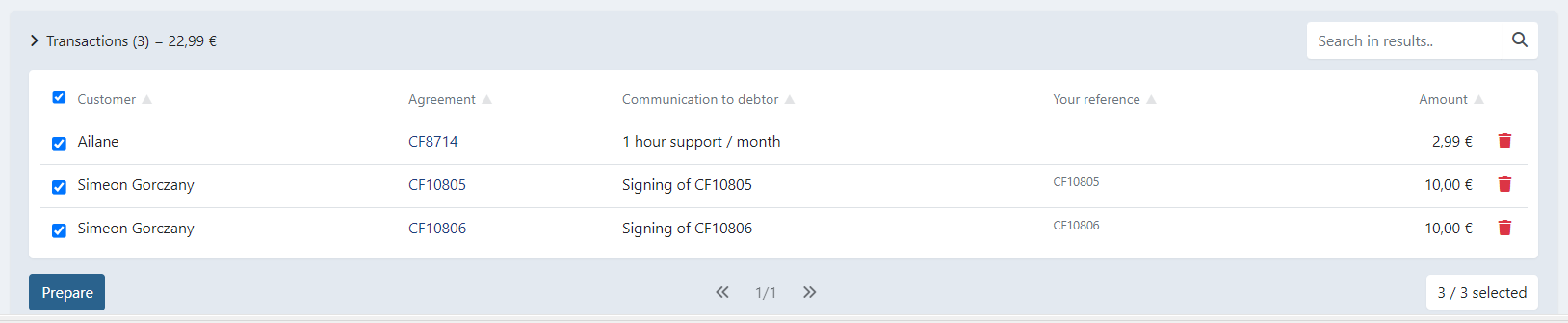
Under the Transactions tab, you find all the transactions that are ready to be sent to the bank.
- You can still uncheck specific transactions, for example: if you want to send them in a different batch.
- You can remove the transaction completely using the icon.
Send batch
- Click on : A modal appears where you can confirm or download the batch file for manual import in your banking app (download is only displayed when you don't have a bank integration).
- The batch is sent to the bank or your payment service provider, depending on the configuration. For transactions sent to the bank there is about 3 weekdays of bank processing. When using a payment provider, the feedback is returned moments later in most cases.
Other actions
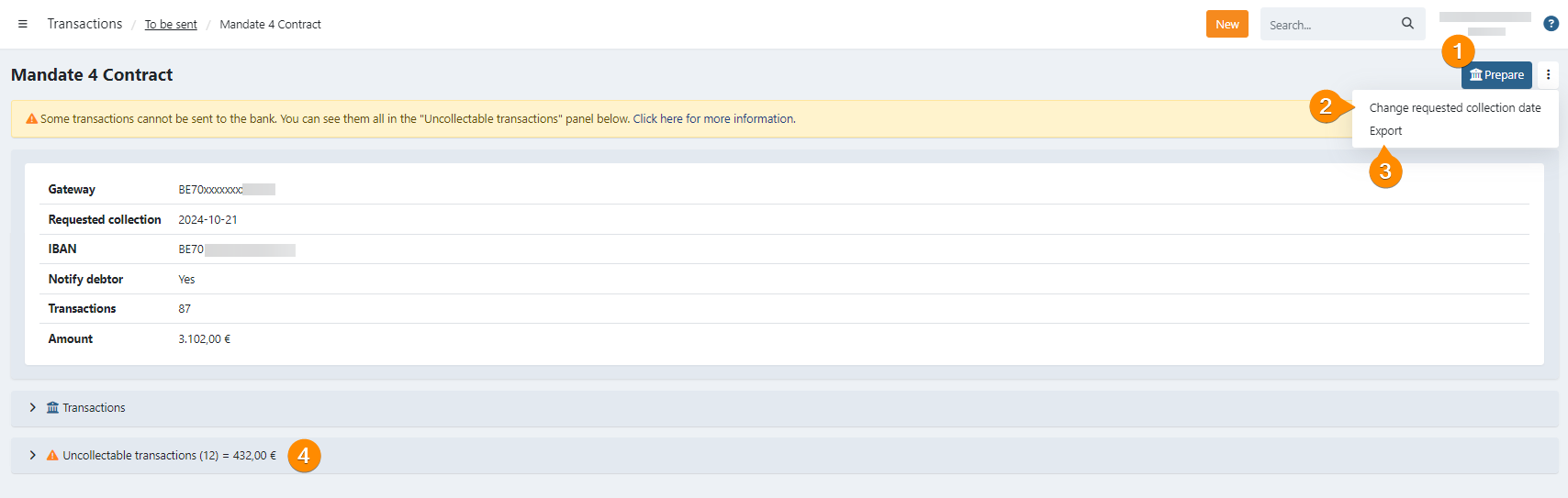
It is possible to perform the following actions in this screen:
- Select one or all transactions and
- Export an XML file for them (1)
- Send them to the bank (only if you have a bank integration) (2)
- Change the collection date of the batch (3)
- See the uncollectable transactions (4)
- Search for a specific transaction in this batch
- Delete transactions from the batch
When the transactions are sent to the bank, the configured recipients receive the collection email.
Uncollectable transactions
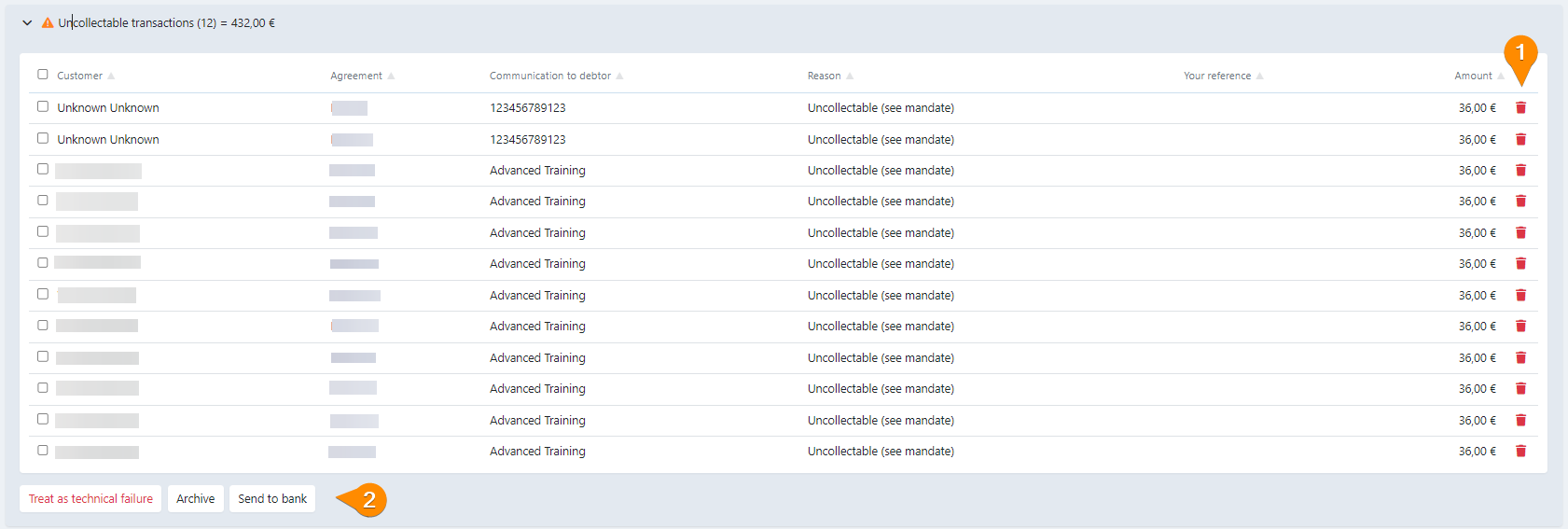
This lists all the transactions that were planned to be collected, but cannot be collected due to the state of the mandate. In most cases the mandate is suspended or missing information making the mandate invalid for collection.
One special case is "Blocked by amendment", this means the mandate was changed when open transactions already existed before this transaction. In this case first handle the existing transaction(s) by sending them to the bank or, by deleting those transactions and creating them again using the right mandate related information.
You can select all transactions or specific ones and perform one of the following actions:
- : The transactions are moved to a batch as if they were sent to the bank. All the transactions are marked as unsettled with the error code MD01 (invalid mandate).
- : All the transaction are placed in a batch. The batch and transactions are directly archived.
- : All the transactions are sent to the bank for collection regardless of the mandate status.