
The To be sent overview
On this overview, you can view and send collection batches ready to be sent to the bank for each of your different profiles.
You have the option to import, export transactions and delete a complete batch.
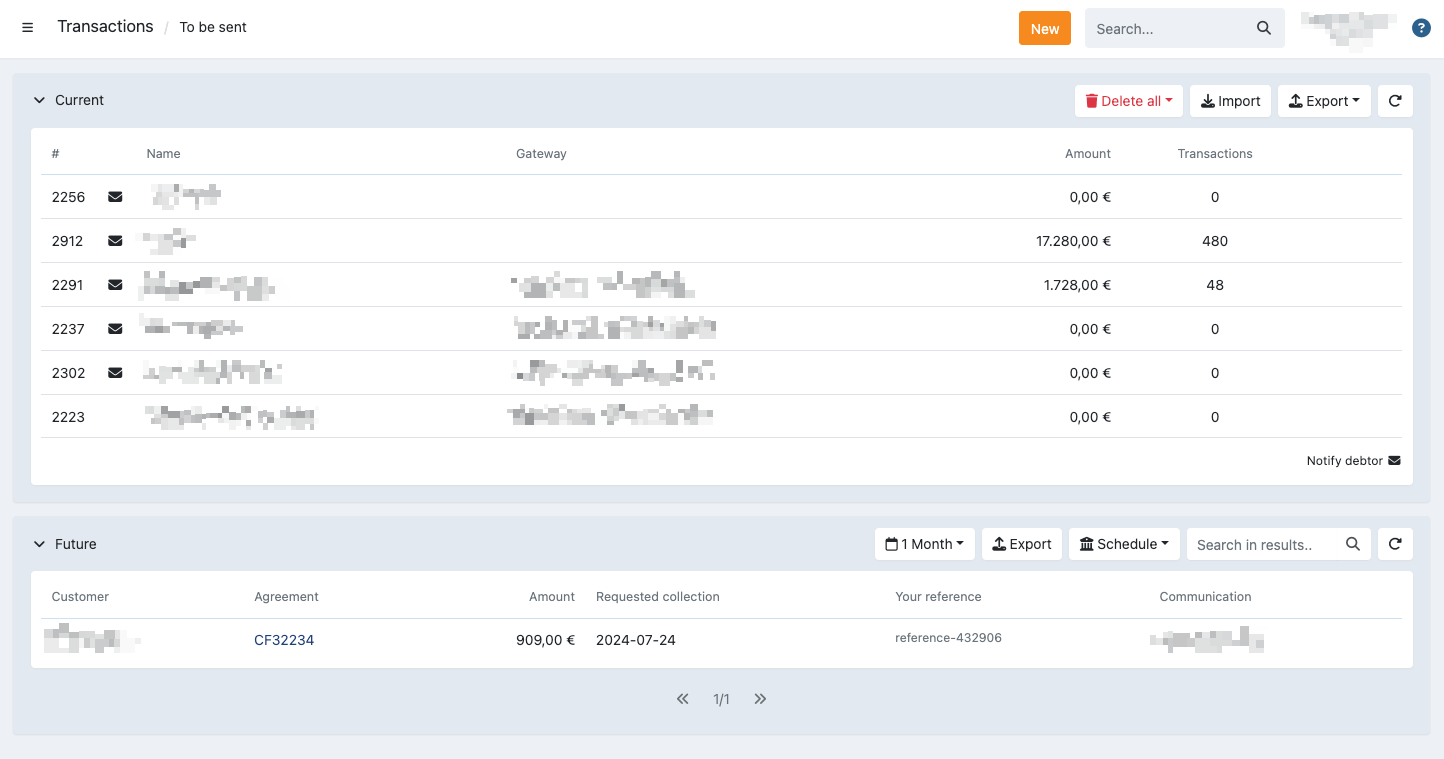
For each batch, you can see the profile ID and name, the IBAN, number of transactions and total amount that can be collected.
The IBAN is either the one configured on the profile, or your payment service provider in case you handle the transactions that way.
The details for each batch can be opened where you can perform different actions on individual transactions, view and treat uncollectable transactions, send the batch to the bank and more. Read more about this in the related article about the batch details.
Actions
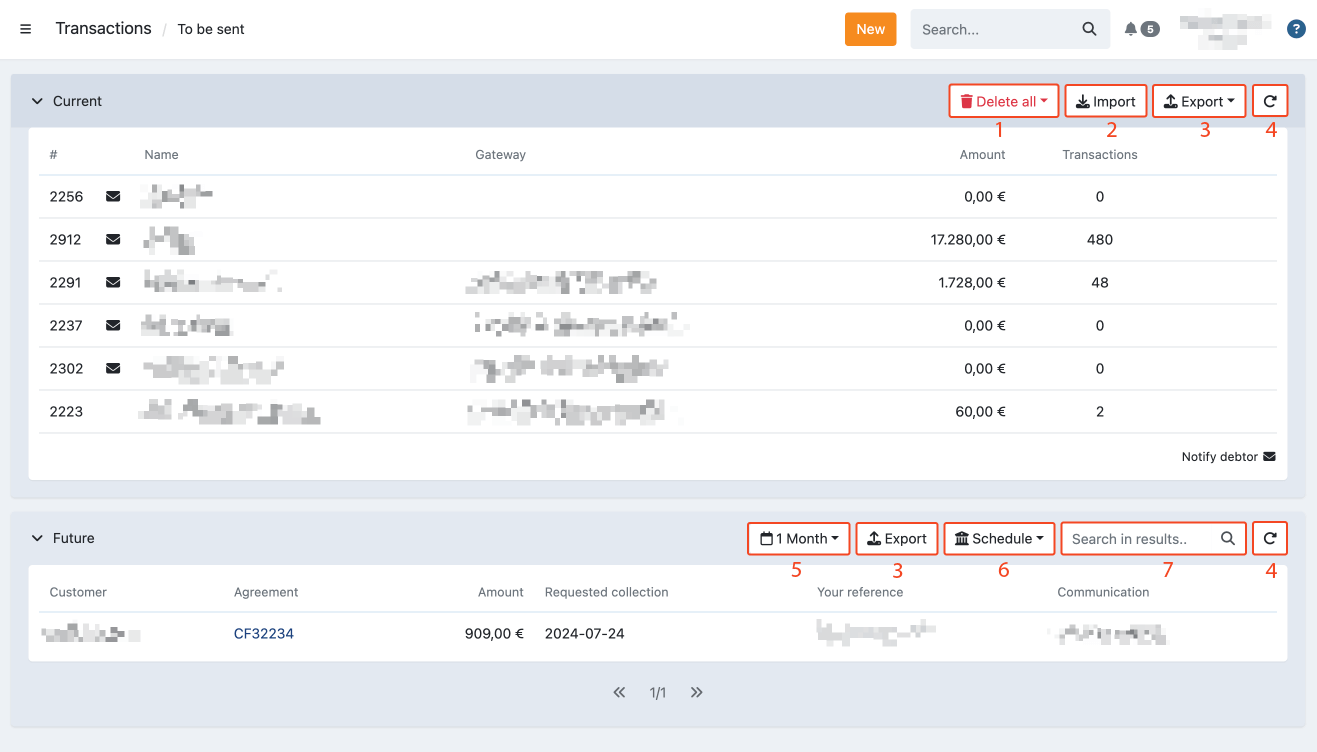
It is possible to perform the following actions in this screen:
- Delete all transactions for a certain profile (1)
- Upload a batch through a CSV or direct debit file (see Adding a transaction to a mandate) (2)
- Export a list of all transactions in their respective tabs that still need to be sent for a certain template (3)
- Refresh the transaction screen (4)
- Filter on future transactions (5)
- Schedule a profile of future batches (6)
- Search for future transactions (7)
- See the details for a certain batch by clicking on it (see below)
Important: When a direct debit file is uploaded it is directly sent to the bank
Legend
Next to each batch this icon can be displayed:
- Notify debtor: This icon indicates a collection notification email is sent to all the customers when you send the batch to the bank