
Adding transactions with a Direct Debit file from your accounting package
- Supported versions
- Important: Allow importing all mandates ...
- Allow transactions for uncollectable man...
- How to import a Direct Debit file
- Payment provider as bank gateway
- New and existing mandates
- Import the Direct Debit file
Supported versions
It is possible to import a direct debit file from your accounting package into your Twikey environment.
We accept the XML formats according to ISO 20022 standards.
However we recommend using either the api or the csv upload as it provides you with the following benefits
- It isn't required to follow Febelfin default, which is only updated every so often.
- Pain 008 files are very complex(, using the API is also more efficient for developers).
- We already ensure that the Pain008 files we prepare are always correct (Merchant does not have to do updates to the links).
- We don't provide support on XML files
- We do not perform checks on the XML info (they are directly sent to the bank).
- XML files do not perform updates on the existing mandates in Twikey (So can be wrong IBAN in Twikey as a result).
- When creating the batch, we stop when we reach the specified limit (number or amount).
We currently support the following file formats:
- We respect limits on total amount and number of transactions in the file as provided to us
- You don't need to change anything once new versions of the Pain.008 are enforced
- You can reuse the same code to send various types of transactions (Direct Debit, Recurring Card, ...)
- We respect your configured limits per customer/mandate in the risk rules
- We respect the state of the mandate avoiding failures with the bank
- We ensure identifiers are unique
- XML files do not update existing mandates in Twikey (So can be wrong IBAN in Twikey as a result).
If you still decide to use this approach, we support the following versions pain.008.001 and pain.008.002
Important: Allow importing all mandates ignoring any bank references
This guide covers importing transactions without enabling the option: "Allow importing all mandates ignoring any bank references."
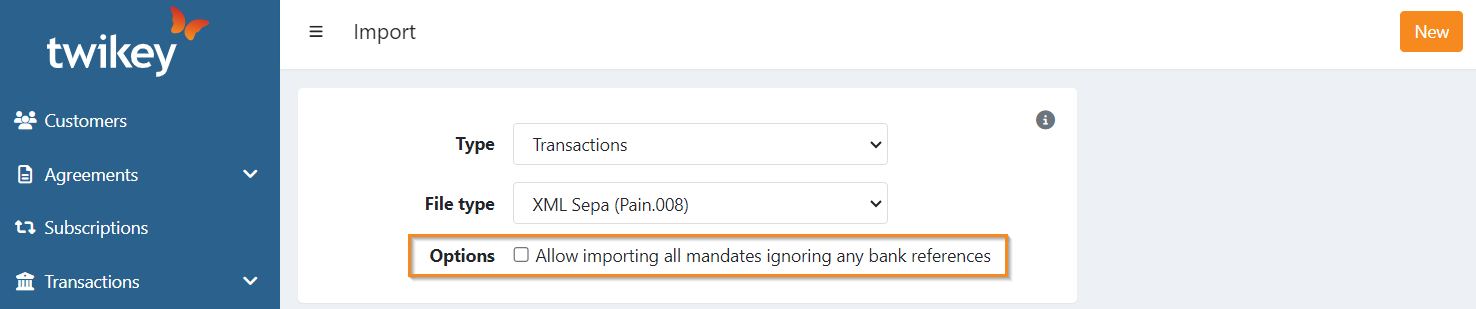
When this option is enabled, the imported file is processed differently:
- The requested collection date is ignored.
- Bank references are ignored (Twikey will generate them instead).
- Transactions with an amount of 0 are skipped.
- New mandates are created in Twikey. (will always be the case, with or without the toggle on)
- The transactions are not immediately sent to the bank, instead, they are placed in a batch in 'To be sent'.
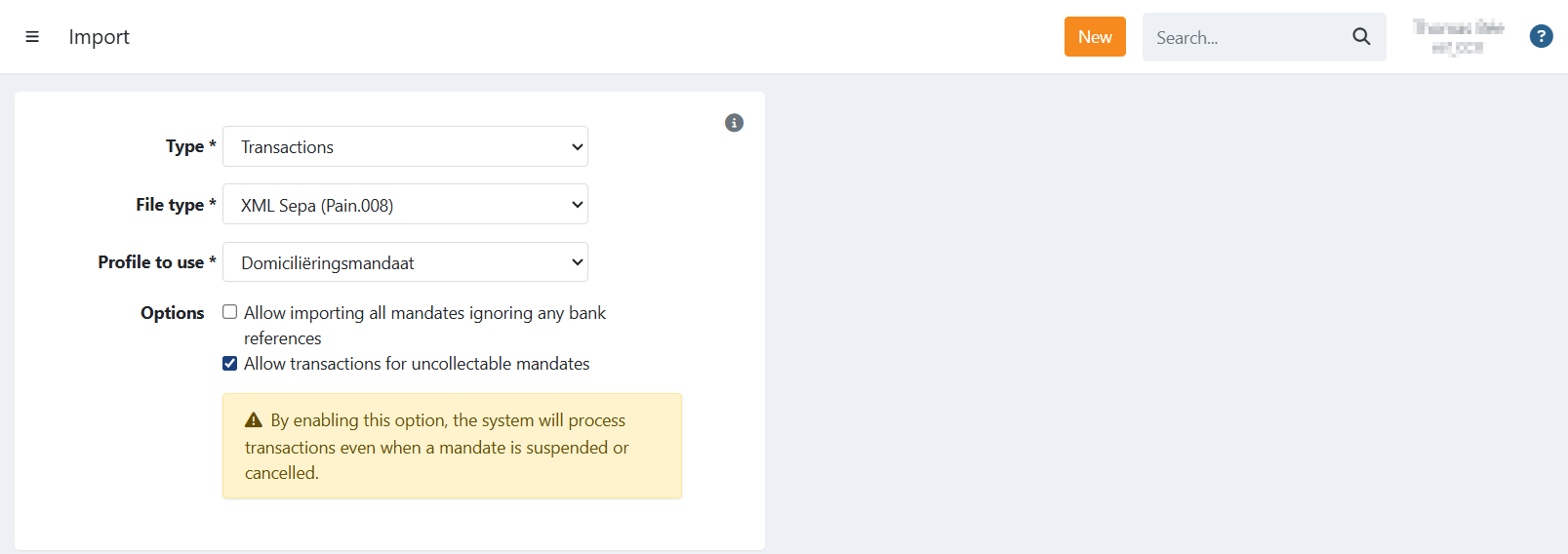
Allow transactions for uncollectable mandates
If your file contains mandates that are in a cancelled or suspended state, the upload will be rejected by default.
To override this behavior, you can enable the option "Allow transactions for uncollectable mandates."
When selected, the file will be imported regardless of the mandate status. Transactions linked to the cancelled and/or suspended mandates will still be processed and sent to the bank.
Note: Enabling this option means transactions for mandates that are no longer active may still be submitted to the bank. Please ensure this is intentional.
How to import a Direct Debit file
Show me
You can access the import function from anywhere in your Twikey environment.
- Simply click the button at the top of the page and select Import.
- Alternatively, you can directly import the file from the To be sent overview:
- Click on the button to go to the import screen.
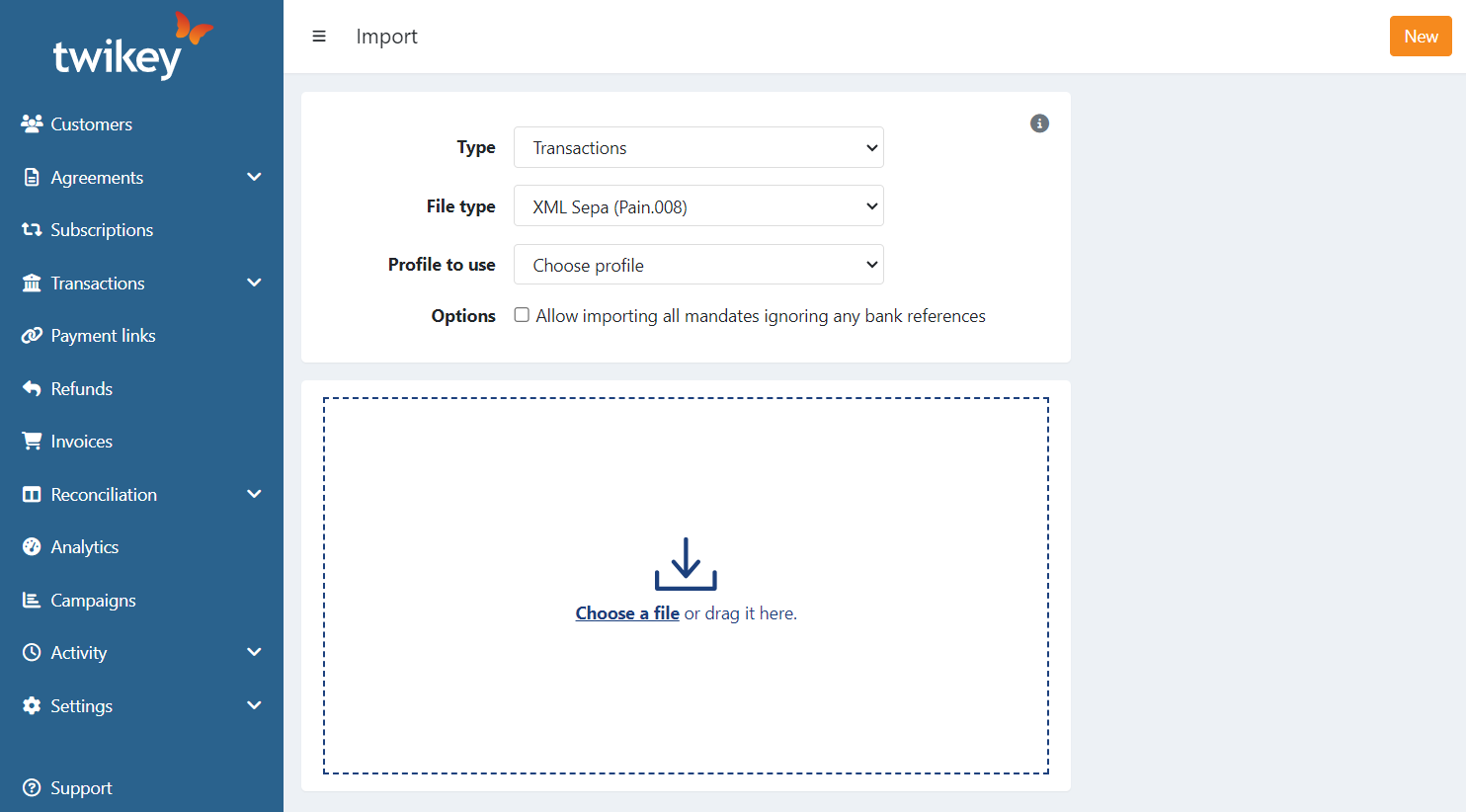
- Configure the following:
- Type: Select 'Transactions'
- File type: Select 'XML Sepa (Pain.008)'
- Profile to use: Choose the specific profile for the import. Ensure the selected profile has the correct bank gateway assigned so that the IBAN from your XML file matches the IBAN of the configured bank gateway.
Payment provider as bank gateway
If you're using a payment service provider as the bank sender instead of a traditional bank, you can still upload transactions in Direct Debit format. For details on configuration and any limitations, please contact your Business Support Agent.
New and existing mandates
- New Mandates: When you import a Direct Debit file, any new mandates are automatically created and signed. If your file specifies a date of signature, this date will be used as the signing date.
- Existing Mandates: If the Direct Debit file includes a different IBAN, CORE mandates will be updated with the new account number.
Import the Direct Debit file
The Direct Debit file
The following fields can be used in your accounting file for:
| Mandate reference | DrctDbtTx > MndtRltdInf > MndtId |
| Date of Signature | DrctDbtTx > MndtRltdInf > DtOfSgntr |
| IBAN | DrctDbtTx > DbtrAcct > Id > IBAN |
| BIC | DrctDbtTx > DbtrAgt > FinInstnId > BIC |
| Name (first + lastname) | DrctDbtTx > Dbtr > Nm |
| Country | DrctDbtTx > Dbtr > PstlAdr > Ctry |
| Address |
|
| Mobile Number | DrctDbtTx > Dbtr > CtctDtls > MobNb |
| DrctDbtTx > Dbtr > CtctDtls > EmailAdr | |
| CustomerNumber | DrctDbtTx > Dbtr > CtctDtls > Othr |