
How to create a new user
To create a new user, click on the button (1). A form will be displayed:
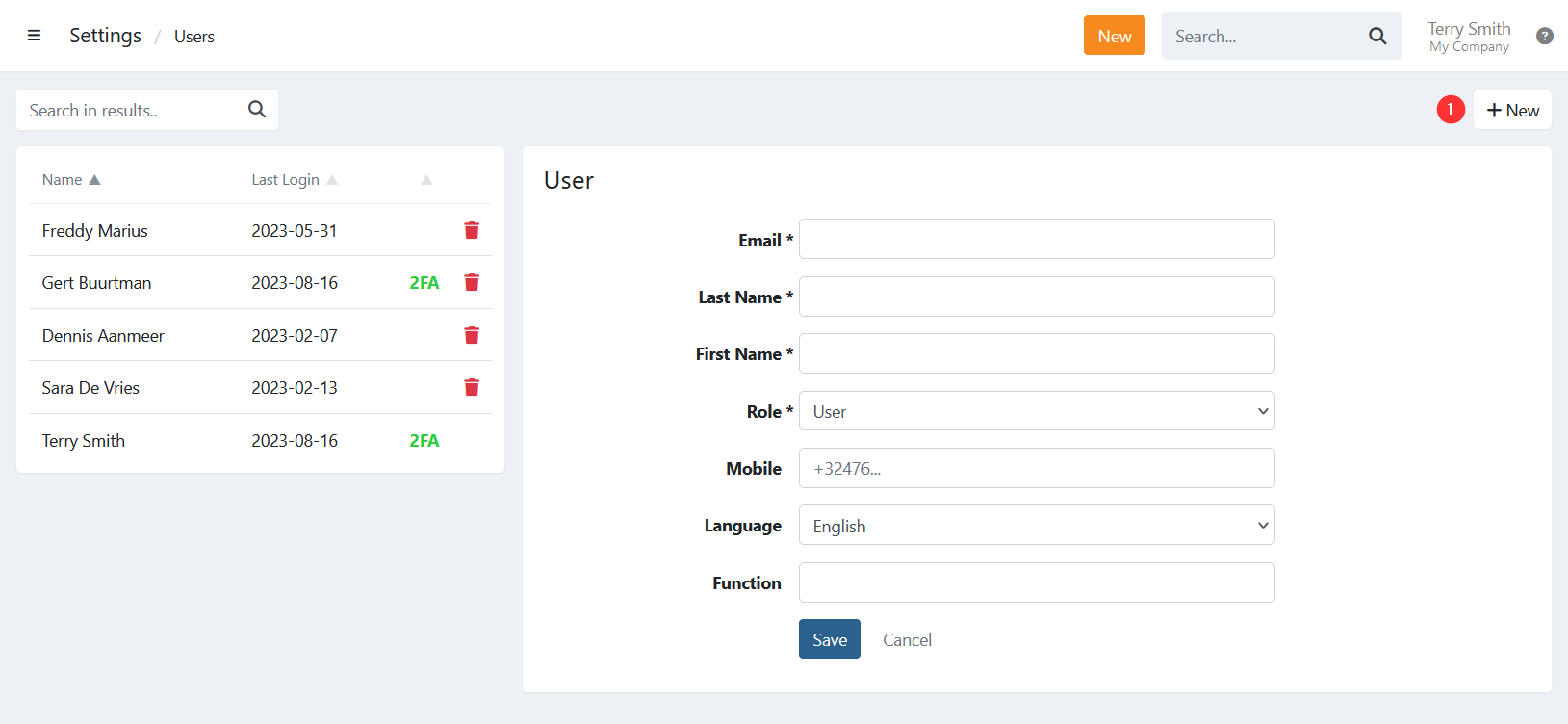
Fill in the required fields (*), select the user role, and click to create the new user.
An email will be sent to the user with a link to log in to the environment. When clicking the link, the user will first need to create a new password and accept the terms and conditions before gaining access. After this, the user can log in via Twikey.
Last Update: 2025-11-26