
Payments configuration
The payments section defines to which account funds can be credited for the specific profile, if a default plan (subscription) should be added when a document
of this profile is signed, how payment failures are handled (dunning workflow), when a document can be canceled, limit the number or amount of transactions (risk rules)
and if there should be a transaction feedback delay (API).
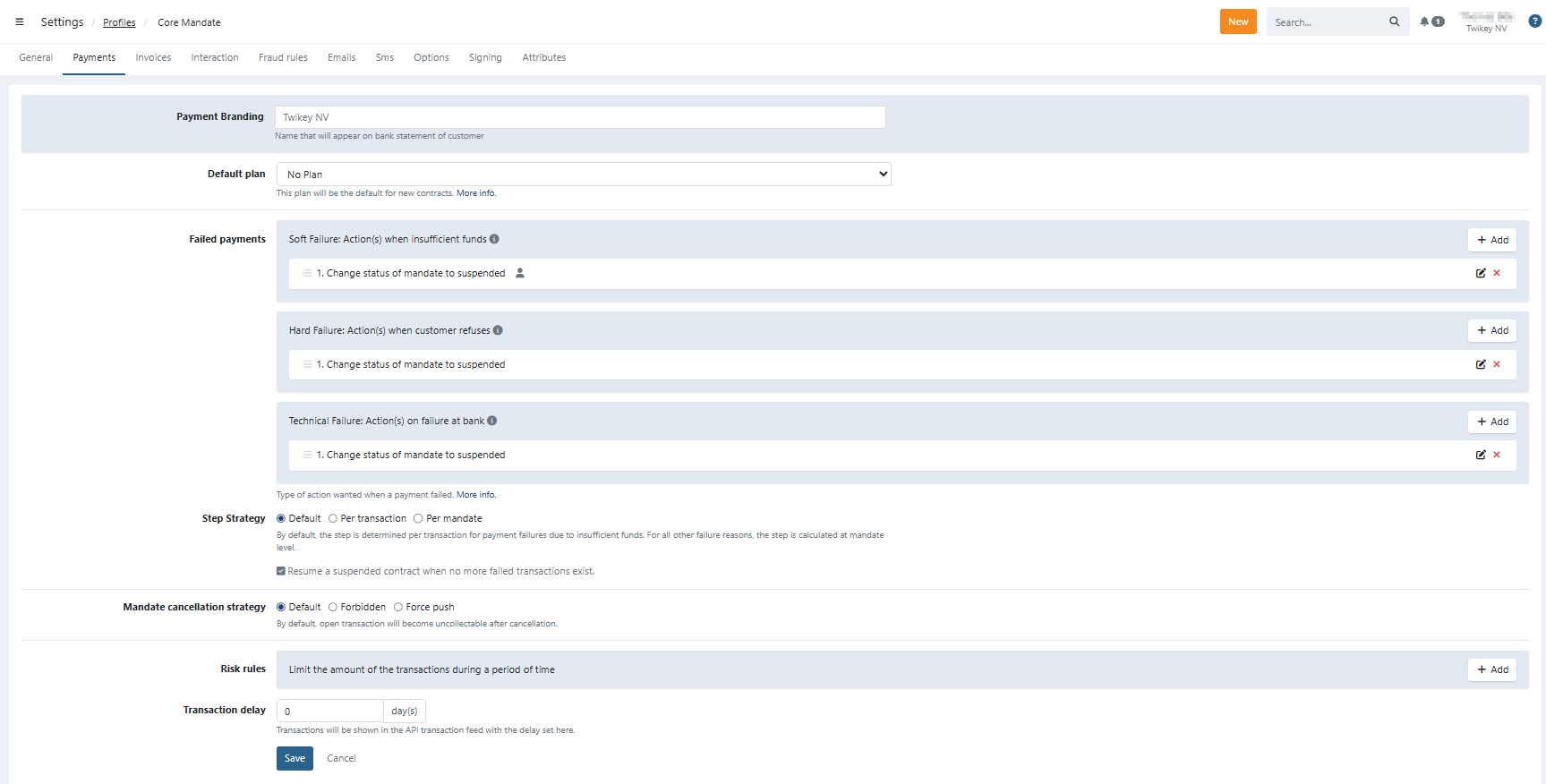
Payment Branding: Name that will appear on bank statement of customer
- By default this is your company name, this can be customised (requires Professional package or higher)
Default plan: If you defined a plan and you want it to apply to this template automatically, select it here. Plans can be created via our Support.
- When a customer signs the agreement, the subscription created from this plan is added automatically
- The first execution of the subscription is the sign date + recurrence of the subscription (eg. 2 weeks, the first collection is in 2 weeks)
Failed payments: You can set up a dunning workflow to define what should happen in case a payment fails. You can define this for three major types of payment failures:
- Payments failed because of insufficient funds on the debtor's side
- Payments refused by the debtor or refunds requested by the debtor
- Payments refused by the bank for a variety of reasons (such as incorrect account number)subject.
For more information, please read Setting up a dunning workflow.
Step strategy: This defines the step strategy for the dunning actions you defined in the Failed payments section.
- Per transaction: The dunning steps will apply to each transaction individually. For each transaction, the step count will start with step 1.
- Per document: The dunning steps will apply to all transactions for the same document. So if there are several transactions on one document, the first one that fails will trigger step 1, and the second one that fails will trigger step 2, et cetera.
- Default: Per transaction for insufficient funds and per document for refusals. We suggest using this option, as it conforms to the way people normally reason about their invoices (if I refuse I will keep on refusing, if I don’t have money on the account you can try again).
Mandate cancellation strategy: Select how open transactions are treated on cancellation:
- Default: Open transactions will become unsettled. They can be found in the Unsettled transactions using the filter: 'Never collected'
- Forbidden: The mandate can't be canceled as long as there are open transactions (not manually nor via dunning).
- Force push: The mandate is cancelled and Open transactions are sent to the bank the next night
Risk rules: To limit your risks, you can define a maximum amount to be collected over a given period. For more information about risk rules, see the article Defining a maximum transaction amount with a risk rule.
Transaction delay:
Transactions will accumulated in the pending buffer and be shown in the API transaction feed with the delay (bank working days) set here.
The delay starts from the moment that we received feedback about the batch from the bank.