
About profiles
Profiles are like blueprints for managing payments smoothly. They control how customers can pay invoices, e-mail and/or SMS content starting from the first email they receive to the final thank-you page or special landing page. You can also add your own variables and set up security measures for fraud and manage risks during payments.
One of the main features is using a dunning workflow. It lets you decide what to do when payments fail, like when there's not enough money (soft failure), the customer declines (hard failure), or the bank has an issue (technical failure). You can take different steps to follow up, depending on the kind of failure the transaction had: retrying collection, sending reminders, sharing payment links, or updating payment statuses.
Overview of your profiles
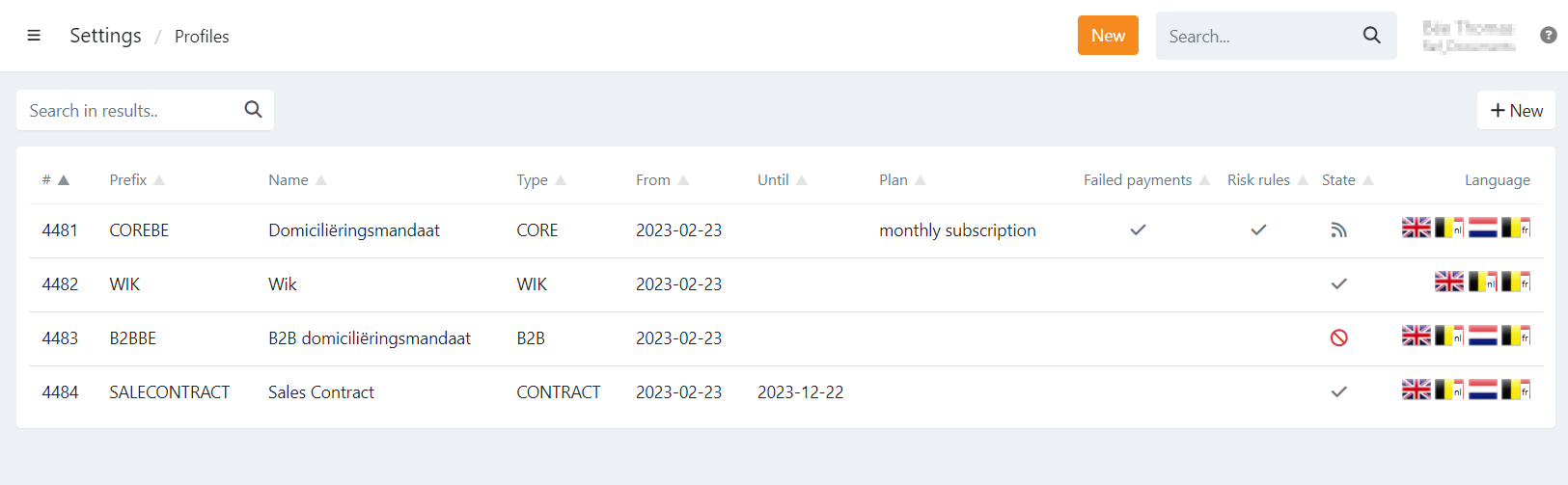
On the profile overview, you can see the list of all of your profiles, which ones are active or published and if failed payments or risk
rules are configured.
| Header | Description |
|---|---|
| # (ID) | The id of your profile that can be used when creating, moving or importing agreements, payment links, etc., via a file or API. |
| Prefix | The prefix used when the mandate reference is automatically generated. Each new agreement will increment plus one, example: COREBE1, COREBE2, .. |
| Name | The name of the profile, this can be used as a description for your different profiles |
| Type | The type of the profile |
| From | The date from which the profile can be used. in most cases this is the creation date of the profile. |
| Until | End date of the profile, after this date the profile can't be used anymore for new agreements. |
| Plan | If a default plan is enabled on the profile. This is a plan that starts automatically when a mandate is signed on that profile. |
| Failed payments | If a dunning workflow for failed payments is configured on the profile |
| Risk rules | If risk rules are configured on the profile to limit the number/amount of (open) transactions at once for a mandate/customer |
| State | The state of the profile
|
| Language | Displays the activated language(s) of the profile |