Add a Payment Provider Gateway
- Activate your provider in Twikey
- Recurring Credit Card
- Reconciliation
- Complete the activation
- Supported Payment methods
A Payment provider (PSP) gateway enables you to initiate direct payments, sign agreements with a first payment, collect direct debit or recurring credit card transactions when this is supported by your provider.
Twikey integrates with most of the major providers and a detailed description about the supported features can be found on the respective articles of each provider, read more on this topic here
Activate your provider in Twikey
Adding a payment solution is straight forward and quick if you already have an account with a provider.
- 1. Go to Settings > Payment Hub
- 2. Click on
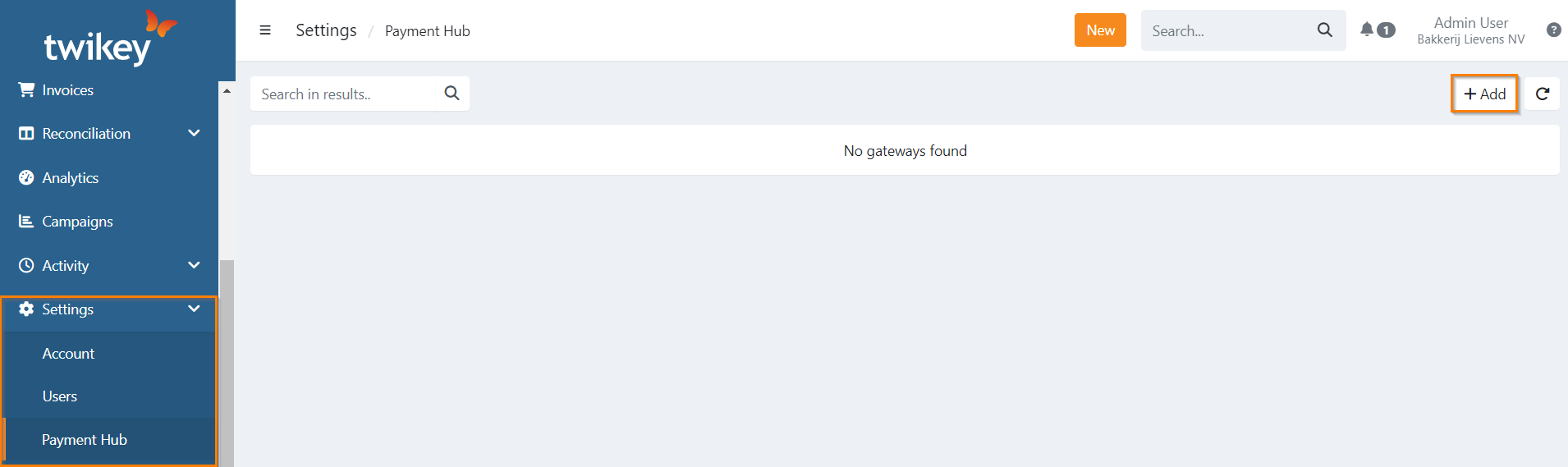
- 3. Select Payment Provider
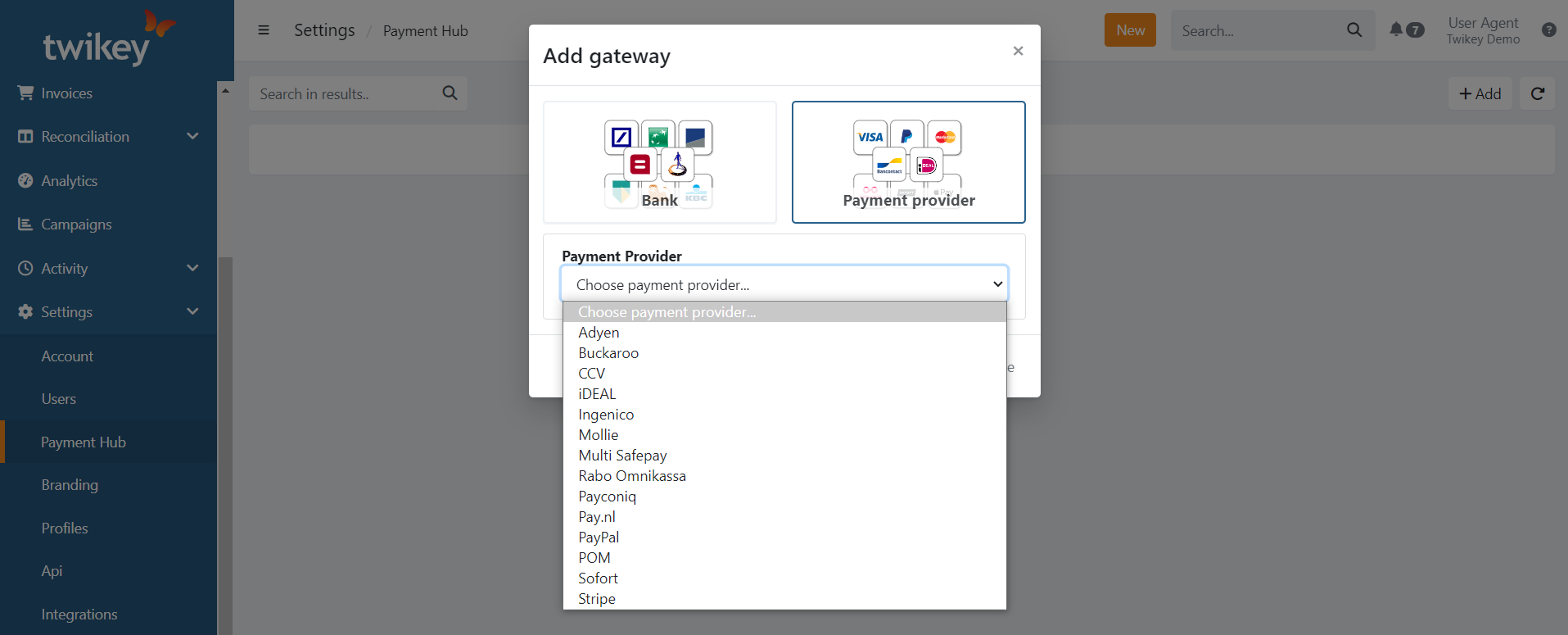
- 4. Now, you can select your provider from the dropdown list.
- 5. Depending on each provider, different fields can be required.
Recurring Credit Card
When your provider is recurring credit card enabled you will see a notification that a profile will be automatically created if none exists yet:
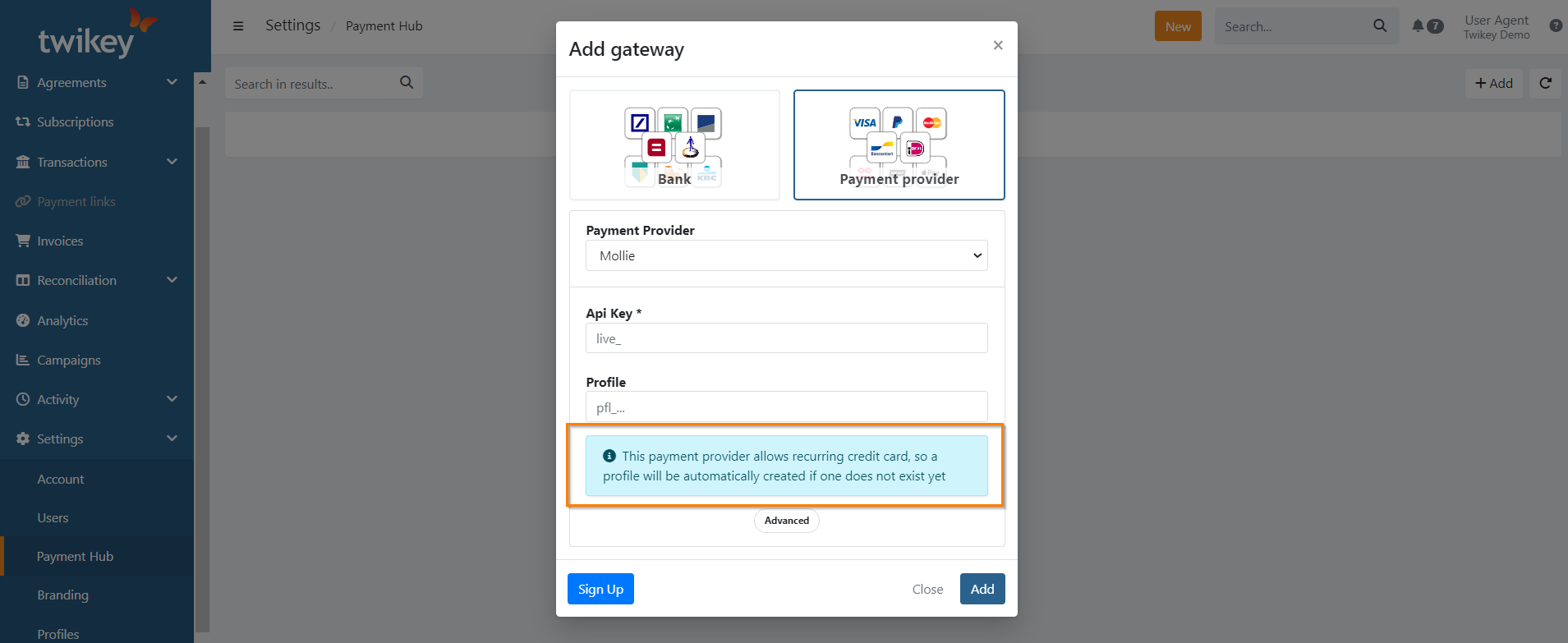
The new profile of type credit card contains the required attributes, and is directly usable for one-time and recurring credit card payments.
Reconciliation
You can define a specific reconciliation account for your payment provider. This account is used in your payment link reconciliation files.
Click on the 'Advanced' button to configure a custom reconciliation account.
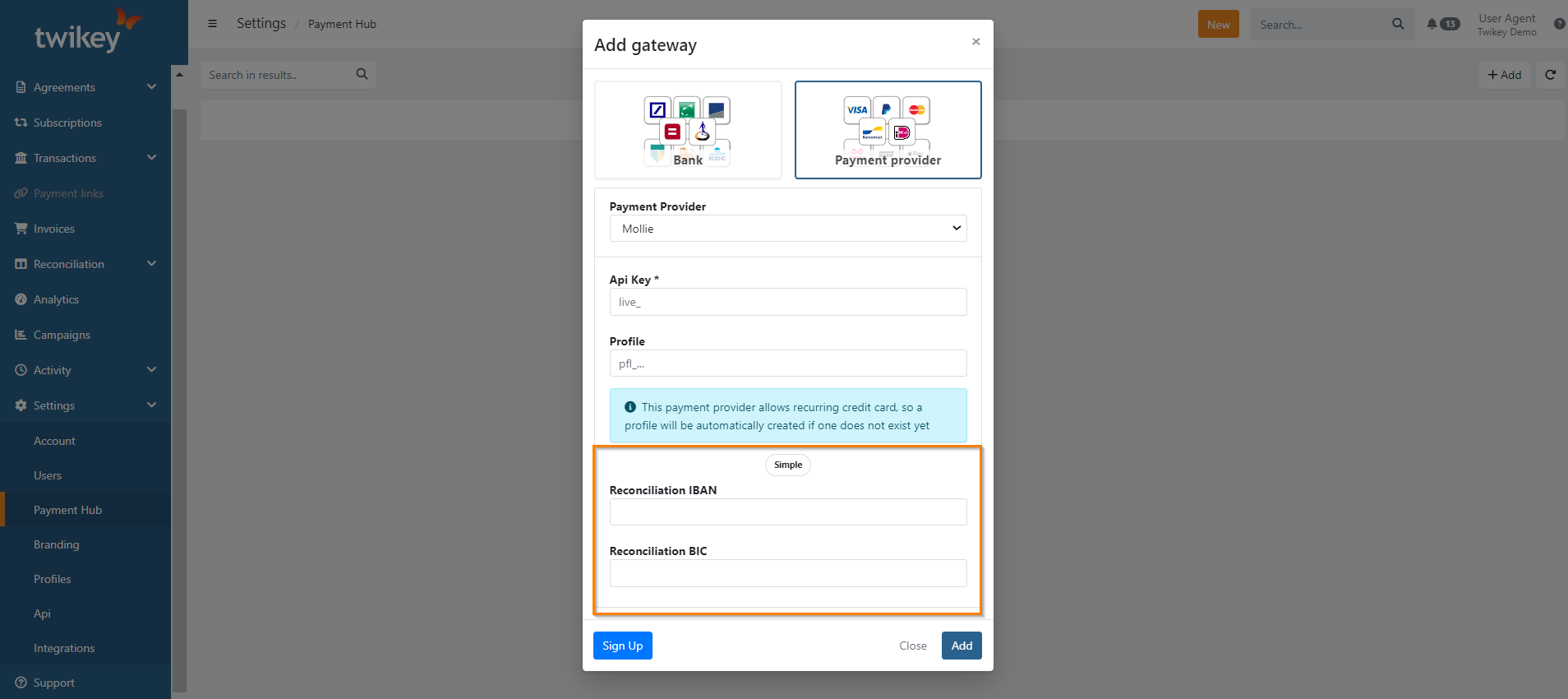
Complete the activation
- 6: Click on to complete the setup
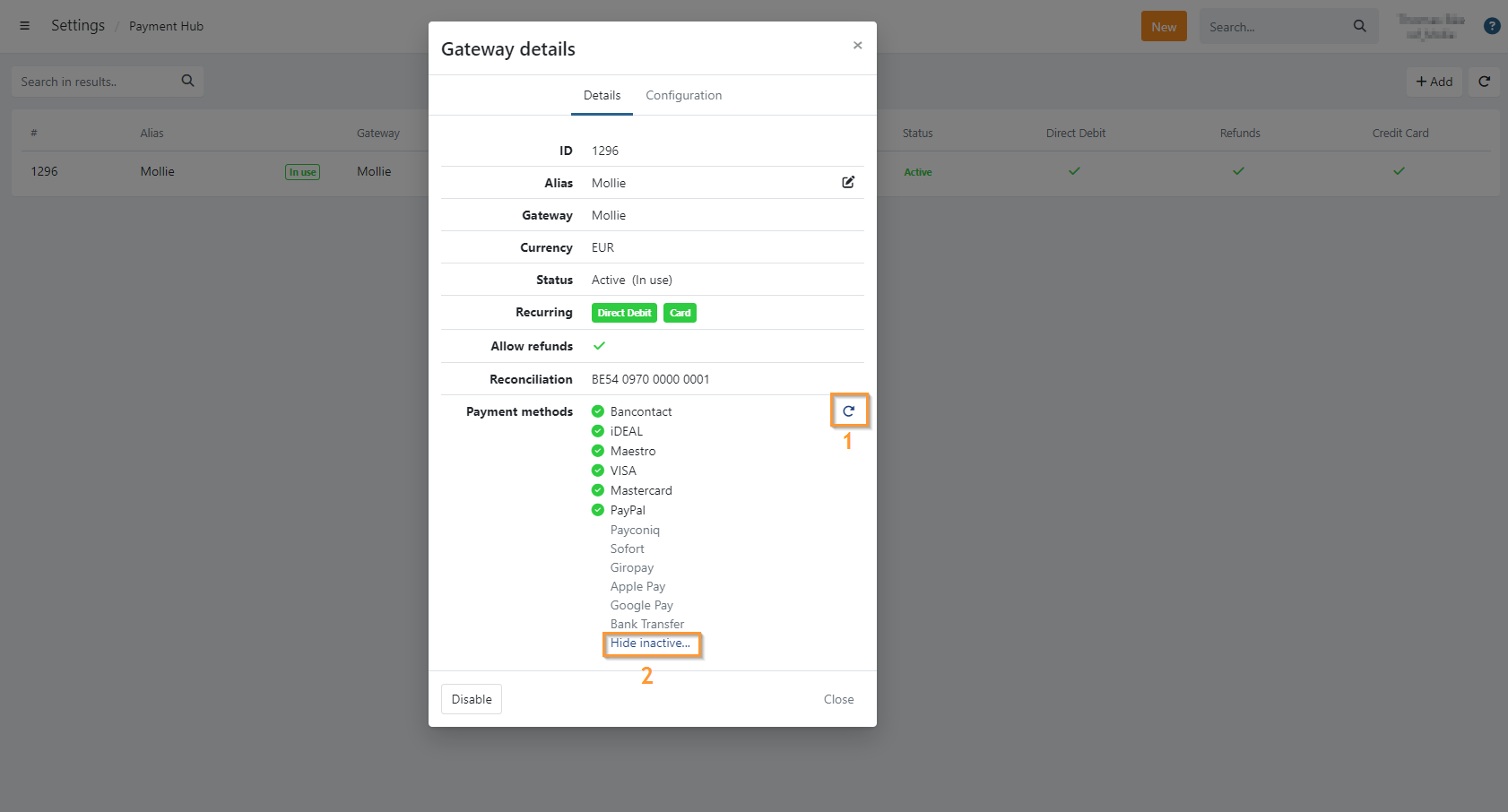
Twikey does a verification of supported features of your provider, depending on this you will see a green check for supported features:

Direct Debit: This is always disabled by default. To use this feature ensure your provider supports this and reach out to your Business Support Agent to enable it. A test is done by Twikey to ensure the connection is working.
Refunds: Enabled when refunds are supported, allows you to perform refunds on paid transactions/payment links directly via the provider.
Credit Card: Recurring credit card transactions are supported by the provider.
Supported Payment methods
The payment methods available for use are listed under Payment Methods in your payment provider gateway. This shows the payment methods supported by Twikey and displays only those that are activated in your payment provider's dashboard.
When configuring a new payment solution, Twikey automatically checks and updates the list of activated methods. If you make changes to the payment methods in your provider's dashboard, you can manually refresh the list by clicking the refresh icon.
To view the full list of payment methods supported by Twikey, including inactive ones, click Show inactive.
- Refresh
- Hide/Show inactive