
Add a bank connection in the Payment Hub
To initiate direct debit transactions, link your bank account with Twikey using the Payment Hub. Your specific bank may necessitate the submission of essential documents to grant power of attorney rights, allowing for transaction processing and statement feedback. Detailed instructions for document submission will be provided within the connection process.
If you prefer granting Twikey reading rights and personally transmitting collection files to your bank, reach out to your Business Support Agent. They can assist you in configuring a connection specifically tailored for reporting purposes with your bank.
Steps to activation
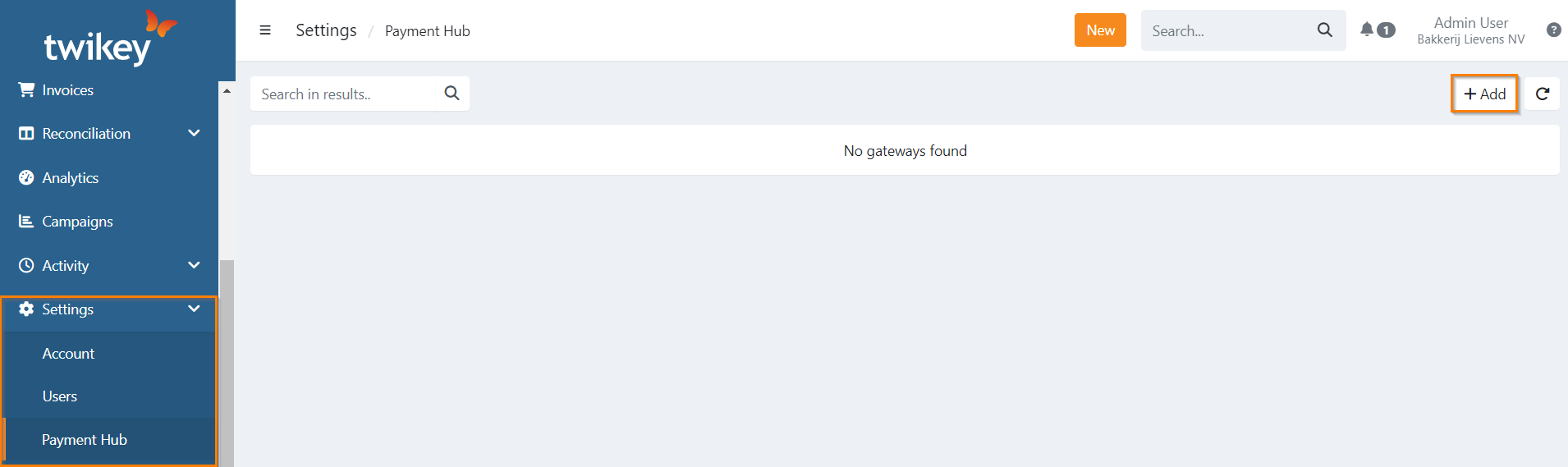
- 1: Go to Settings > Payment Hub
- 2: Click on
- 3: Select Bank
- 4: On the next step, enter your IBAN en click on
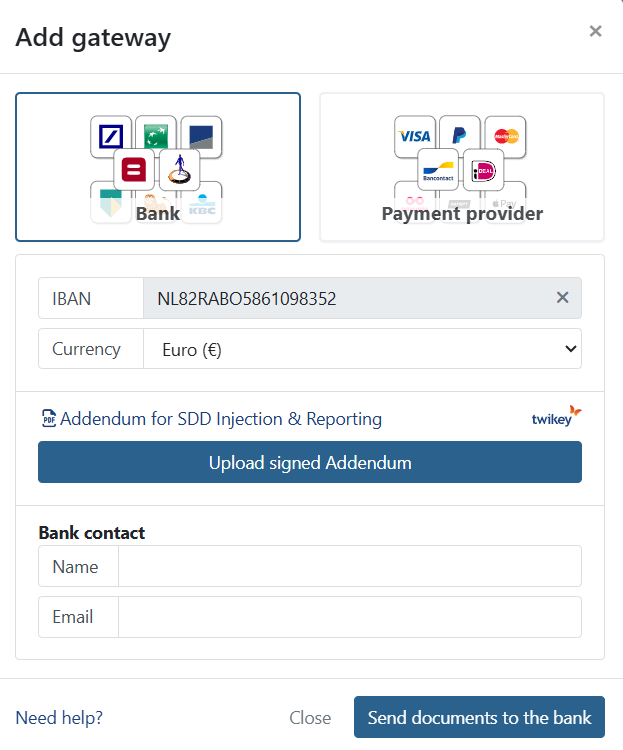
- 5: Select your bank currency
- 6: Depending on your bank one or more documents can be required
- 7: Enter your contact person information from the bank
- 8: Once everything is filled in, click on
The activation process is now ongoing. First Twikey reviews the documents to ensure they are valid and your gateway is awaiting Twikey approval, after this they are sent to your bank.
After the activation
Once your bank gateway is set, it will go through the activation.
- 1: Twikey
Twikey ensures the documents you've submitted are completed before sending them to your bank. This way, we can quickly inform you should anything be missing and avoid that you unnecessarily need to wait on the bank losing valuable time.
If everything is in order, we promptly transmit the documents to the bank for further validation.
Should we require any other document from you we will notify you about this and set the gateway in 'awaiting merchant' status.
- 2: Bank
The transmitted documents are now with the bank for thorough validation. We await their verification process. Upon receiving notification from the bank, Twikey advances to the next and final step of activation.
- 3: Bank test
To ensure the bank has correctly processed your connection, a nominal transaction of 0,01 euro is initiated to your bank to test and validate the bank gateway. It is essential to note that the transaction should intentionally return as failed – this is the anticipated behavior. This test ensures the gateway is established and operational, confirming the readiness of the newly added bank connection.
This is also important to note once you start with transactions:
In about 97% of all the cases, when using a traditional bank for your Direct Debits, the bank typically provides the default feedback 'paid' for all transactions after 2-3 bank days. A few days later, the final and actual feedback is returned.
Activated
Your bank connection is now set up and ready to handle your financial transactions.
The bank gateway is already assigned to a profile, you can create more profiles if needed and assign the gateway to it.