Sending a refund to the bank
When a batch still needs to be sent to the bank, it will say 'Transactions still to be sent' and a button is displayed. If you click this batch or the 'prepare' button, you are able to download the file, which needs to be uploaded in your bank environment.
We offer the possibility to forward these refund files on your behalf for the following banks: Belfius, ABNAmro, Rabobank.
This can only be configured on demand, to enable this please contact your Business Support Agent.
This article is focused on sending refunds to a traditional bank, when refunding direct debit transactions or recurring credit card transactions sent to a payment provider, those are directly sent to the provider without the need to prepare a refund batch. Please read Send refunds to a payment provider for more information about this.
How to create a refund batch
- On the refund overview select the batch you want to send and click on it or on :
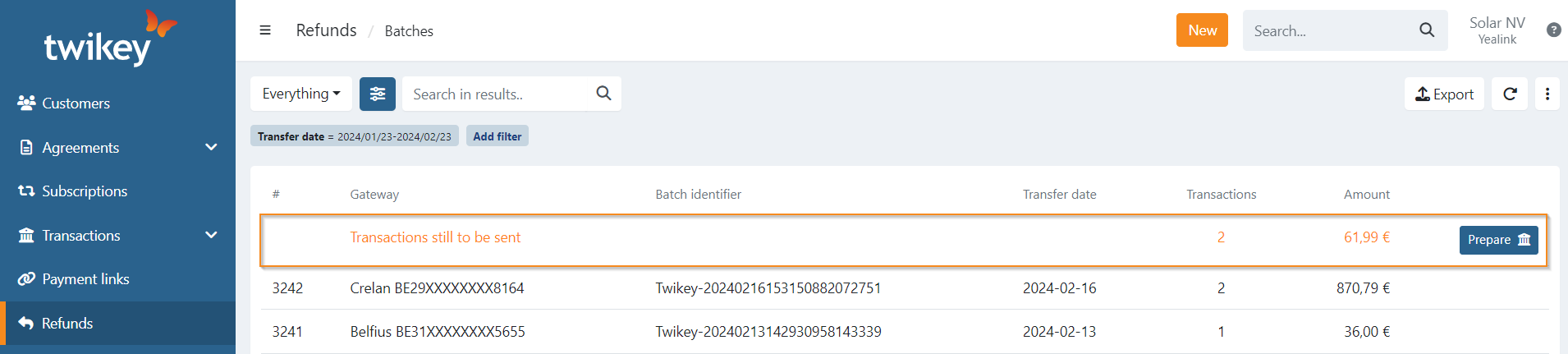
- Click on or, if you have a connection enabled with Belfius, ABAmro or Rabobank a is displayed instead.
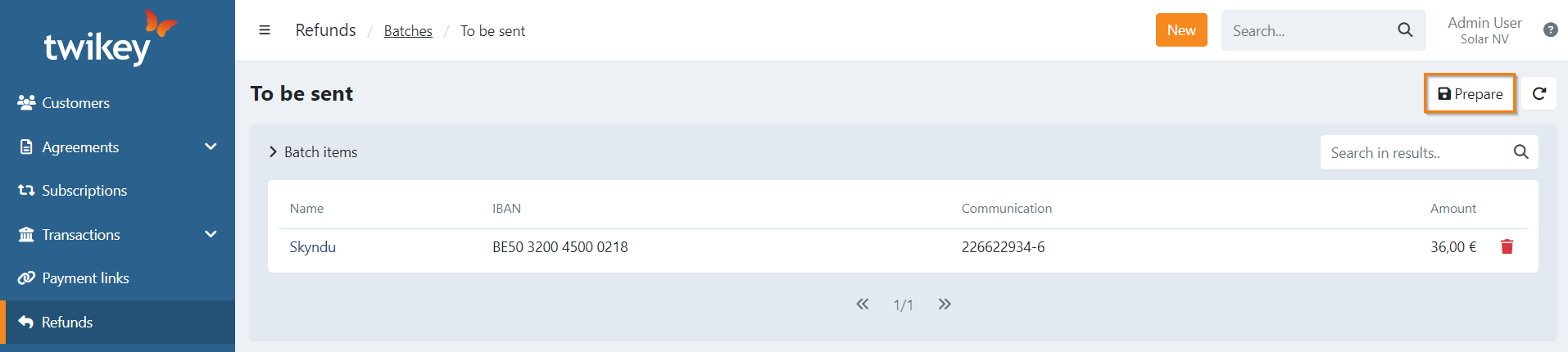
- A dialogue is now displayed where you can select the Gateway account from which the refunds need to be debited from.
- Select the gateway, verify the number of transactions and total sum are as expected.
- Click on or if you have a connection enabled to create the batch
- You are now redirected to the overview where you can see that the batch is created, only when you have a connection with a bank the paper plane icon () is displayed and the batch is sent.
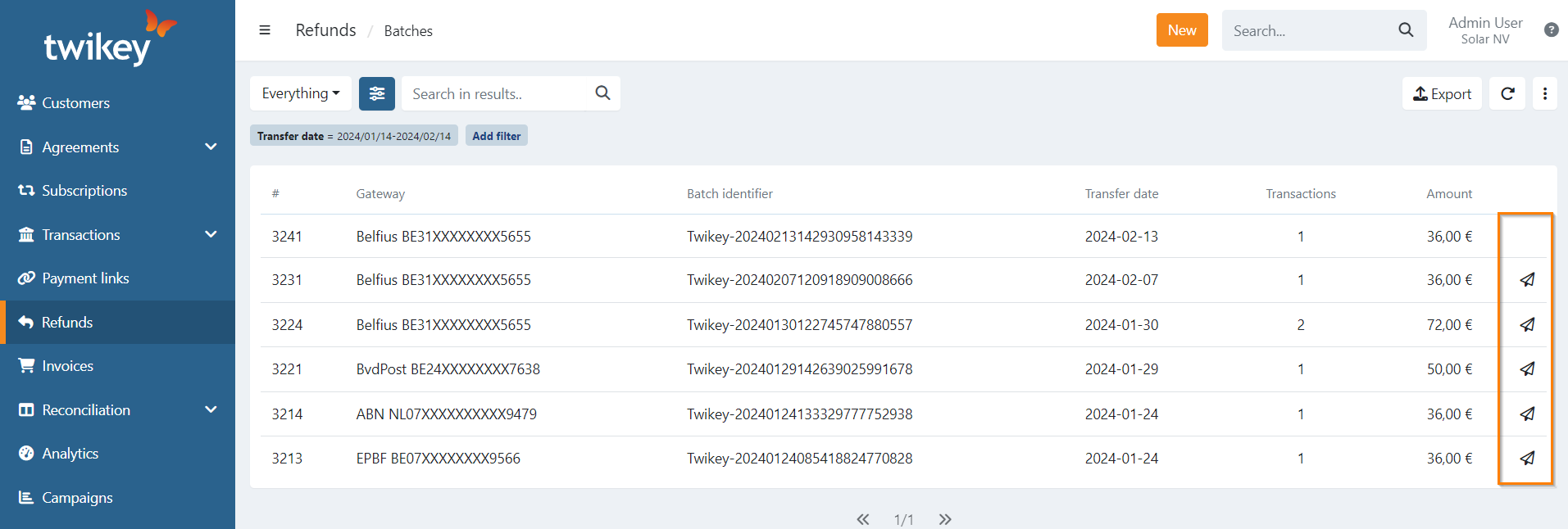
- To download the file click on the batch you just created.
- Click on
- Select Bank to download the file that you can then submit to your bank.
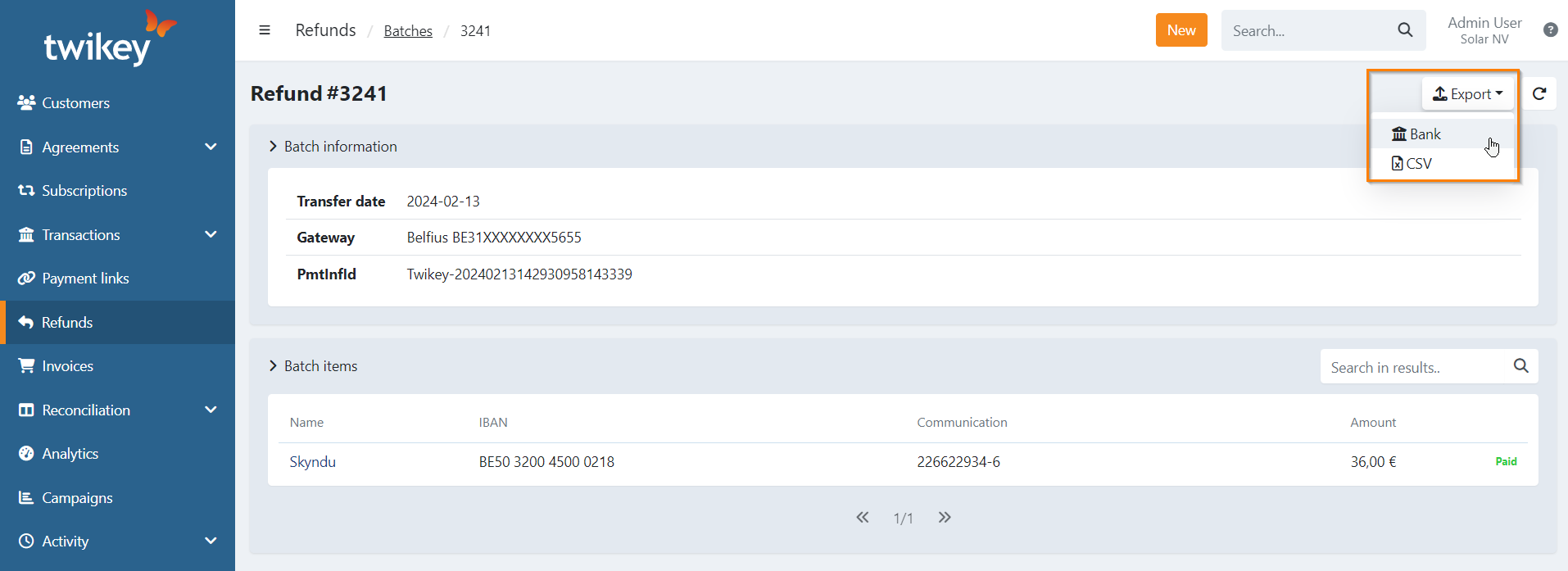
- The file is now available or the batch was sent to the bank automatically and your refund can now be processed.
Blocked items
Customers have beneficiary accounts created either implicitly when creating a refund from a transaction, then the IBAN from the mandate is used, or explicit by adding one on the customer details.
This account can be suspended, in case there are refunds pending for a suspended beneficiary account you will see 'Blocked items' on the batch details that you are about to create.
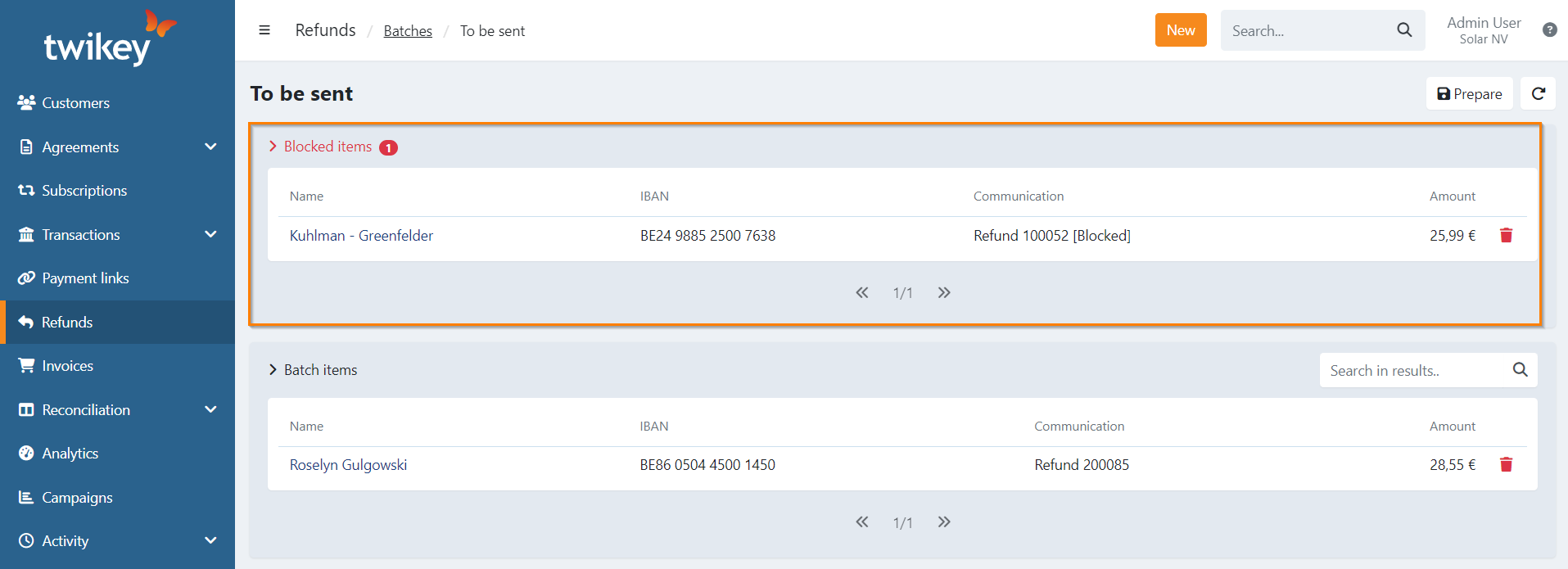
The refund batch can still be created, the blocked items are not included. You can go to the customer and reactivate the beneficiary account if required and still is valid to refund on.
Use a different beneficiary account for blocked items
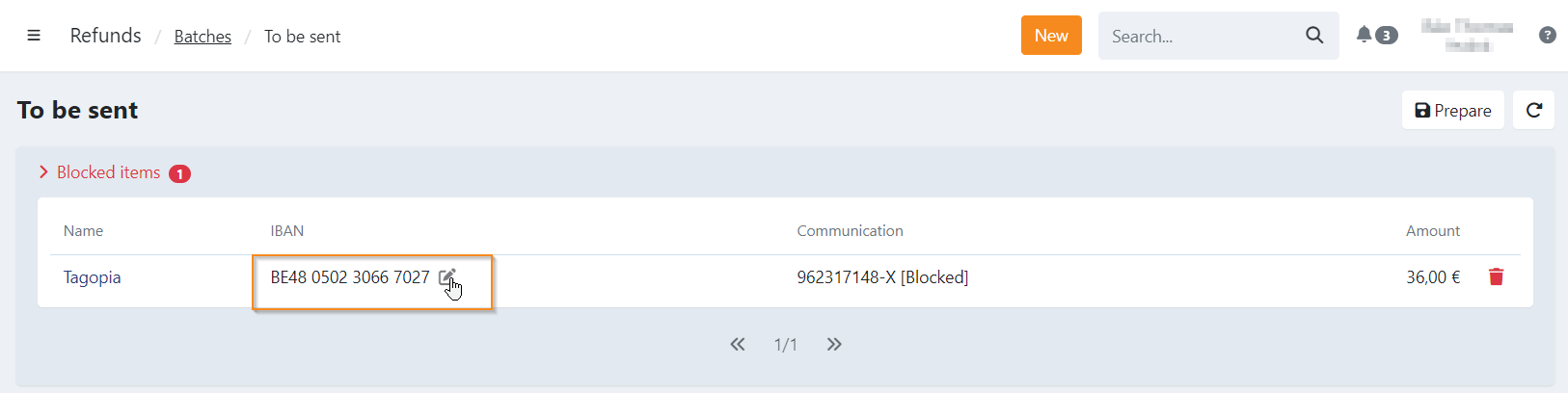
You can also opt to select a different beneficiary account for blocked items.
If your customer doesn't yet have multiple beneficiary accounts, you can create one by going to the customer and add a new account under the 'refunds' tab.
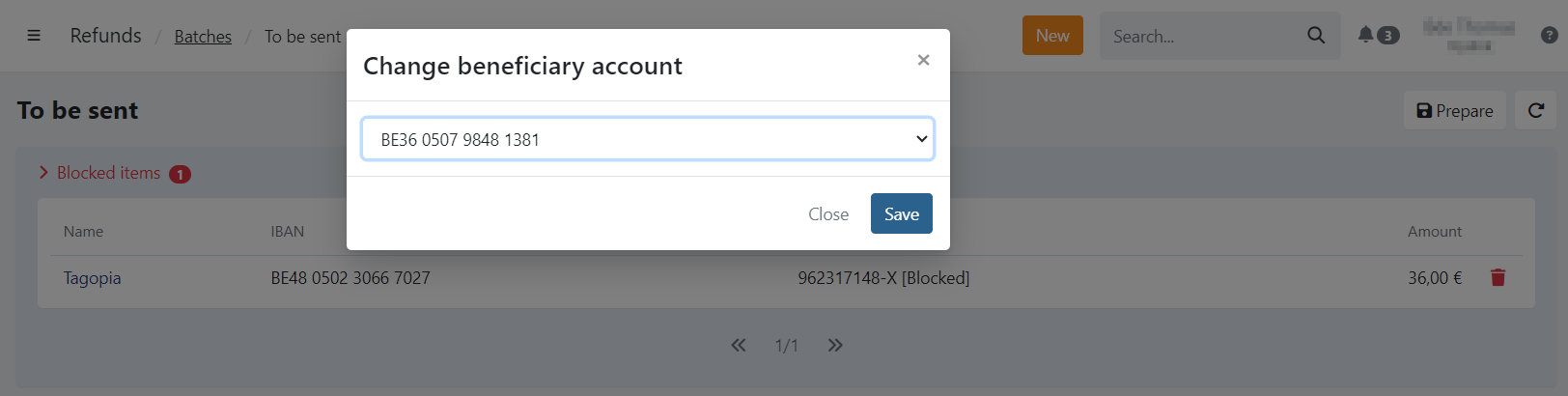
On the blocked items when preparing the refunds you can click on the edit icon next to the IBAN of the customer to select a different beneficiary account.
Select the account and click on 'Save'.