
Refunds screen
General information
Refunds can be used to completely or partially refund a transaction to a debtor or to create a credit transfer from one account to another. In this article, we will tell you more about the refunds screen in your environment. To find out how to refund transactions, please read Refunding a transaction.
Refund screen overview
In the Batches section you see an overview of all refund batches, batches that still need to be sent to the bank as well as batches that have already been sent.
The overview gives you the following information for the sent batches:
- The refund ID
- The Gateway (bank account or payment provider) from which the money is debited
- The Batch Identifier
- The Transfer date on which the refund was done
- The number of transactions in each refund batch
- The total amount for this refund batch
Refund batch yet to be sent will display the text 'Transactions still to be sent' and a button.
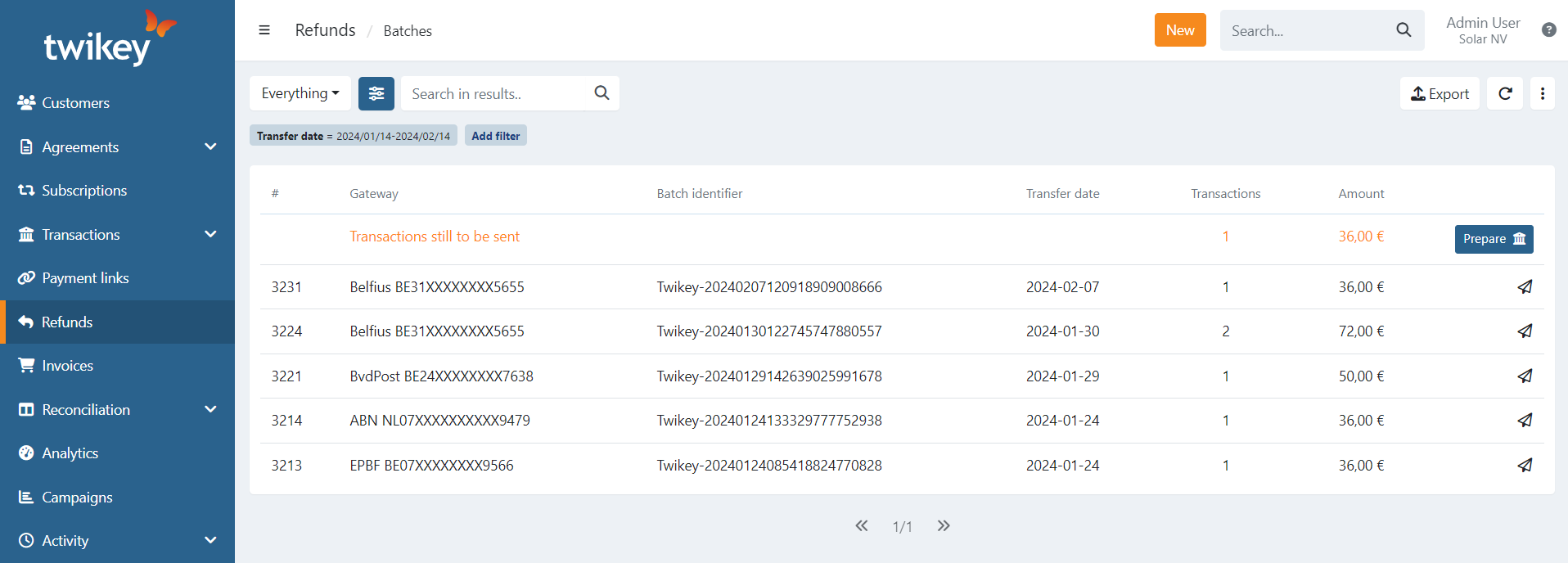
Use the preset and advanced filters to narrow down the list when searching for a specific batch or want to export a list of batches:
- Everything: all records
- With feedback: received feedback from the bank
- Feedback missing: didn't receive feedback from the bank
- Archived: the batches that are archived.
In the current list of records you can search for batches using partial or full:
- # Id
- Gateway
- Batch Identifier
- Transactions
- Amount (in cents, without a comma or dot)
Details on a sent batch
You can see the details for a particular batch by clicking on it.
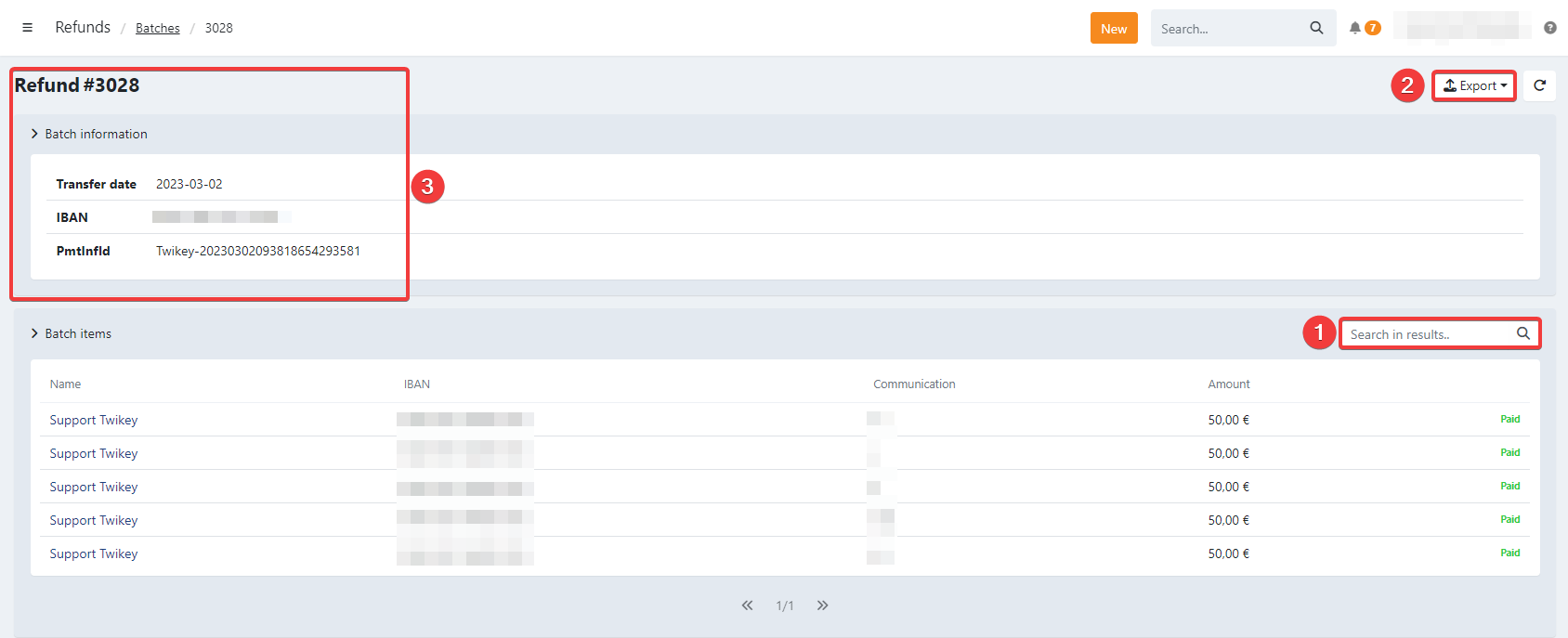
It is possible to perform the following actions in this screen:
- Search (1) using partial or full: Name, IBAN, communication or amount (in cents)
- Export (2):
- Bank (format XML)
- CSV
The batch information is displayed (3):
- Refund # ID
- Collection Date
- IBAN
- PmtInfId (Batch Identifier)
Beneficiaries
To create a beneficiary account, it is either done implicitly by a signed mandate or
you can create (extra) beneficiary accounts for a customer. More information can be found in the related article about Customer details (Refunds).