
Clear and quick overview of your payment links
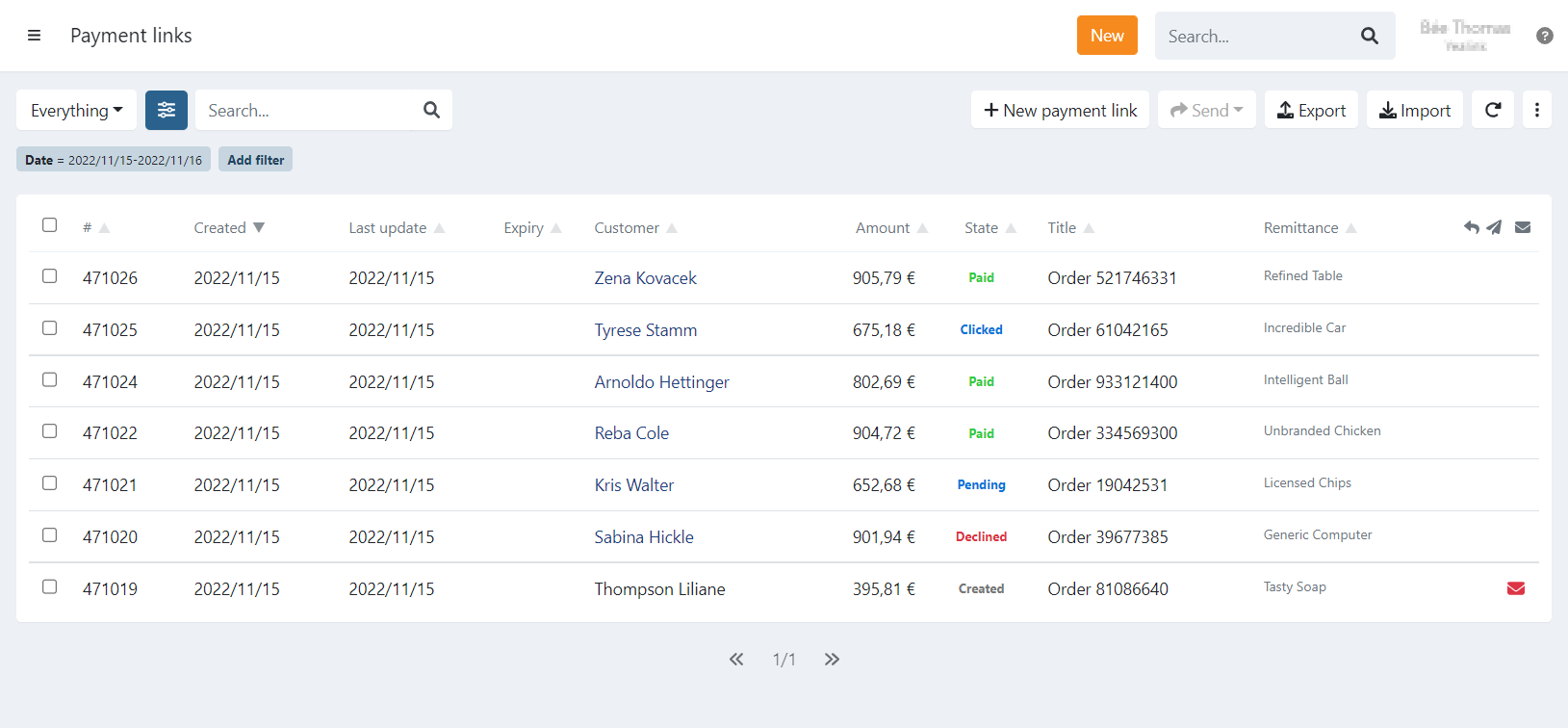
On the payment links page you have an overview of all your payment links and current state:
- Created: The link is created
- Clicked: The link was opened
- Pending: A payment is pending
- Paid: The link is paid
- Expired: The link is expired
- Declined: The payment was not successful
For each payment link additional information is displayed on the right:
- Refund: A refund was done, hover over the icon to display the amount refunded.
- Invitation: An invitation was sent to the customer
- Tip: You can select a specific type of invitation (sms email,..) using the advanced filter 'Invitation'
- Tip: You can hover over the icon to display which invites are already sent (email, sms,..)
- Valid email: A red envelope is displayed when the customer has no email address
Details of a payment link
Click on a payment link to display the details and the share options.
When a payment link is paid, you have the refund option available on the details tab.
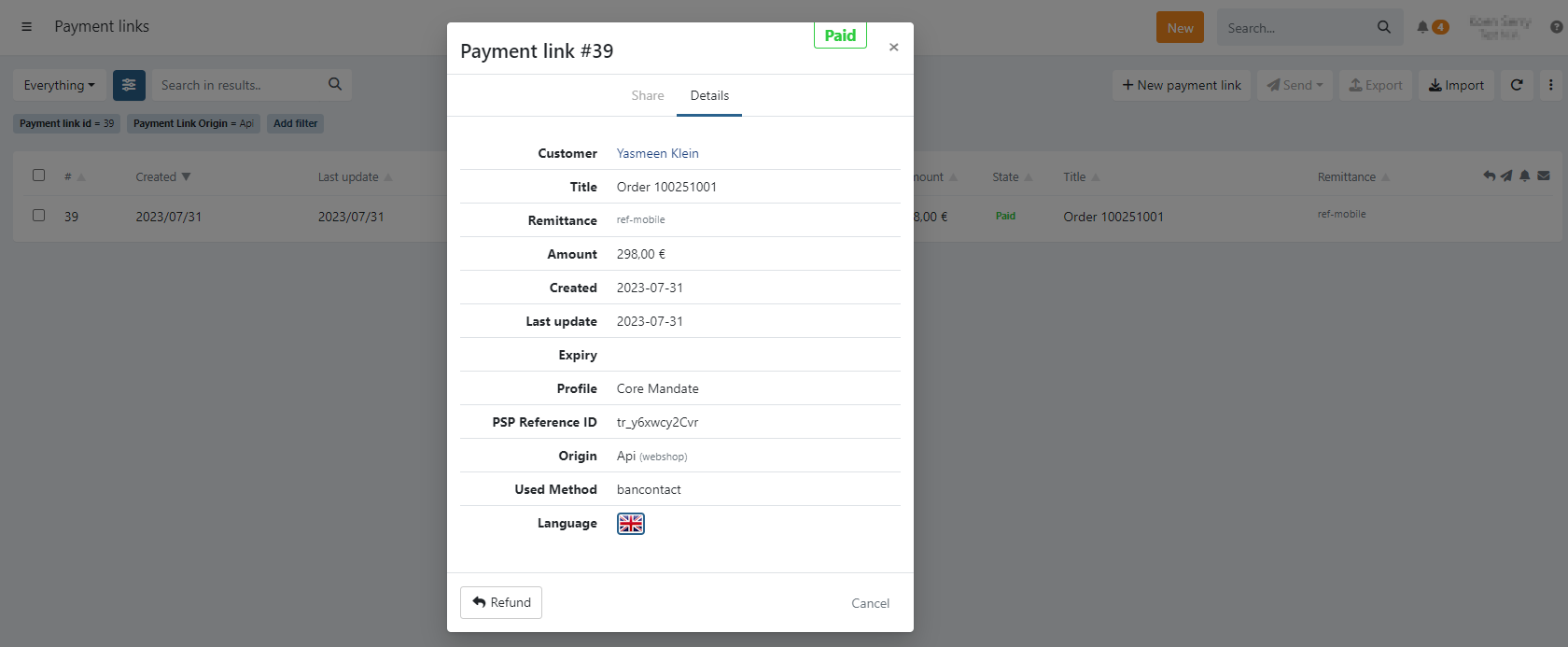
You can find additional fields on the details if available:
PSP Reference ID
Once a transaction is created with the payment provider, you see the PSP Reference ID on the Details tab of the
payment link. It is possible to use the advanced filter 'PSP Reference ID' to search on this reference.
Origin
The origin is displayed when the payment link was created in one of the following cases:
- API: The link is created via API. Additionally, if you included a X-PARTNER header, the partner is also displayed between brackets.
- First payment: A link created when signing a mandate using a first payment.
- Dunning: A dunning step created the payment link, the link is related to a failed transaction either via:
- Automated dunning configured on your profile
- A manual dunning action on the transaction
- API, creating a payment link linked to a failed transaction (using parameter
txref)
- Invoice: The link originated from an invoice.
- Credit Card Renewal: A link created via a task to renew a recurring credit card agreement.
You can use the advanced filter 'Origin' to filter on those payment links.