Refund a payment link
A refund on a payment link can be done either using Via bank account or Via PSP. Refunds can be done partially multiple times, or once in full.
The total amount of all partial refunds combined can not exceed the total amount of the payment link.
Via bank account:
This is a traditional refund, the refund is placed in a batch on your Refunds page and need to be sent to the bank to be executed.
A beneficiary account is required, but if we captured the IBAN from the PSP you will be able to select that IBAN from a list during the refund or, add a new one in case there is no beneficiary account or if you need to transfer the funds to a different account.
Via PSP:
The refund is directly sent to the payment provider used to pay the payment link. In this case, the provider handles everything on their side.
Refund Via bank account
- Click on your payment link to open the details
- Open the Refunds tab
- Enter the required information:
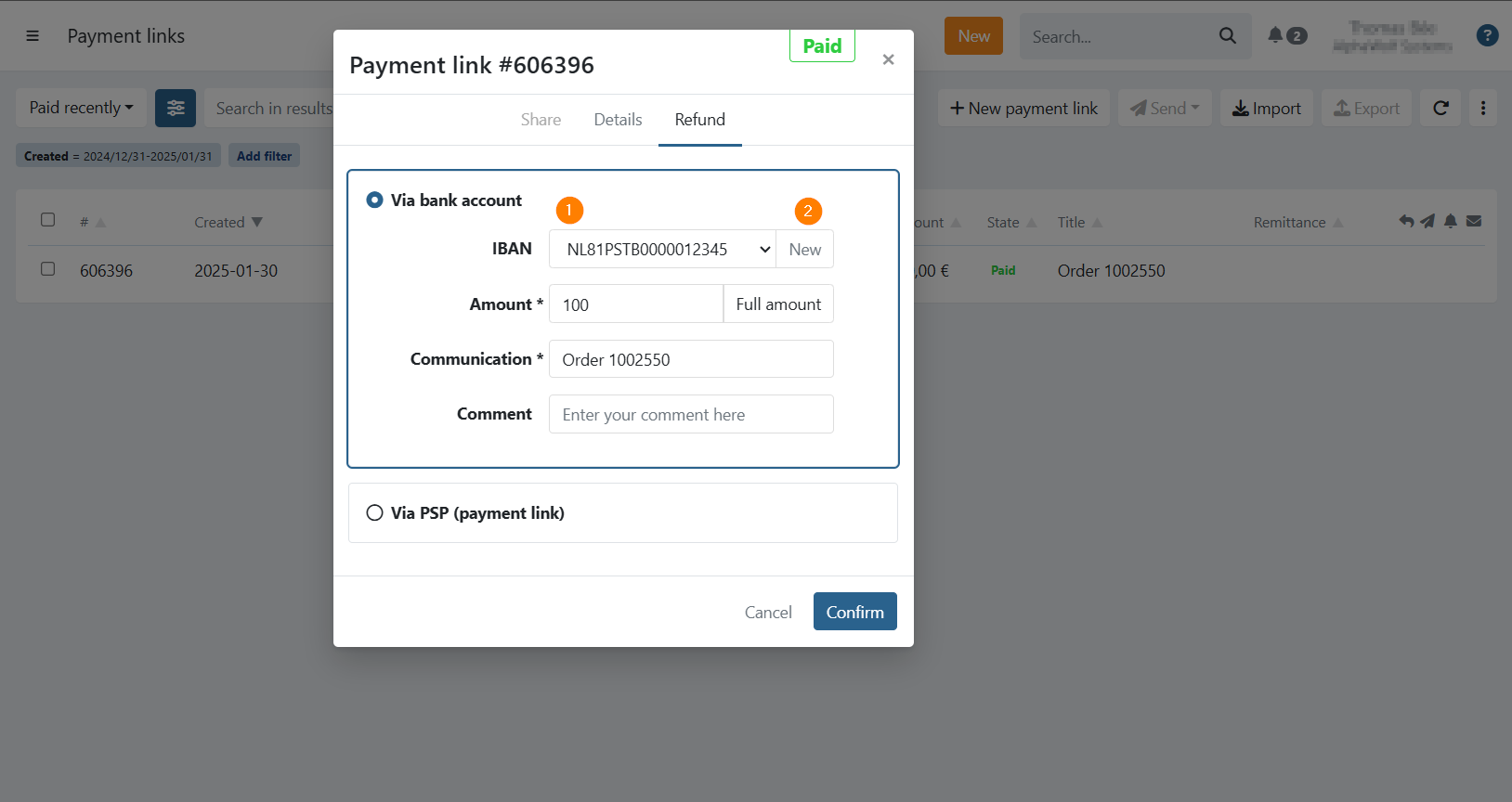
- Account (1): Select the account to send the refund to. This can be the account captured from the payment, from an existing agreement or any beneficiary account registered on your customer.
- New (2): Add a new beneficiary account, you will be prompted to enter an IBAN and you can continue with your refund to the new account. This account will be saved as beneficiary account.
- Amount: Amount to refund, the full amount is filled in by default.
- Communication: The communication of the refund.
- Comment: Optional, add an internal comment.
Click on Confirm to refund the payment link and a refund is now ready to be sent to the bank on your Refunds page.
After generating the refund, you will still need to send it to the bank.
On The Refunds screen there will be a batch To be sent that you need to prepare in order to send it to the bank. Your added refund will be shown here. You can review all your refunds and click on Prepare in order to send it to the bank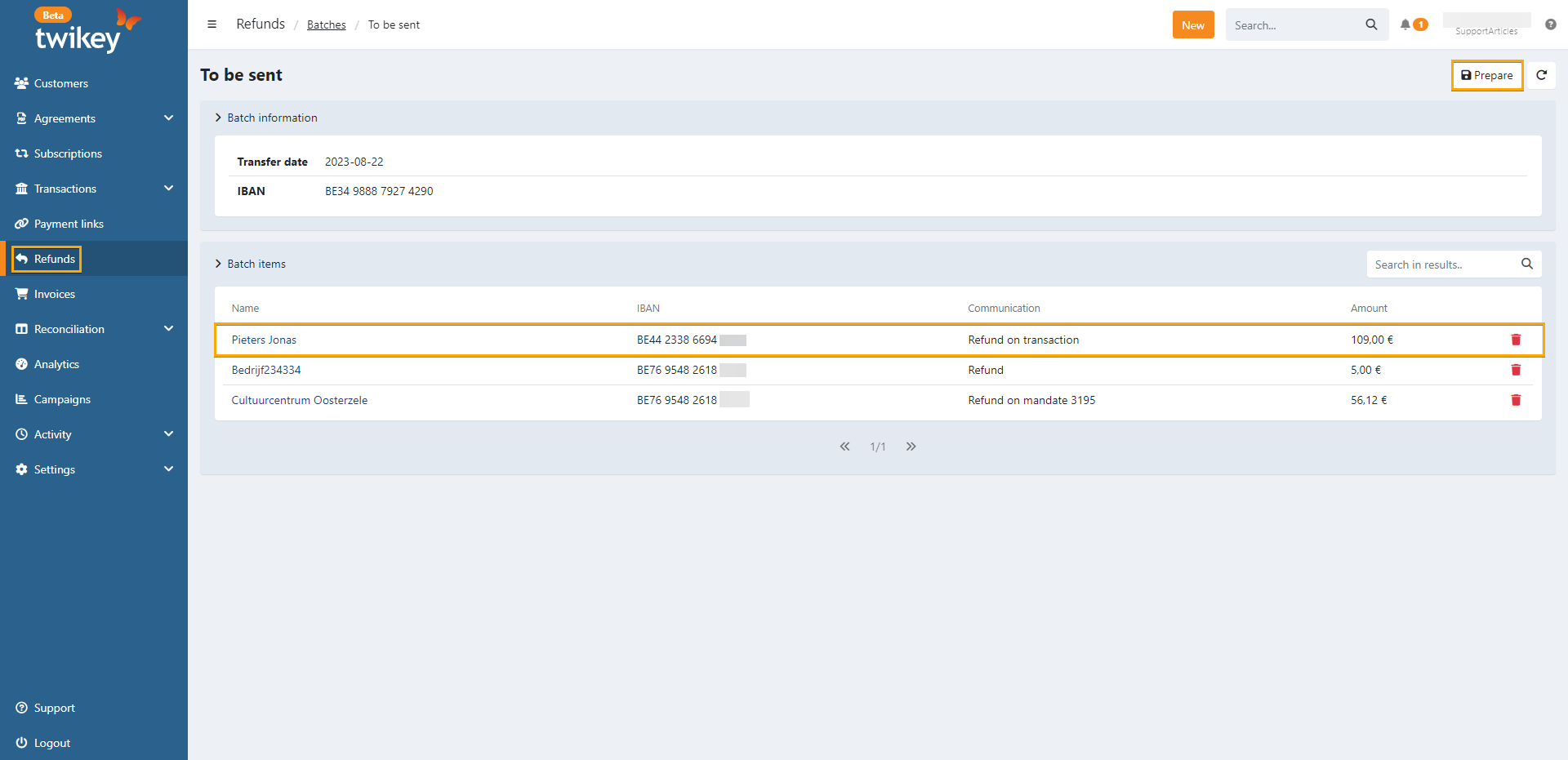
Refund Via PSP
- Click on your payment link to open the details
- Open the Refunds tab
- Click on Refund via PSP
- Enter the required information:
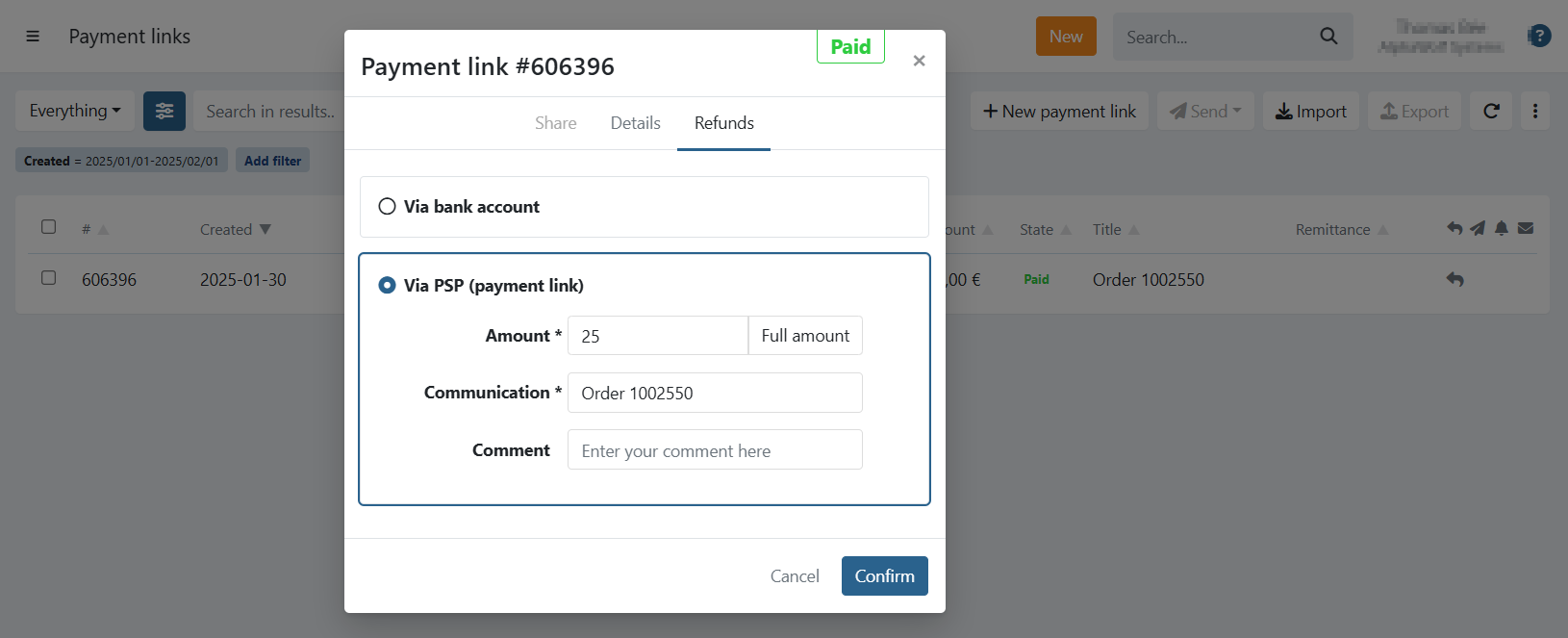
- Amount: Amount to refund, the full amount is filled in by default.
- Communication: The communication of the refund.
- Comment: Optional, add an internal comment.
Click on Confirm to refund the payment link and a refund is directly sent to your provider.
Refunds overview
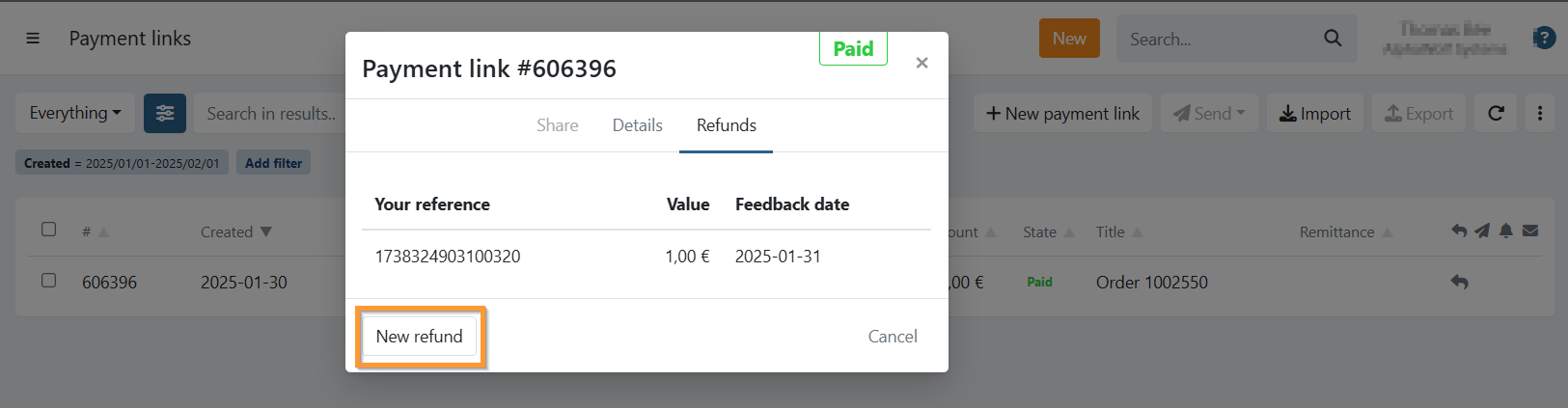
When you refunded a payment link, you can view the refunds by opening the Refunds tab on the payment link details.
You can initiate a new refund by clicking on New refund:
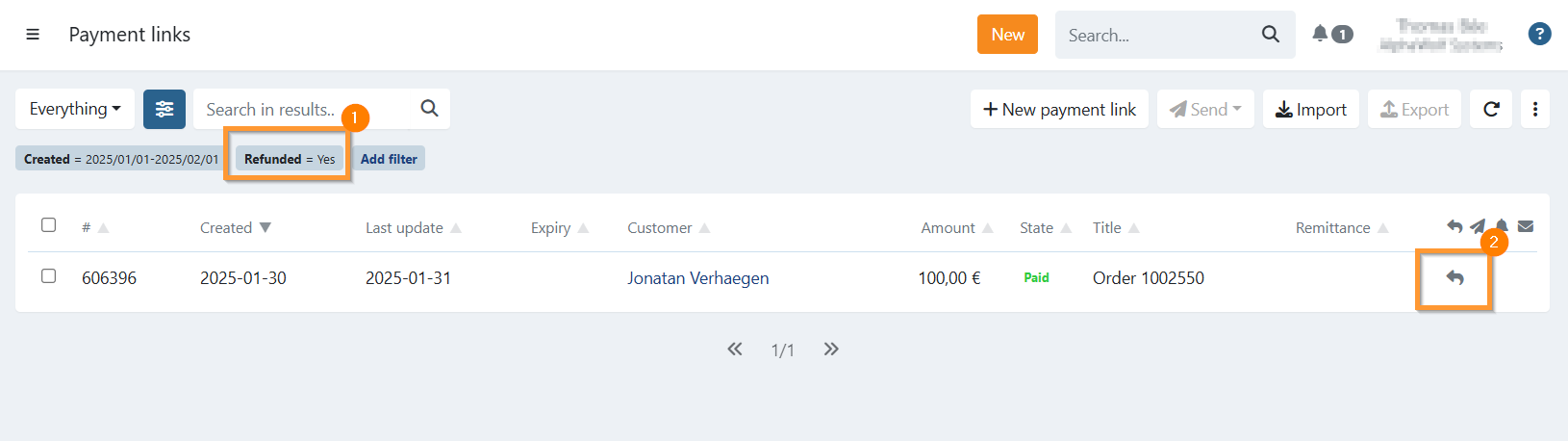
On your payment link overview, you can also filter on refunded payment links (1) and hover over the refunded icon (2) to see the total amount refunded for a payment link: