Peppol
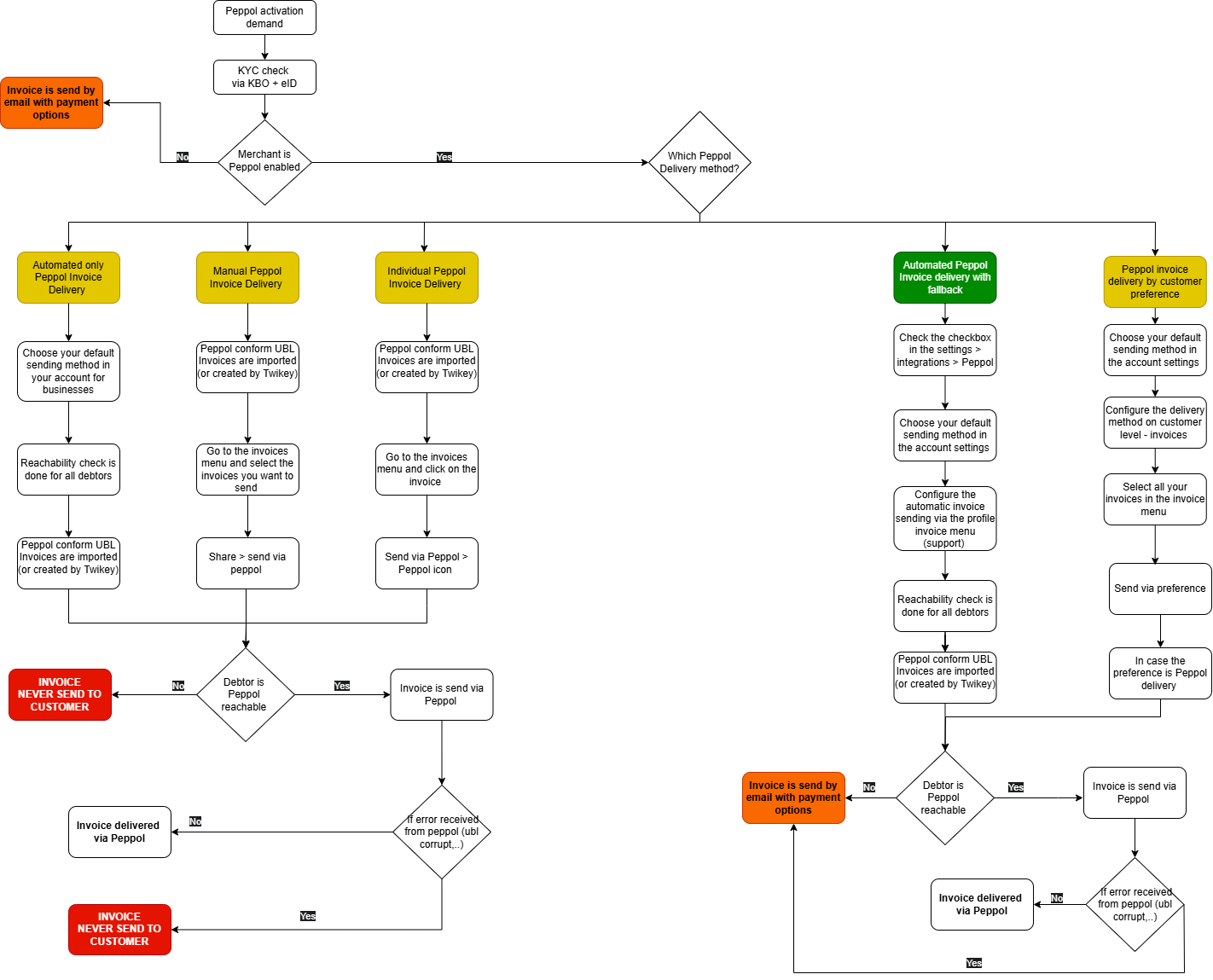
With Twikey, you can send UBL invoices directly over the Peppol network. This simplifies your invoicing process and ensures compliance with international standards.
To activate Peppol, please follow the steps below. After activation, an additional configuration step is required before you can start sending invoices.
Request Peppol activation
To start, click the “Request Peppol activation” button via the menu integrations.
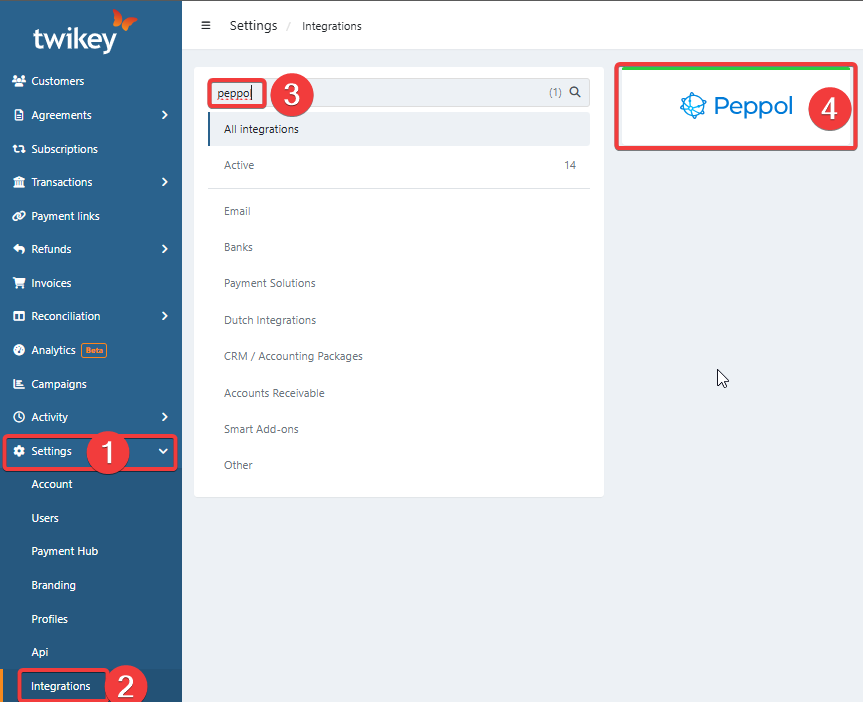
Our support team will contact you and request:
- An extract from the (Belgian) Crossroads Bank for Enterprises (KBO/KVK/COC/...). Tip: share this with us upfront to save time.
- A copy of the ID of the “Managing Director / Permanent Representative” mentioned on the extract.
Once the activation and KYC check are completed, you will receive an automated confirmation. We will then verify which of your existing clients are already reachable on Peppol.
You can check this in your client list using the filter Reachable on Peppol = Yes.
UBL invoice format
Invoices must be in a Peppol compliant UBL format.
Peppol ensures smooth communication by requiring all documents exchanged on its network to follow a standardized structure. This structure is defined in the Peppol Business Interoperability Specifications (BIS) and is based on Universal Business Language (UBL) 2.1.
In Belgium, the most commonly used standard is Peppol BIS Billing 3.0. You can read more about it here.
Please note that, according to the specifications, an invoice in UBL format must include a UBL address. If this address is missing, the invoice will automatically be sent by email instead.
To send your invoices via Peppol & Twikey, you will need either:
Option 1 : You already have a UBL/Peppol file
ℹ️ Please share an example of your UBL file with us so we can check compatibility.
⚠️Important : Twikey only validates the format, adaptations must be handled by the creator of your UBL file.Option 2 : You don’t have a UBL/Peppol file
If you or your invoice/accounting system cannot generate a Peppol compliant UBL, Twikey can create the UBL for you.
To do so, we’ll need the invoice data in an alternative format. You provide us the information via our invoice API and initiate the sending via Peppol.