
How to send invoices
Show me
Send individual reminders
Show me
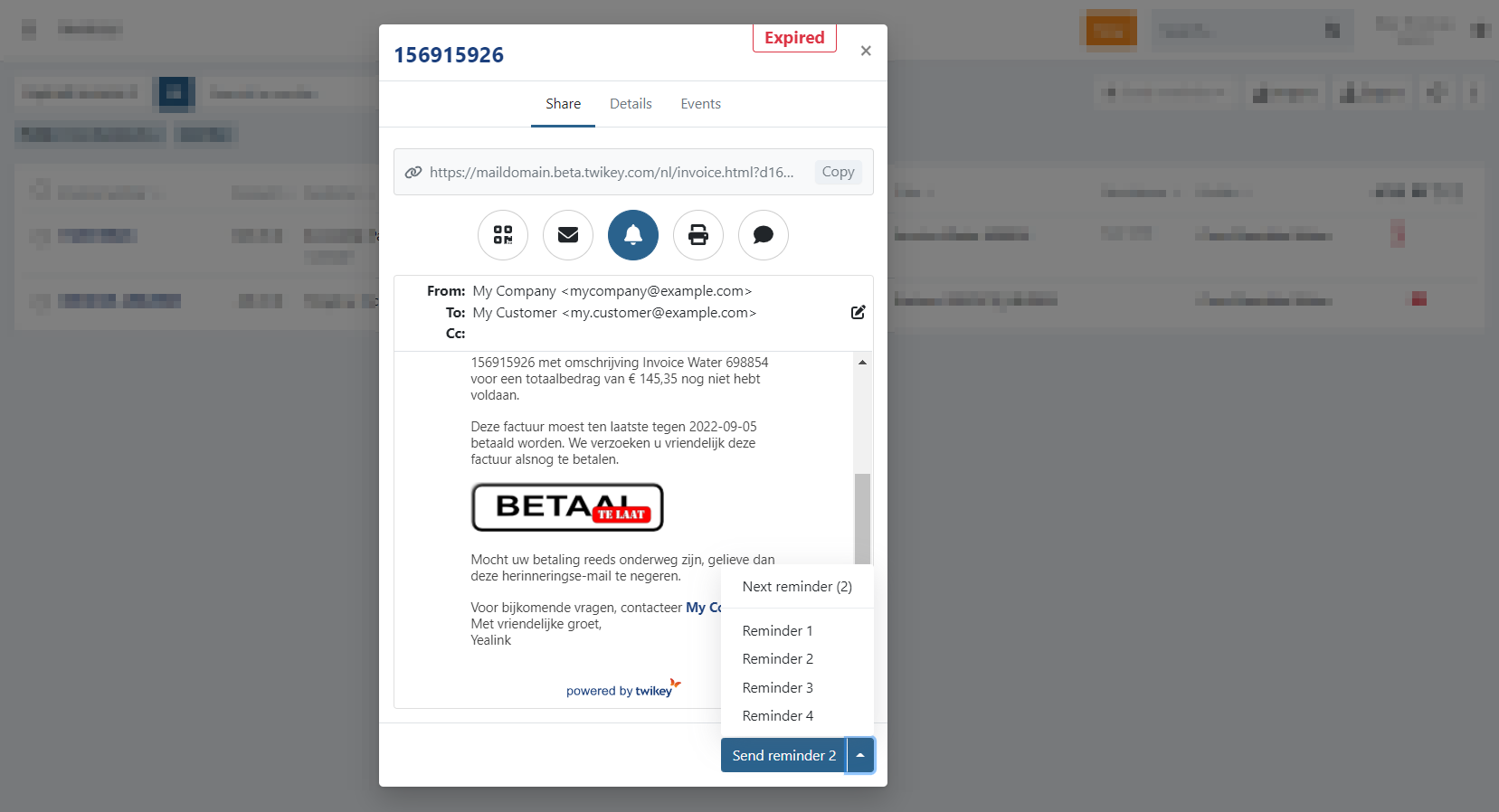
On the invoice overview click on any invoice to open the invitation modal. On the invoice details you can use
the button to open this modal.
Select the bell to display the preview and send the invoice reminder.
On the email-reminder you have:
- From: The sender of the email. A different From-address can be configured for each profile (optional).
- To: The recipient. The recipient for a specific invoice can be changed using the edit function.
- The email is only applied to the specific invoice.
- The email address of the customer is not changed.
- Cc: Additional recipient. This can only be configured on the customer.
To send the reminder:
- Click on
to send the current reminder displayed (1, 2, 3, or 4). - Click on the dropdown next to the button instead to select a specific reminder (1, 2, 3, or 4).
- Click on Send Reminder to send it out.
Enable the required language(s) on your invoice-profile when you notice the email is in English instead of the invoice-language.
The email can be customized in your settings -> profile -> email tab: Invoices.
The email can be customized in your settings -> profile -> email tab: Invoices.
Send multiple reminders
Show me
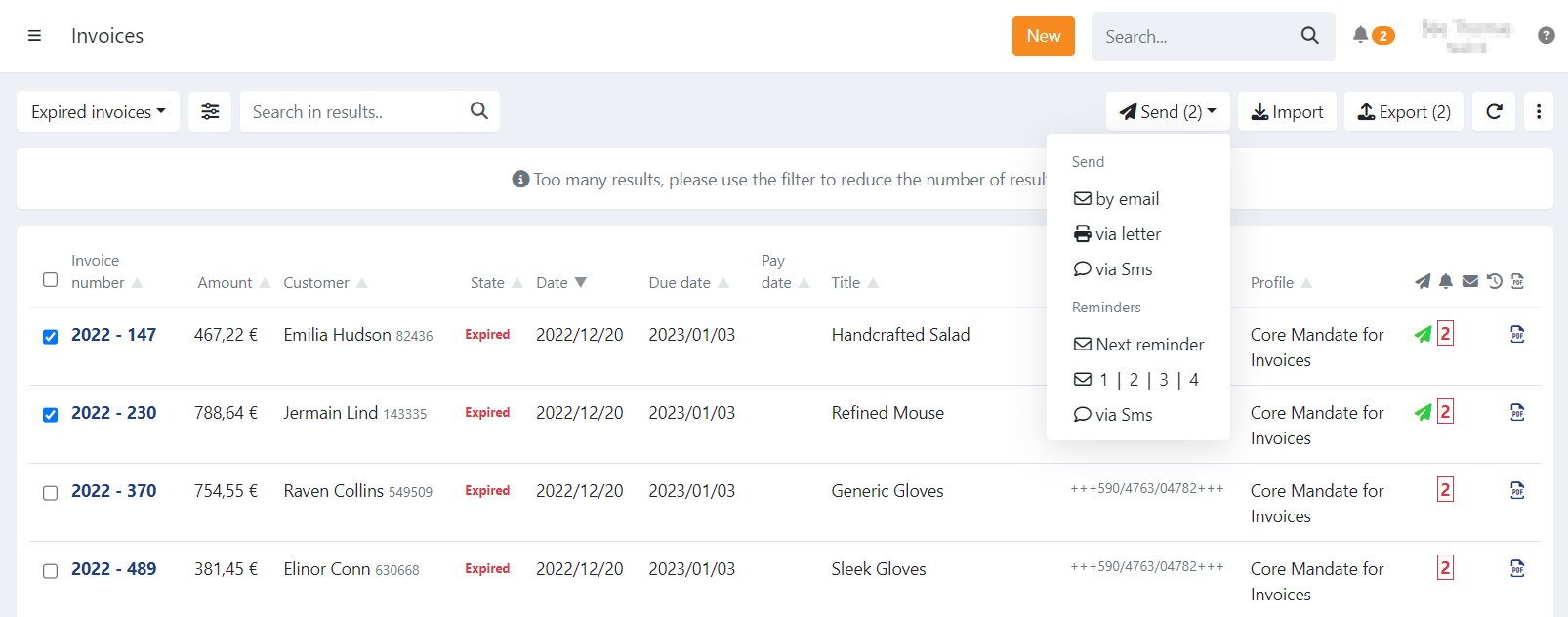
- Select one or more invoices on your invoice overview.
- 'Send' now displays the number of selected invoices
- This is the actual number of reminders you will be sending out.
- Click on 'Send': a dropdown is displayed.
- Under the section 'Reminders,' you can now select which reminder you want to send via email or send a reminder via SMS:
- Next reminder: This option will automatically send out the correct reminder for each selected invoice. Reminder 1 - 4 is sent out depending on the last reminder sent out for each invoice.
- 1 | 2 | 3 | 4: Select a specific reminder to send out for all the selected invoices regardless of the current reminder.
- The reminder level is reset to the selected reminder (1-4) for all the selected invoices.
- Via SMS: Send a reminder via SMS. Customers with a valid mobile number will receive the text message.
When the selection contains invoices in the state 'Paid' or 'Archived' the reminder is not sent out for those invoice(s).
Other selected invoices will receive the reminder.
Selecting invoices
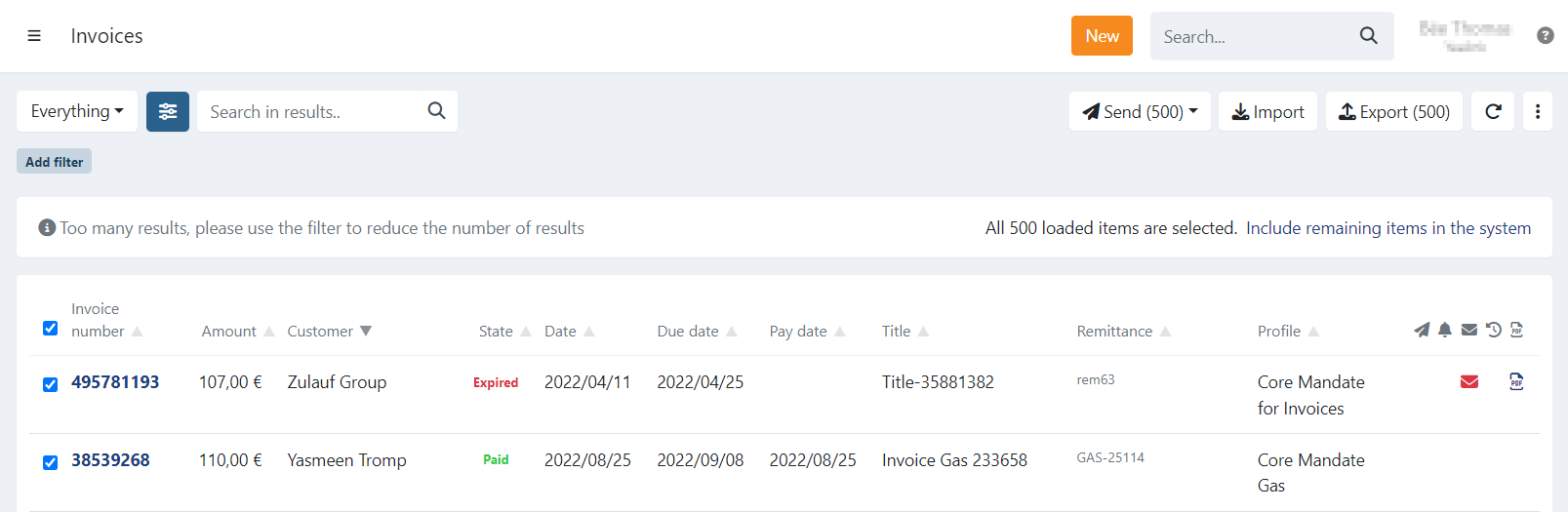
The overview is limited to 500 invoices, when you select all the invoices at once you can opt to perform an action
on only those 500 invoices or select everything that matches your current filter.
In this case a dialogue will be displayed to notify you about this.
To select all remaining invoices that are not displayed press on 'Include remaining items in the system'.
Invoices are always retrieved based on the current filter combinations.
Last Update: 2023-01-24