
Using the global search in your Twikey environment
Global search
For each page, we provide a search option, but it is limited and can only be used on a maximum of 500 items that are currently loaded. If you wish to search across all your agreements, transactions, invoices, etc., you can use the global search. Please note that the global search may take a bit longer to load results as it performs a comprehensive search. It is accessible from anywhere within the application (top right of the page).
For a targeted search, use filtering
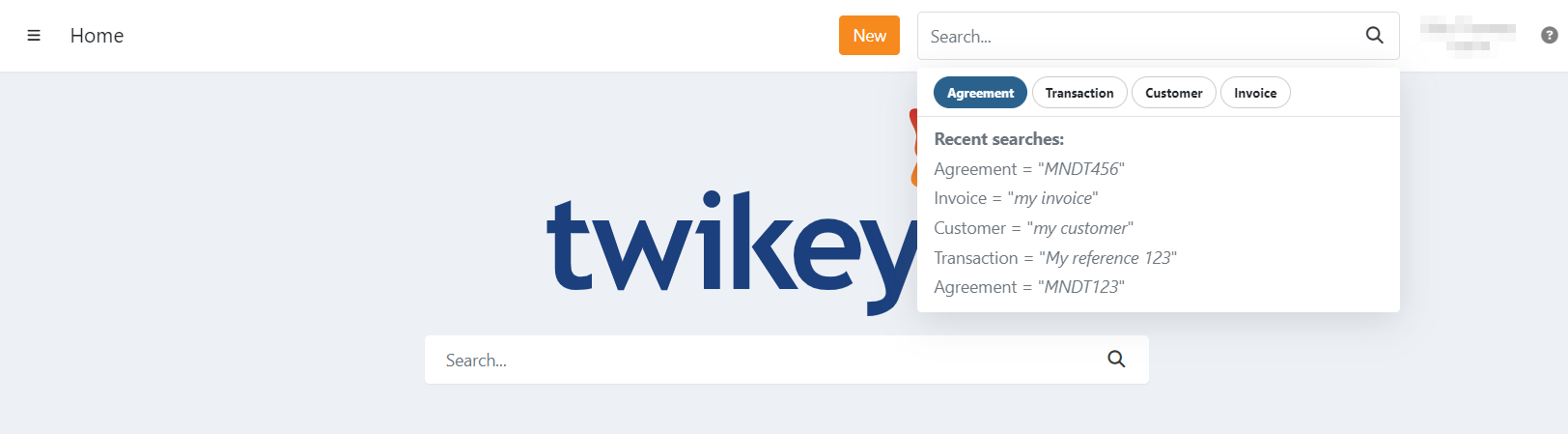
A recent search history is also kept, this way you can easily return to a previous search.
In this article we describe wich references can be used to search per type.
Agreements
For this type of search you can use the following references:
- Mandate reference
- The Contract reference
- The (company) name of the customer
- The customer number
- The value of a custom attribute on the mandate
Transactions
For transactions you can use the following reference:
- Your own reference registered on the transaction
Customers
For this type of search, you can use the following references:
- The (company) name of the customer
- The customer number
- The full or partial email address
Invoices
For invoices, you can search using the following references:
- The invoice number
- Your reference of the invoice
- Twikey reference