
How to create a customer
Show me
A customer can be created in different ways, this can be done using the global option or on the customer overview
using the new-button
A new customer can also be created when importing/creating invoices, payment links, agreements or Direct Debit files.
The import of customers can be done in CSV and XML format.
New customer: details
Person
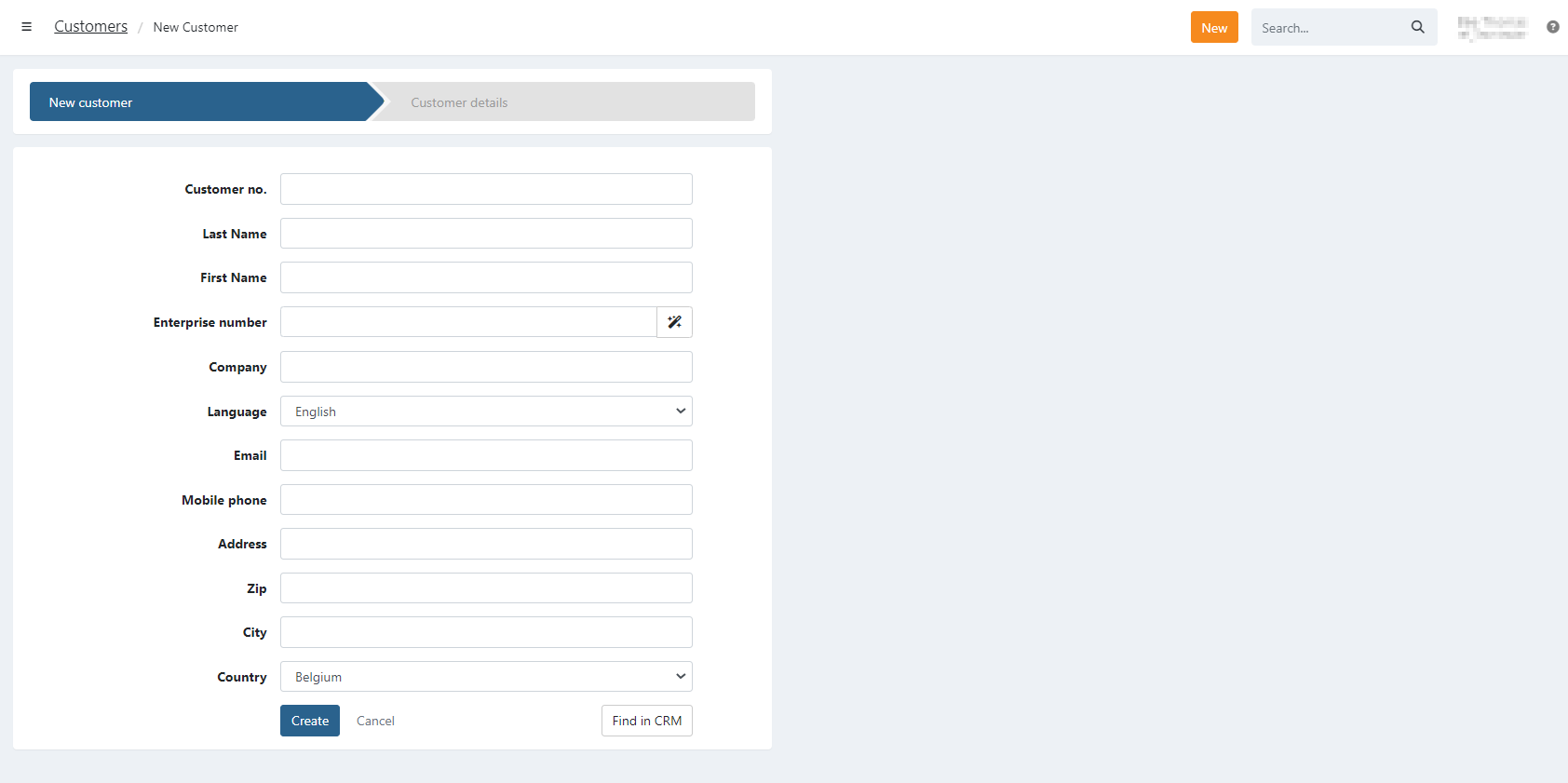
To create a person-type customer at least a customer number or first and last name is required.
Company
To create a new company-type customer at least a customer number or company-name is required.
You can automatically fill in company-details for Belgium or Dutch enterprises by entering the Enterprise number:
- Enter the enterprise number
- click on the autofill icon to search and fill in the details
We automatically detect if it is a number from Belgium or the Netherlands and update the country accordingly.
Find in CRM
When you have a CRM-integration you have an additional button 'Find in CRM' on the right, to search for customers from
your CRM integration.
You can then search on customer or company name and directly fill in the customer-data. More information about how to import customers
from CRM can be found on the support pages for the specific integration.