
How to merge customers
When you need to merge customers, this can be done quickly and easily in just a few clicks.
The newly created customer will have all the products (agreements, payment links, etc.) from both parties.
- Go to your customer overview
- Click on Merge
- Select the customers, you can search for them using the search and filter options
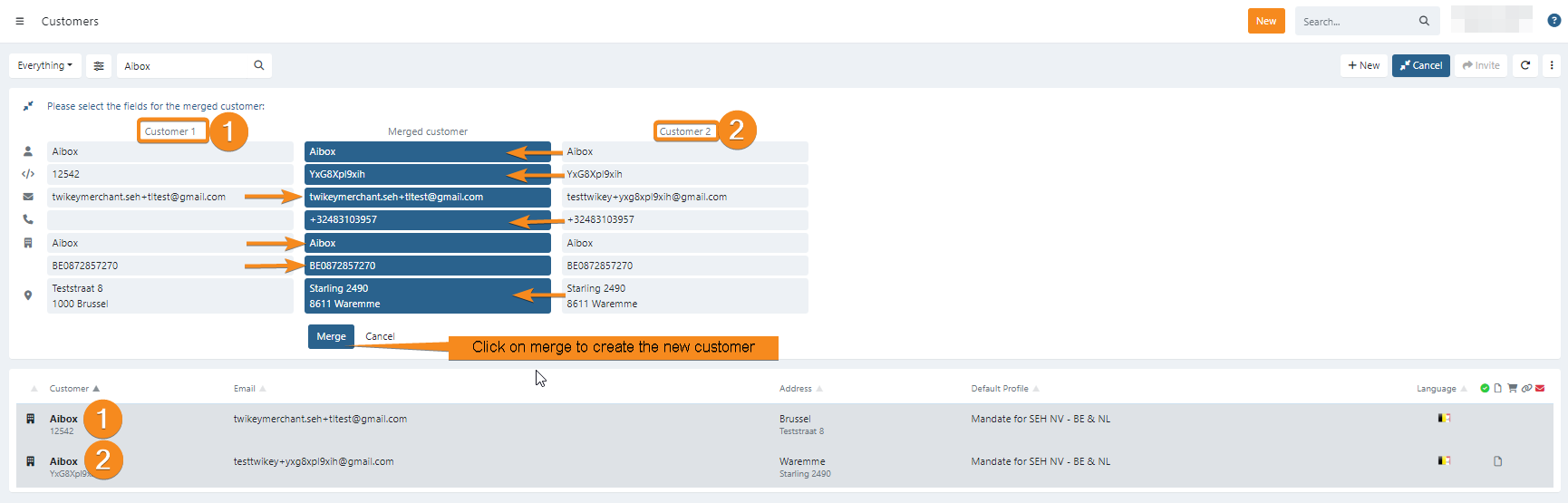
- Once two customers are selected, the merge options are displayed
- Select the information you want to use from both customers
- Click on Merge

Last Update: 2025-08-12