
Customers: Invite customers to sign a new mandate
- The basics
- Invite your customers for invoices
- Invite your customers for mandates
- Invite customers for a different mandate...
In this article we'll explain how you can send an invitation to a set of customers at once to sign a new mandate.
By using the advanced filters, you can target a specific audience. When the invitations are sent, a new campaign is created (or you can use an existing one) where you can follow your progress.
We will provide a few examples to get you started further in the article.
The basics
In order to send the invitation, it is simple:
- Go to your customer overview
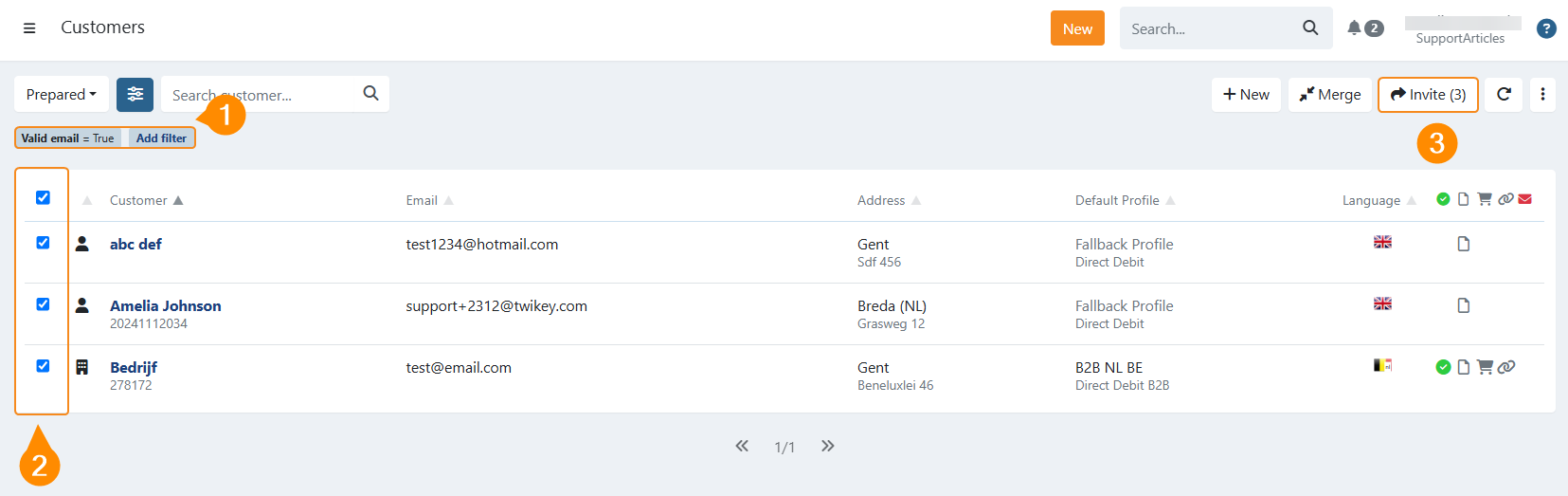
- Filter the customers you want to invite (1) by using the advanced filters (advised)
- Select all or individual customers to invite (2)
- Click on (3)
A new modal opens where you can select the profile to use and if you want to use an existing campaign or create a new one.
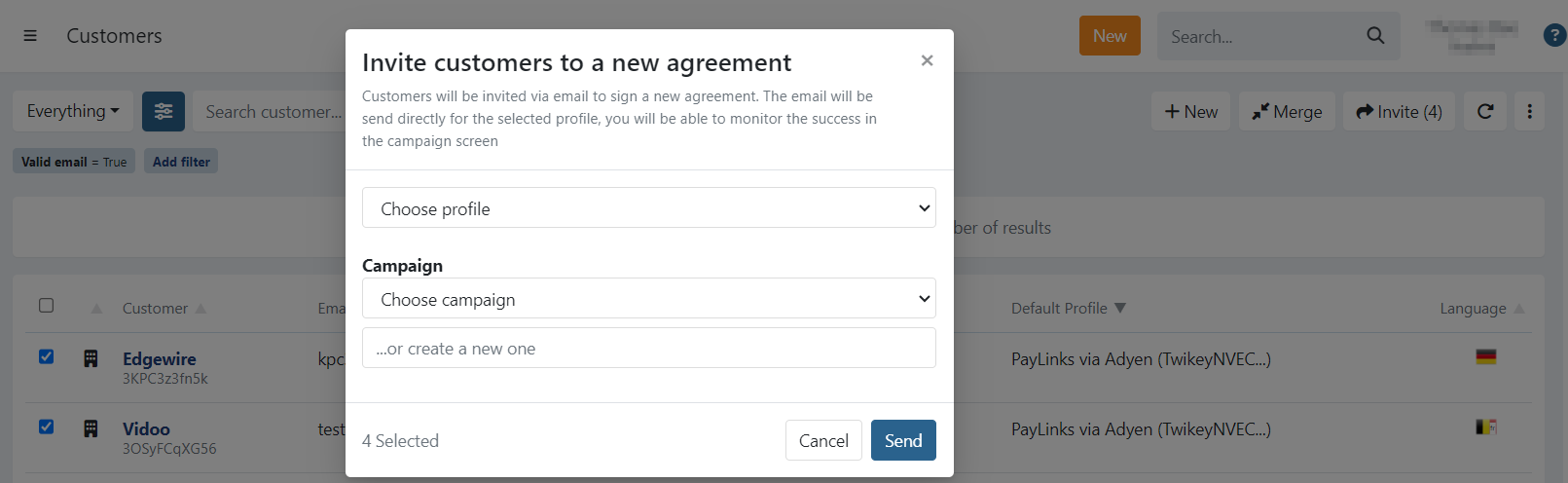
- Select the profile
- Use an existing campaign or create a new one
- Click on to invite the selected customers
You can now follow the progress of which and how many customers have signed, or started signing via your Campaigns.
Invite your customers for invoices
To invite all your customers that have invoices, to sign a mandate so invoices can get paid by automated collection, you can opt to use these advanced filters:
- Valid email: True
- Invoices: With invoices
- Agreements: Without agreements
You can also include for example the type of customer (company/person) if you want to target a specific type of customer for a specific type of profile (B2B/CORE).
Invite your customers for mandates
To invite all your customers without a mandate, to sign a mandate, you can opt to use these advanced filters:
- Valid email: True
- Agreements: Without agreements
You can also include for example the type of customer (company/person) if you want to target a specific type of customer for a specific type of profile (B2B/CORE).
Invite customers for a different mandate/agreement
Of course, you can also use the filters to select customers already having a signed or prepared mandate, but want to invite them for a different (type of) profile.
For example, you can use:
- Valid email: True
- Agreements: With agreements
- Profile in use: select the profile for which the customers already have an agreement
Additionally, you could use the Agreement state if you want to select only customers having the selected profile in a specific state (signed, cancelled, prepared,..)