
How to suspend and reactivate agreements
Show me
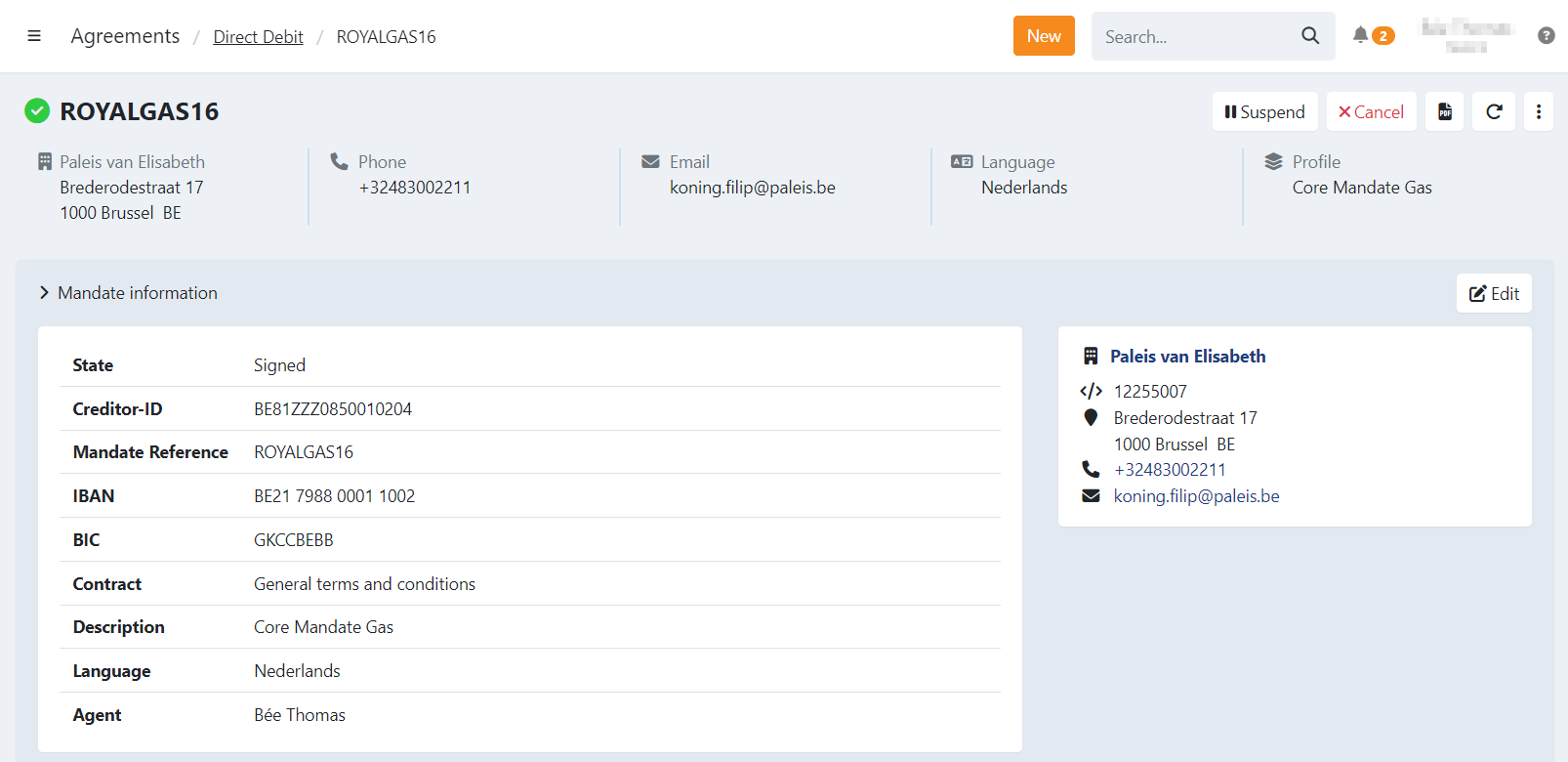
Suspend agreement
Agreements can be suspended automatically by the dunning workflow, a scheduled task, or you can suspend agreements from the agreement detail page.
To do this manually, go to the details of the agreement and click on
A confirmation modal will appear, asking you to confirm the suspension.
The mandate is now suspended and cannot be used for collection anymore.
Transactions
When you suspend the agreement the transactions already sent to the bank are still processed, open transactions cannot be collected.
The open transactions are placed in the 'Uncollectable transaction' batch on the To be sent transactions. You can still send the transactions to the bank either via
To be sent > uncollectable transactions, or when reactivating the mandate you can send them to the bank as normal.
Subscriptions
Depending on your profile configuration, the subscription may be put on hold or not. When the subscription is paused transactions are not created while
the mandate is suspended. If the subscription is not paused, a new transaction will be created each time the subscription runs.
Reactivate agreement
You can reactivate the agreement in the same way as you suspended one. Once the agreement is suspended you can click on Reactivate.
A task can be scheduled to reactivate it on a specific date automatically, or it can be reactivated automatically when all unsettled transactions are paid via the dunning workflow.
A dunning workflow can be configured in your profile settings.
The agreement is now active again and all transactions can be collected.