
Export agreements
The export can be done based on your current filter or a specific selection of individual agreements.
To offer better performances, only the first 500 agreements are retrieved, when exporting everything, this will also include records currently not displayed.
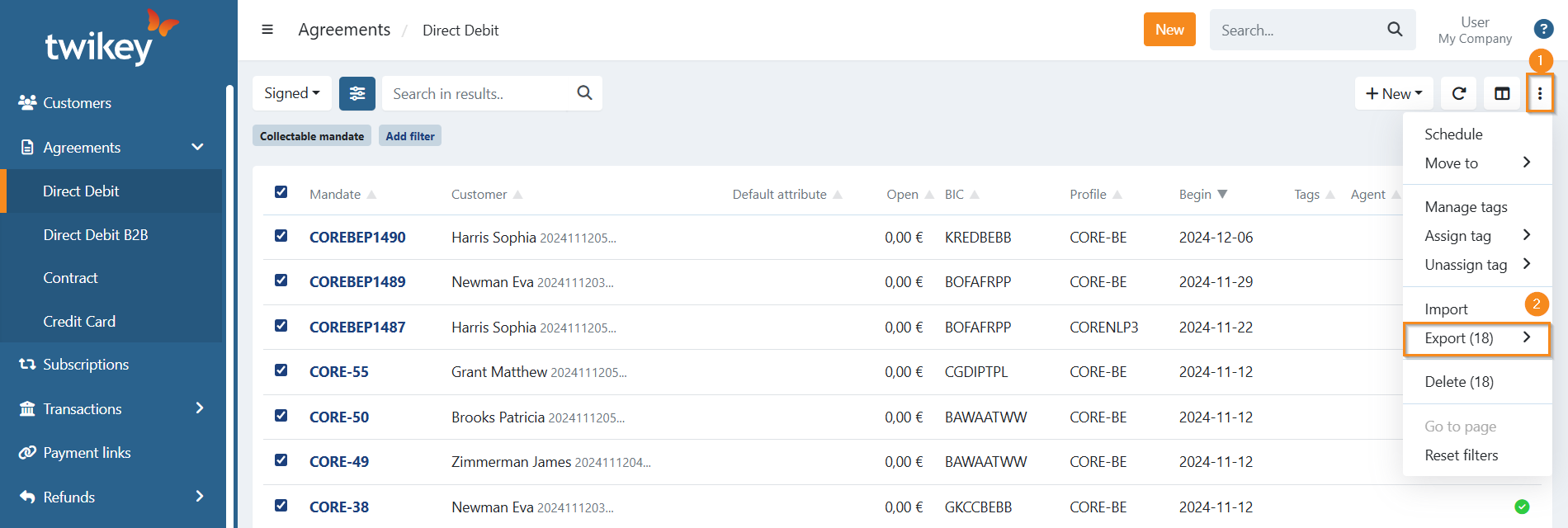
- To export specific agreements, select them using the checkbox.
- To export all the agreements with the current applied filter(s), including those that are not displayed due to the 500 limit, check all the agreements at once, a message will be displayed "All 500 loaded items are selected. Include remaining items in the system". Click on Include remaining items in the system to select everything.
- Click on the three dots (1) and select Export (2), you can now select the desired format to export.
Last Update: 2025-11-14