
Manage your Campaigns
In order to get your customers to sign a mandate you can create a campaign.
The campaign tool is a great way to follow-up how your target audience responds on a specific campaign you launched,
compare and evaluate different approaches or just keep track of campaign progress.
Furthermore, you can send invitations and reminders to sign a mandate at once to all customers in a campaign.
To use the campaign functionality it is required to have an active email integration in Twikey.
Overview
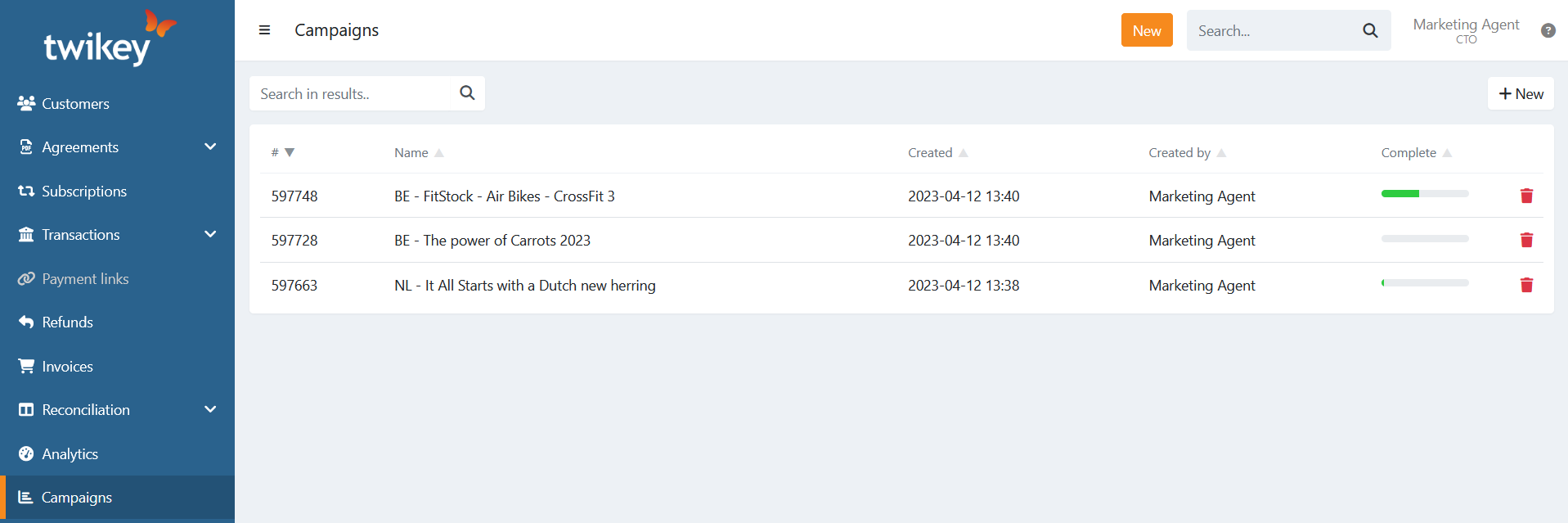
On the general overview of you campaigns you can:
- Search for a specific campaign using the Search on the top-left.
- Create a new campaign using the button.
- Open the details of a campaign by clicking on one.
- Delete a full campaign using the trash bin.
Progress of a campaign
Next to each campaign you have a progress bar. This indicates which percentage of agreements in that campaign are currently signed.
Go to the details of a campaign to have a detailed view of the progress.
The progress of campaigns on the overview is updated periodically. There can be a delay between the displayed progress and the actual progress.
To view the actual progress open the details of a campaign as this is actual data.
Delete a campaign
To delete a complete campaign, click on the trash bin next to one.
The agreements in the campaign are not removed, only the campaign itself.