Agreements
How to access your Twikey agreement ?
To access your agreement (mandate/token) you signed with your supplier, take the following steps:
- Go to https://www.twikey.com/login.html
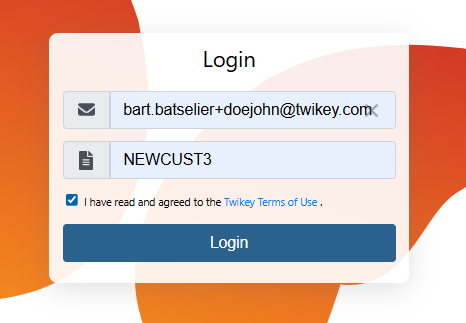
- Enter your email address and agreement reference and accept the Twikey terms & conditions
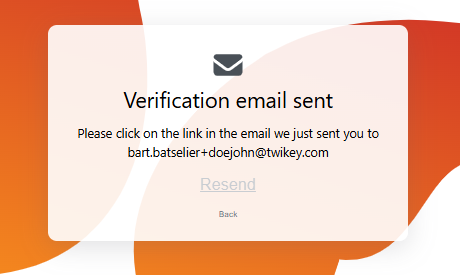
- You'll receive an email with a link to grant you access to your agreement details
Note: The agreement reference can be found in your confirmation email or was provided by your supplier.
Note: If you do not remember or have lost your agreement reference, you can only proceed via step 1.
Changing the account number of a Core mandate
If you have signed a Core mandate and wish to change your account number, follow these steps:
- Go to https://www.twikey.com/login.html
- Enter your email address and agreement reference and accept the Twikey terms & conditions
- You'll receive an email with a link to grant you access to your mandate details
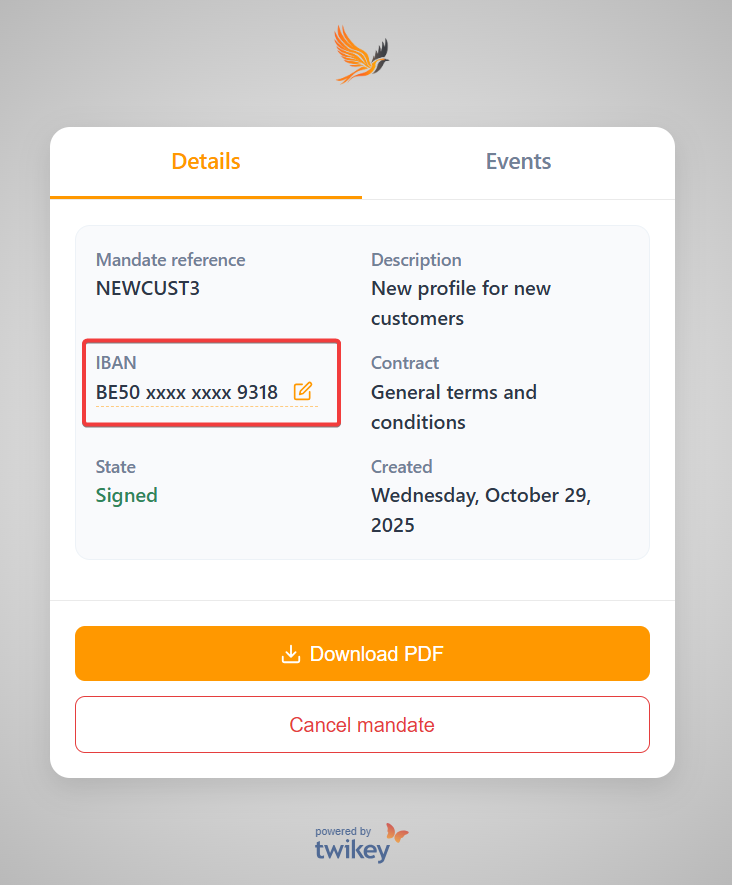
- Click the icon next to the current account number
- Enter your new IBAN and BIC code in the pop-up window
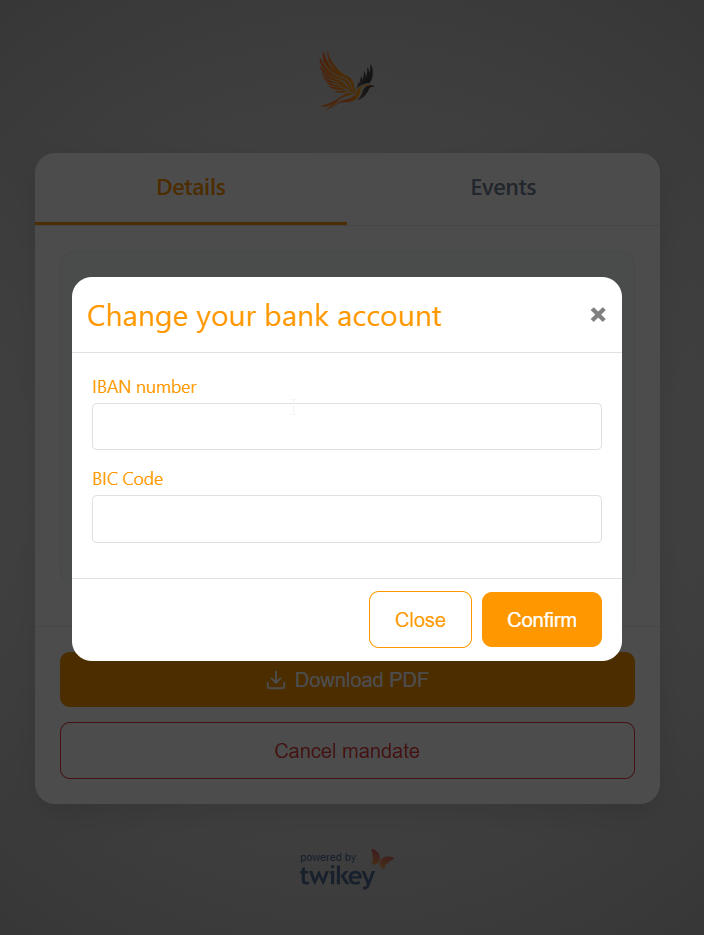
- Click Confirm to save your changes
Note: For B2B mandates, it is not possible to change your account number.
In that case, please contact your supplier and sign a new mandate.
Defining a maximum amount for your B2B eMachtiging (NL)
When signing a B2B eMachtiging in your online banking environment, you can define a maximum collection amount.
This allows you to limit the amount your supplier can collect.
The defined amount will automatically appear:
- In your mandate details screen, and
- On the PDF version of your mandate.
If you wish to change this maximum amount later:
- Go to https://www.twikey.com/login.html
- Enter your email address and agreement reference and accept the Twikey terms & conditions
- You'll receive an email with a link to grant you access to your mandate details
- Once opened, you'll see your mandate with the maximum amount shown. Click on your bank button.
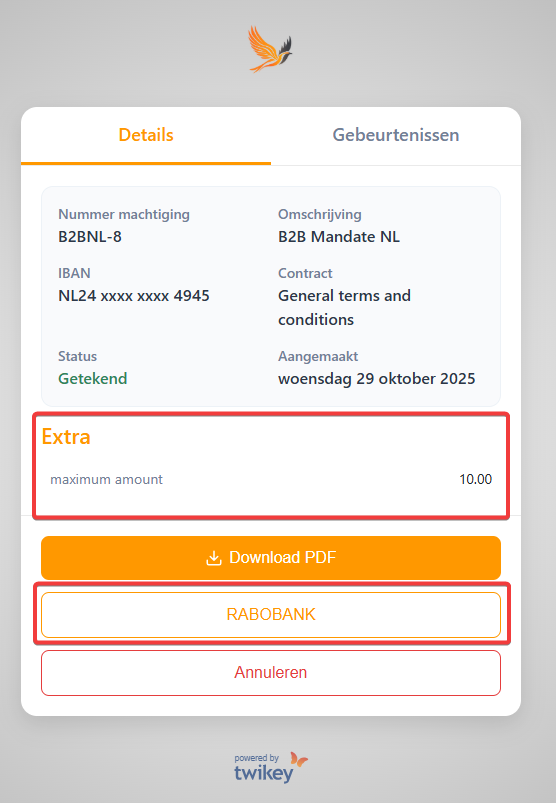
- You will be redirected to your bank environment, where you can update the maximum amount of your B2B eMachtiging.
How do I cancel my Twikey agreement with my supplier ?
There are two possible ways to cancel your agreement:
Contact your supplier directly.
They will handle the cancellation for you.Cancel the agreement yourself via Twikey:
- Go to https://www.twikey.com/login.html
- Enter your email address and agreement reference and accept the Twikey terms & conditions
- You'll receive an email with a link to grant you access to your mandate details
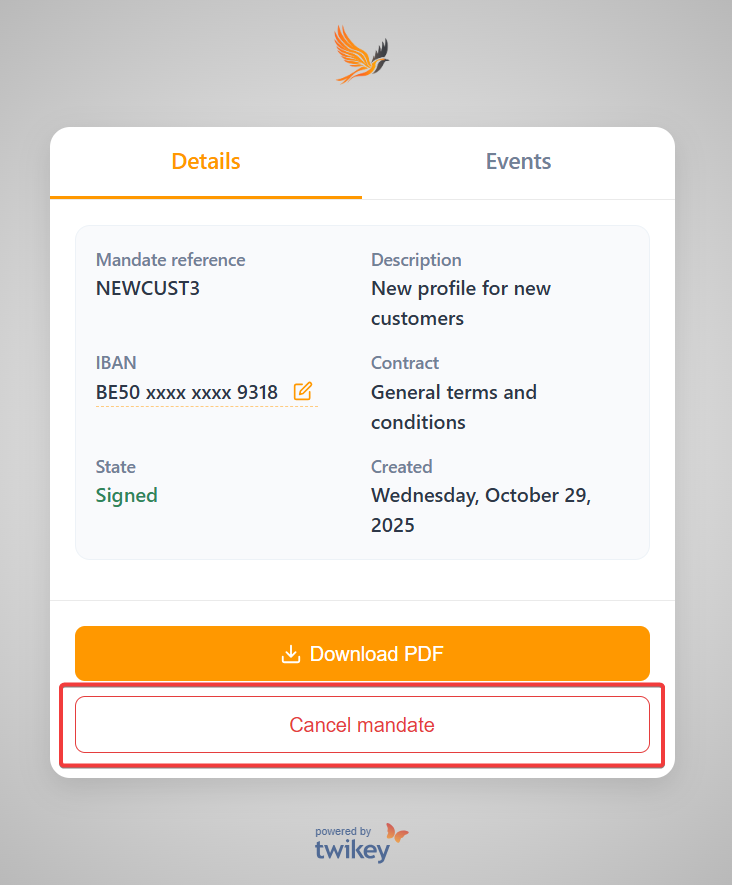
- Choose Cancel mandate
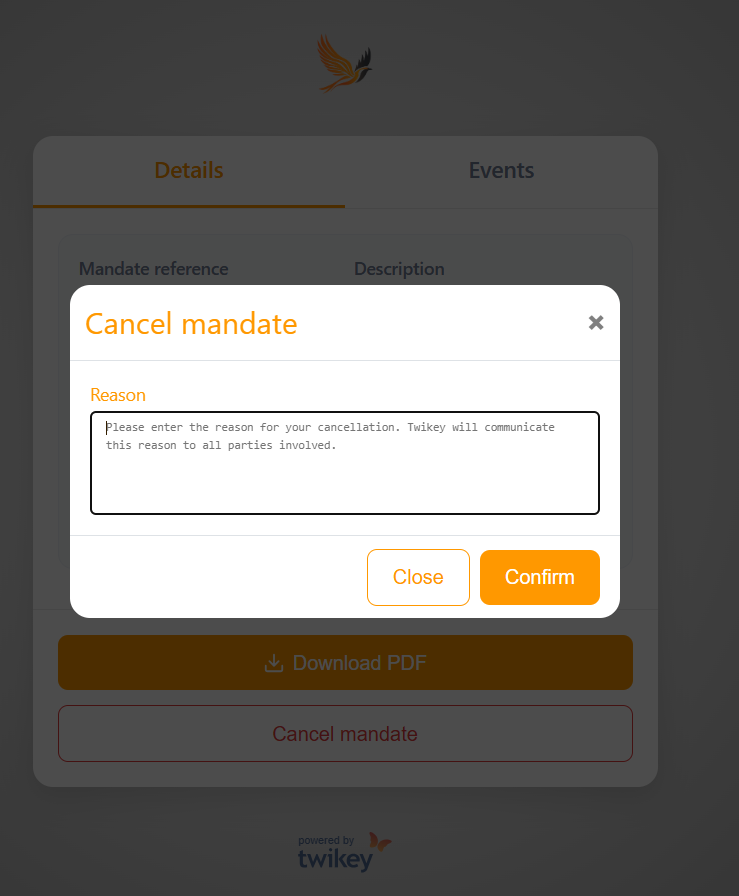
- Add the reason of your cancellation and confirm
Note: The agreement reference can be found in your confirmation email or was provided by your supplier.
Note: If you do not remember or have lost your agreement reference, you can only proceed via step 1.