
Possible actions on unsettled transactions
- Why you should act on unsettled transact...
- Which action to choose
- Good to know before you start
- How to take an action
- The actions explained
- Mark a transaction as fraud
Unsettled transactions are transactions that failed or were never collected, and that are no longer part of a dunning workflow. This article explains which actions you can take on them and when to use each one. For the screen itself and its filters, read Unsettled transactions.
Why you should act on unsettled transactions
A transaction in Unsettled is no longer followed up by Twikey: no new collection attempt is made and no reminders are sent. Without an action from your side, the payment stays open and the customer is not contacted again.
We therefore recommend checking the Unsettled screen regularly and taking an action on every transaction.
Which action to choose
| Situation | Action |
|---|---|
| The customer already paid in another way, for example by bank transfer or in cash | Mark as paid |
| The customer paid part of the amount | Register partial payment |
| The collection failed for a temporary reason, for example insufficient funds | Try again |
| The customer should pay the amount themselves | Send reminder or Create payment link |
| Earlier reminders did not work | Send official letter (WIK) or Send to collection agency |
| You do not want to follow up the transaction any further | Archive |
| You want to leave a note for your colleagues | Add comment |
Good to know before you start
- The actions you see depend on the state of the transaction (for example paid, failed or error). Not every action is always available.
- While a transaction is still in the Offered state and no feedback from the bank has been received, no actions are possible.
- A dunning action (for example Try again or Send reminder) moves the transaction from Unsettled to Sent transactions.
How to take an action
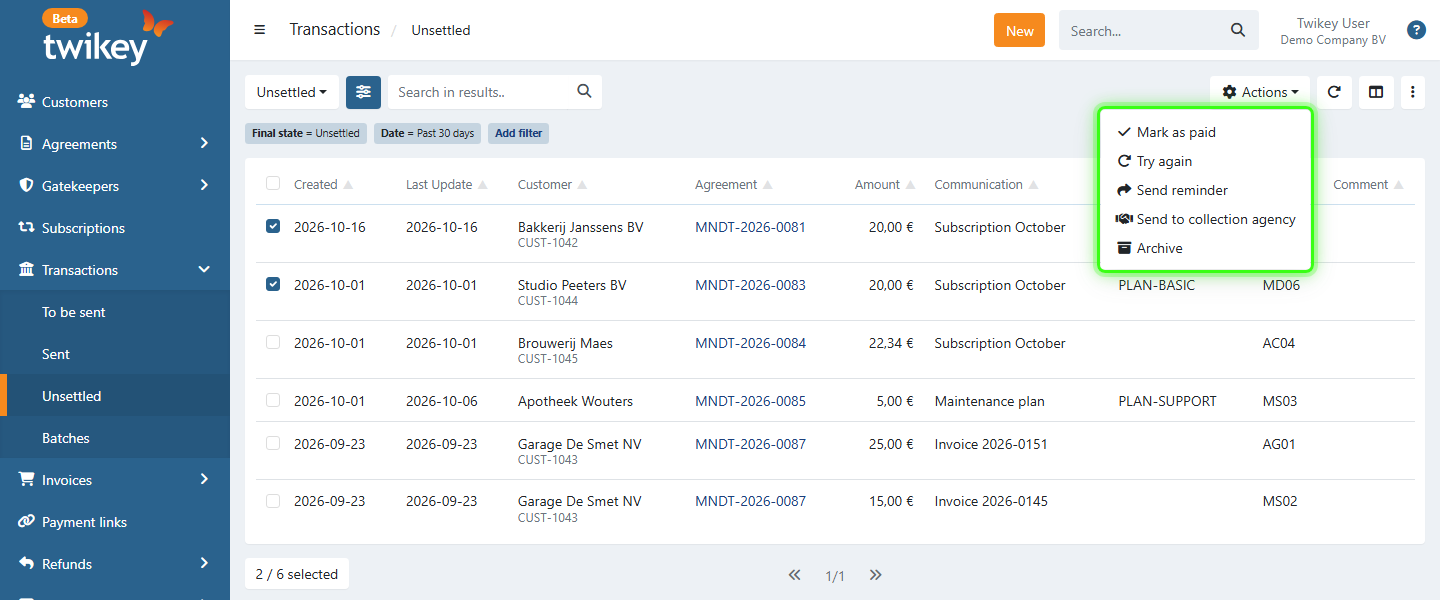
On several transactions at once
- Navigate to Transactions > Unsettled in the left-hand navigation menu.
- Apply the desired (advanced) filters.
- Select the transactions.
- Click Actions in the top-right corner.
- Choose the action.
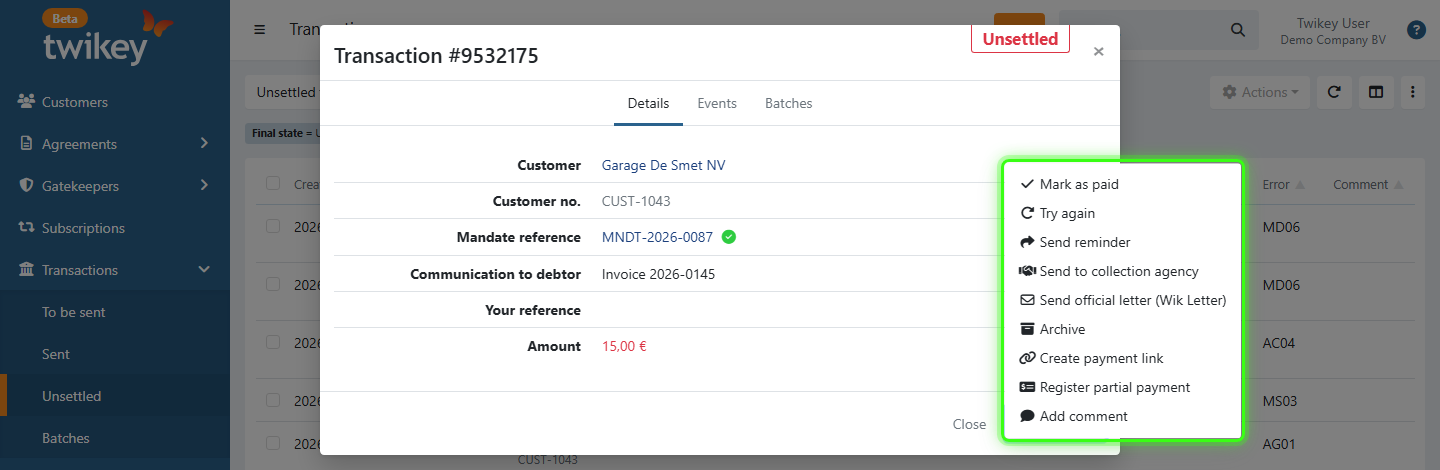
On one transaction
- Navigate to Transactions > Unsettled in the left-hand navigation menu.
- Click the transaction to open its details.
- Click Actions at the bottom right of the window.
- Choose the action.
Which actions are available where
| Action | Several transactions | One transaction |
|---|---|---|
| Mark as paid | Yes | Yes |
| Try again | Yes | Yes |
| Send reminder | Yes | Yes |
| Send to collection agency | Yes | Yes |
| Archive | Yes | Yes |
| Send official letter (WIK) | No | Yes |
| Create payment link | No | Yes |
| Register partial payment | No | Yes |
| Add comment | No | Yes |
| Remove admin charges | No | Yes, only when admin charges were added |
The actions explained
Mark as paid
Use this when the customer settled the payment in another way, for example by bank transfer or in cash.
Marking a transaction as paid is final:
- The status of the transaction can no longer change, also not when feedback from the bank arrives later.
- Try again, Register partial payment, Send official letter (WIK) and Send to collection agency are no longer possible for this transaction.
- Mark as paid cannot be undone.
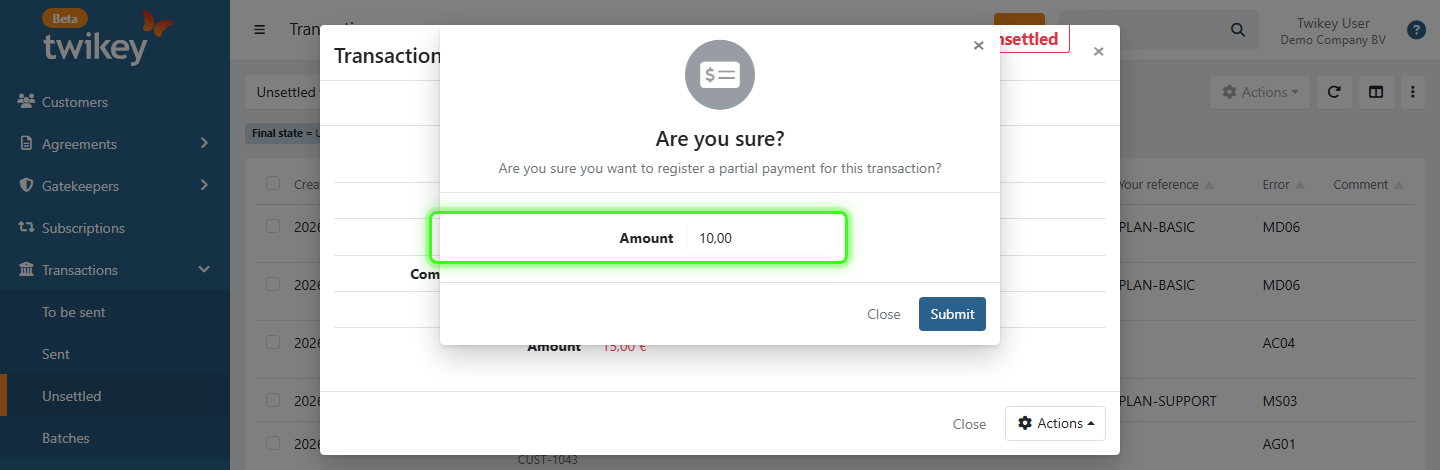
Register partial payment
Use this when the customer paid part of the amount.
- Choose Register partial payment.
- Enter the Amount that was paid.
- Click Submit.
- Each partial payment is logged in the events of the transaction.
- The booked field shows the total amount registered so far.
- When the registered amounts reach the full amount, the transaction is marked as paid.
- When the registered amounts are higher than the transaction amount, the transaction is also marked as paid. The original transaction amount stays unchanged.
Try again
Sends the transaction to the bank or payment provider again for a new collection attempt.
- The transaction is placed in a batch and appears in the To be sent screen.
- When the mandate can no longer be collected, the transaction is placed under Uncollectable transactions in the batch. From there you can force send it to the bank.
Send reminder
Sends the customer a reminder to pay. You choose how the reminder is sent:
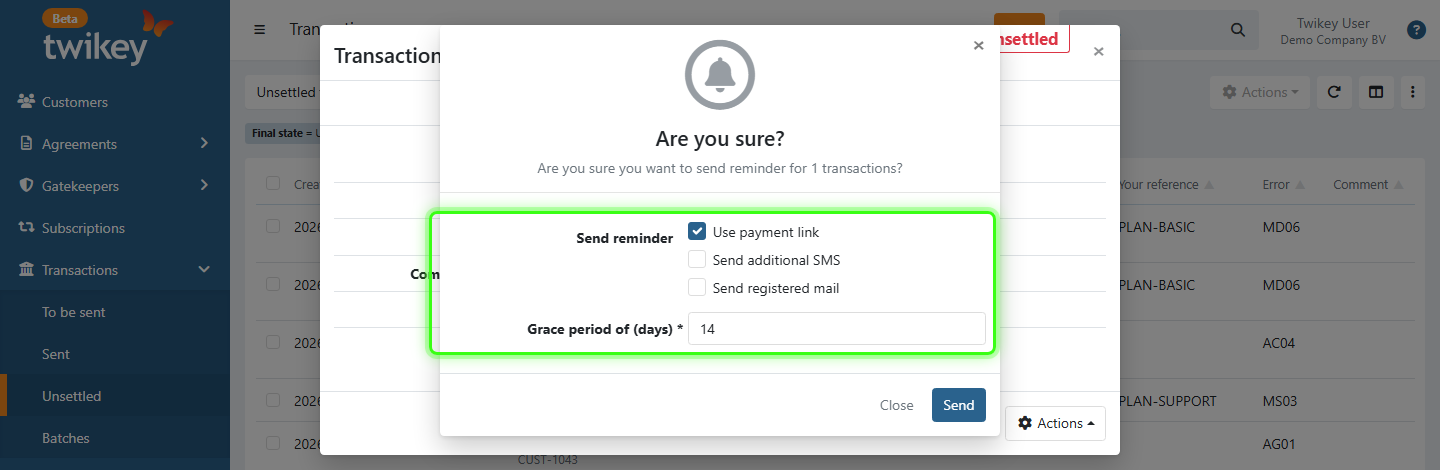
- Use payment link: with a payment provider (PSP) configured, the email contains a payment link. Without a PSP, it contains the bank transfer details.
- Send additional SMS: also sends an SMS. SMS messages are queued and sent at a fixed time each day. SMS must be enabled on your account (contact support@twikey.com).
- Send registered mail: sends the reminder as registered email with proof of delivery, instead of a normal email (an SMS can still be added). You receive a copy and status updates such as opened and accepted. This requires an active registered email integration (contact support@twikey.com).
- Grace period of (days): the number of days the customer has to pay. A payment link expires after this period.
These are the same options as in the automated dunning settings, see Allow payment alternative.
Create payment link
Creates a new payment link for the transaction, without sending it.
- Choose Create payment link.
- Enter the Link duration (days).
- Click Create.
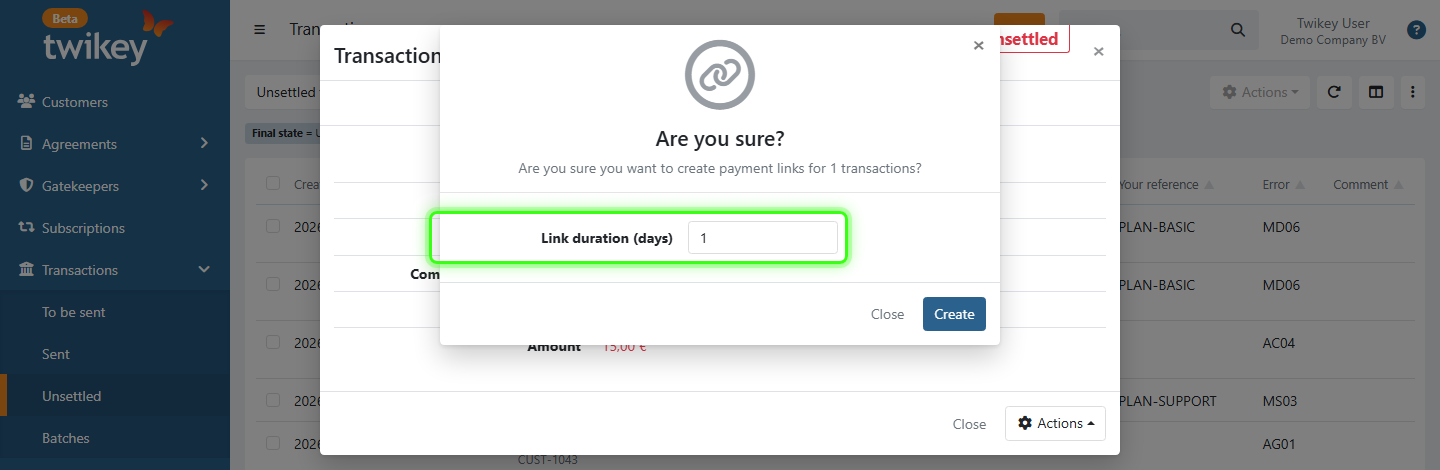
Once created, you can copy the link or share it with the customer by email or SMS.
Send official letter (WIK)
Sends an official debt collection letter (WIK letter), typically as a last step before further legal or collection measures. You can choose to use a payment link, send an additional SMS, send it as registered mail, keep a copy of the letter, send an email to the customer, and set a grace period and admin charges.
For every option, read Set up WIK letters.
Send to collection agency
Hands the transactions over to your collection agency. You set up or activate the integration in Settings > Integrations > Accounts Receivable.
When the Integration Type of your Intrum integration is Via Rest API, each selected transaction is handed over as a separate case. When one transaction cannot be handed over (for example because the customer's address is invalid or Intrum returns an error), the other transactions are still sent. You then receive an email listing every selected transaction, either as a successful collection request with its Intrum case number or as failed with the reason.
Archive
Stops the follow-up of the transaction.
- Planned dunning steps are stopped.
- Dunning that is already in progress continues.
- Archived transactions stay visible, and you can still take actions on them.
Add comment
Adds an internal comment, for example to note an agreement with the customer.
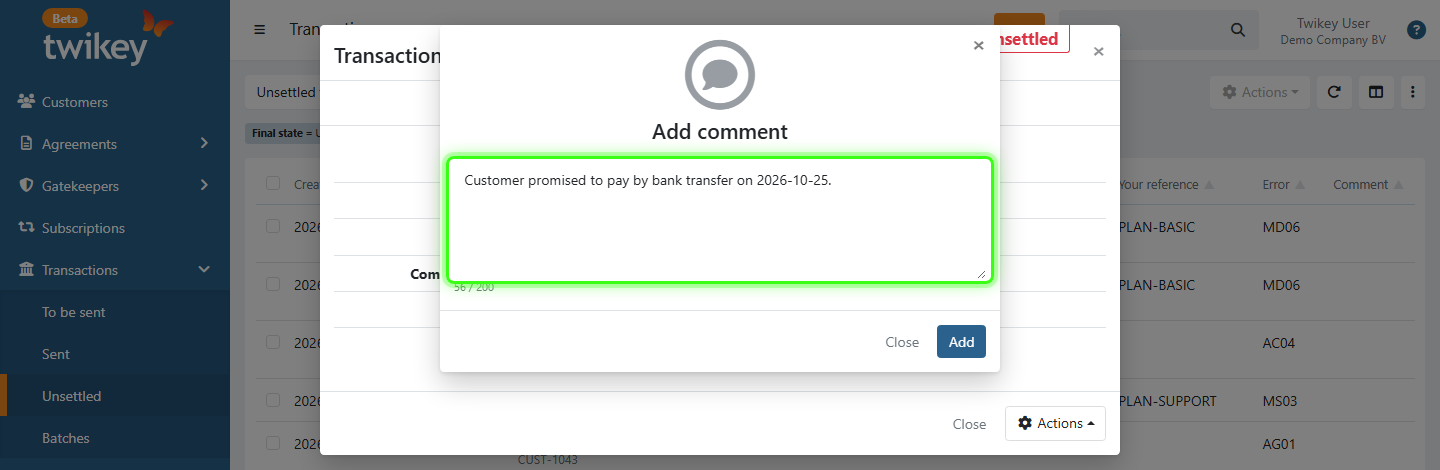
- The comment is visible to all users of your account.
- It is shown in the Unsettled overview and in the transaction details.
Remove admin charges
Only shown when admin charges were added to the transaction, for example by a WIK letter. Removes those charges from the amount due.
Mark a transaction as fraud
Marking as fraud is done on the agreement, not on the transaction. Open the agreement from the transaction details (click the mandate reference) and follow How to mark an agreement as fraud.