
Archive a batch
- Why archive a batch?
- When can you archive a batch?
- Does archiving stop the batch collection...
- How to archive a batch
Why archive a batch?
Archiving helps you keep your batches overview clean and organized by removing batches you no longer need to monitor. This is useful when:
- You want to hide old batches that are no longer relevant
- You need to focus on active batches that require attention
- You're cleaning up batches that won't receive feedback from the bank
- You want to reduce clutter in your main batches view
Archived batches aren't deleted - you can always view them later using the "View archived" filter.
When can you archive a batch?
You can only archive a batch if both of these conditions are met:
- The batch was created at least 7 days ago
- No transactions in the batch have received any feedback from the bank
If even one transaction has received feedback (paid, failed, or any other status), you cannot archive the batch.
Does archiving stop the batch collection to come?
To stop a collection, contact your bank directly to cancel the batch !
The batch can be canceled if it's not sent yet for collection, or if the bank did not already start the collection process.
See also revoke and reoffer a batch.
How to archive a batch
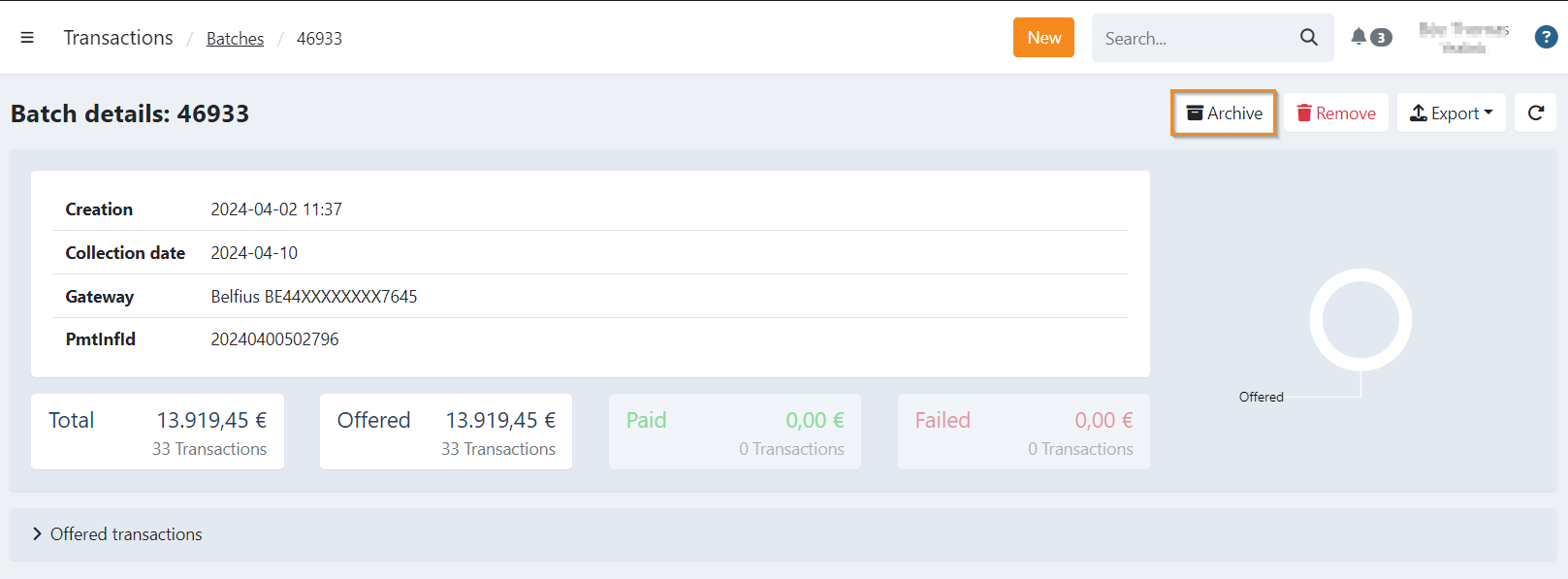
- Navigate to the batch details screen
- Click the Archive button at the top
The batch will be moved to your archived batches, which you can view using the "View archived" filter on the main batches screen.
You can undo archiving at any time by viewing the archived batch and clicking the archive button again.