
How to suspend a subscription
- How to suspend a subscription
- Edit suspend a subscription
- How to resume a suspended subscription
- Transactions of a suspended subscription
There are different ways to suspend subscriptions, either you can manually mark them as suspended or
enable a profile-option to automatically suspend and resume a subscription according to the state of the agreement.
Using our api, it is also possible to change the state of a subscription.
It is not possible to change the state by importing a file.
How to suspend a subscription
Click on the subscription to open the details. Here you have a suspend button.
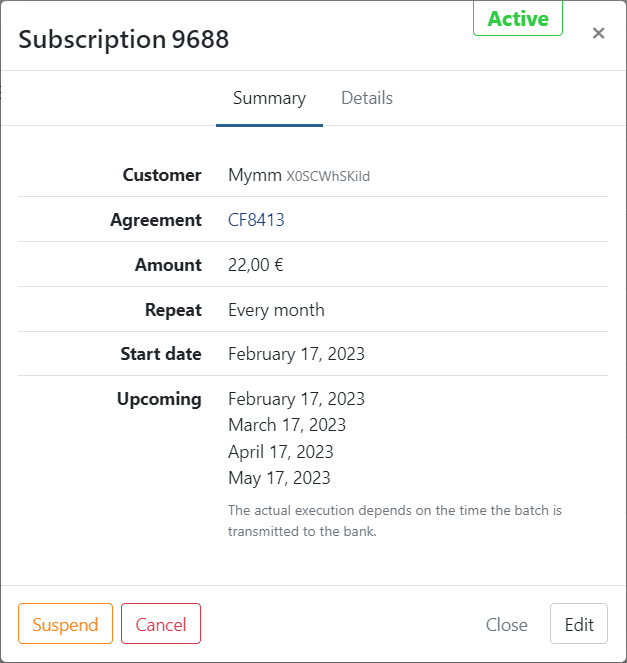
- Click on 'Suspend'
- Confirm
- The subscription is now suspended
Edit suspend a subscription
When you edit a suspended subscription the state is not changed when confirming the changes.
Reactivation is required.
How to resume a suspended subscription
To reactivate a suspended subscription, click on it to open the details. A resume button is shown.
- Click on 'Resume'
- Confirm
- The subscription is now active again
When the subscription is resumed, the next run is recalculated from the recurrence and original start date, with tomorrow as the earliest possible value. Upcoming transactions become available the day after resumption, once the nightly batch runs.
Transactions of a suspended subscription
Future transactions for a suspended subscription are placed on hold.
Once you resume the subscription, the next run is calculated from the recurrence and original start date, with tomorrow as the earliest possible value.