
How to edit a subscription
A subscription can be edited manually or via the import of a file.
When a subscription is changed, there is a distinction between minor changes and major changes. Major changes
have such an impact that a new subscription needs to be created. When performing a major change, a warning will be shown; saying this will cancel your current subscription and create a new one with your changes
Major and minor changes
| Field | Description | Major change |
|---|---|---|
| Communication | The communication towards the debtor | No |
| Amount | The recurring amount of the subscription | No |
| Repeat | The recurrence of the subscription | Yes |
| Start date | The start and first execution date of the subscription | Yes |
| Executions | The number of times the subscription needs to be executed | Yes: |
| - if the number is lower than the current executions | ||
| - if changing from 0 to a number of runs | ||
| No: | ||
| - if the number is higher than the current executions | ||
| - if changing from a number of runs to 0 | ||
| Reference | Unique reference of the subscription | Yes when the reference was empty |
Edit the subscription
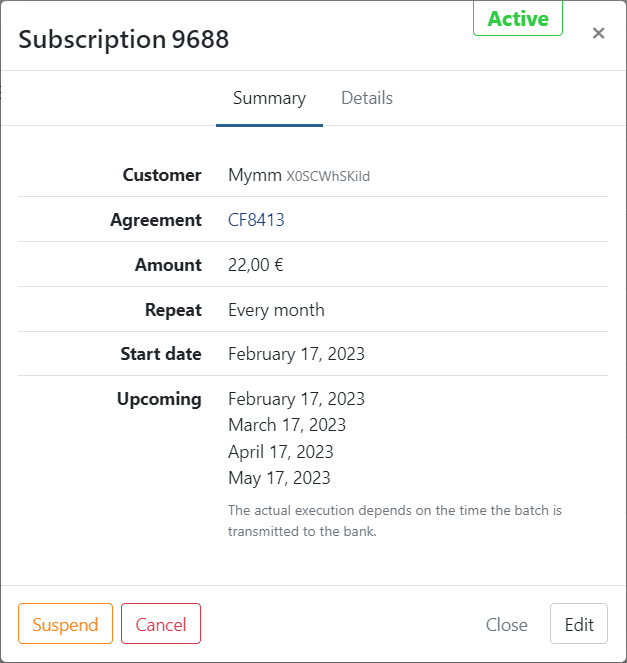
To edit the subscription, click on it to open the summary.
- Click on 'Edit'
- Update the required fields
- Click on Save to finish
Creating a new subscription due to a major change
When you update the subscription with a major change, the start date of the new subscription is also the next run.
The last run is always cleared since you've created a new subscription.
Events
Each change made to a subscription is returned in the events on the overview of the agreement and customer.
Here, the previous value is displayed:
