
How to create a subscription
Minimal requirements
To create a subscription, the customer must have an active recurring payment method, such as a direct debit mandate or a recurring credit card.
Creation of a subscription
You can create a new subscription in several ways.
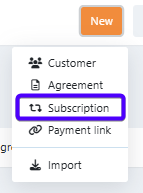
Via the general new button
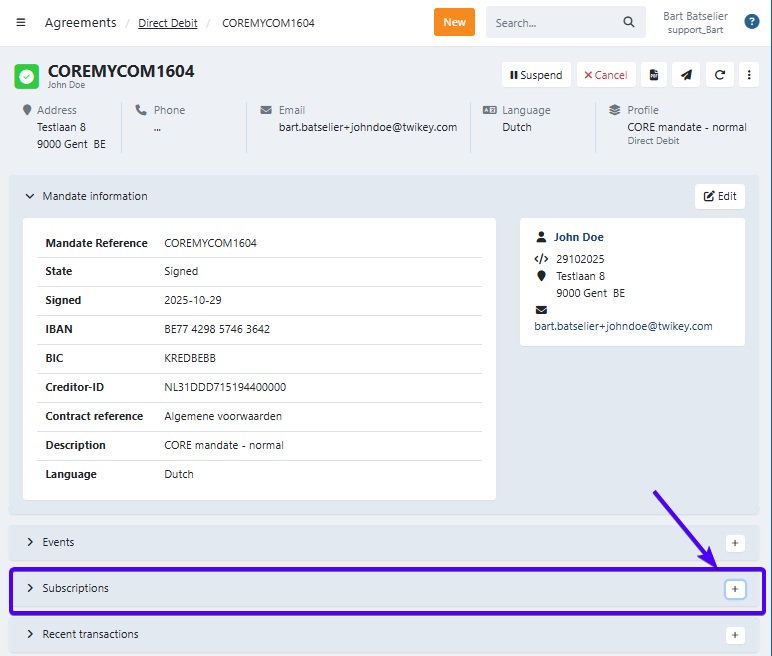
Via the active agreement of a customer
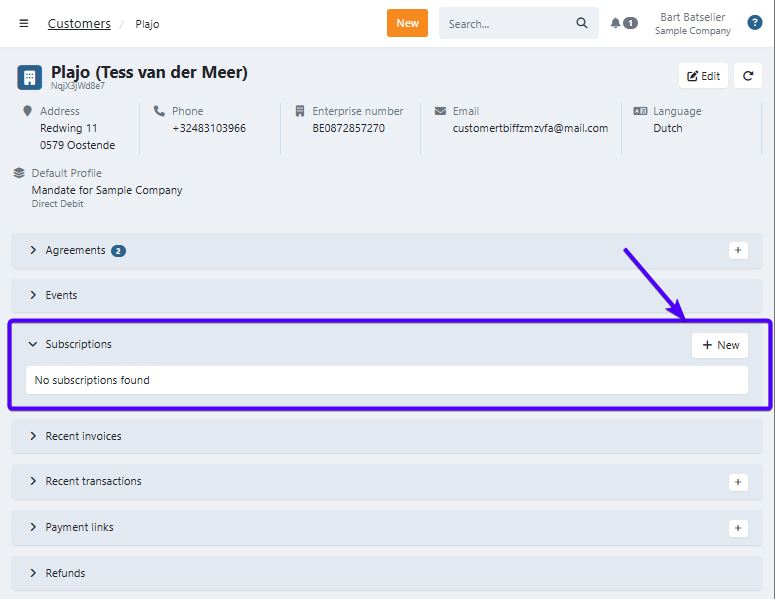
Via the customer's menu
In the next step, you have two options:
New – Create a fully customized subscription from scratch, defining all details such as frequency, start date, and number of executions.
Via plan – Use a predefined subscription plan to quickly create a subscription. A plan is a template that already contains settings like frequency, amount, and number of executions. You only need to select a start date when creating the subscription. The amount defined in the plan is fixed and cannot be overridden at creation time.
Note: If the "Via plan" option is not available, it means no plan has been set up yet. See How subscription plans work for details and how to request one.
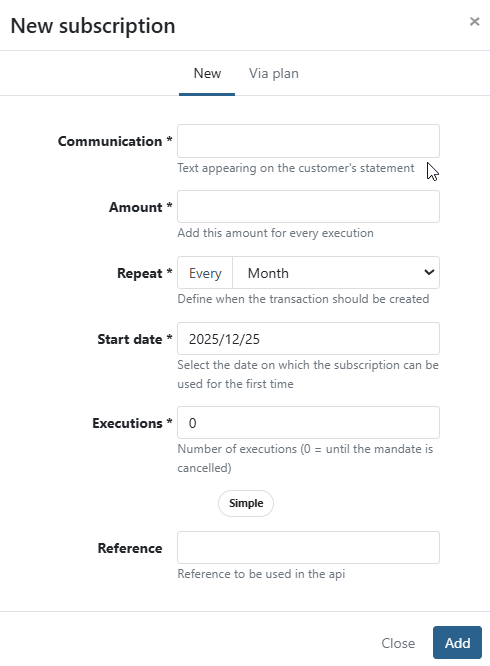
Field descriptions
- Communication: Text appearing on the customer's statement
- Amount: Amount of the subscription
- Repeat: Select the execution frequency
- Start date: Defines when the subscription begins. The first execution is determined by the selected frequency and execution day.
- Executions: Specifies the total number of executions. Enter
0to keep the subscription active until the mandate is cancelled. - Reference: Required to identify and update the subscription via the API.
Start date rules
The start date you choose can be adjusted automatically based on the following rules:
- The start date must be at least tomorrow. A start date of today or in the past is rejected.
- If the agreement was signed after the requested start date, the start date is advanced to the agreement's sign date.
- For monthly recurrences, if the day of the month is later than 28, the start date is reset to the 1st of the next available month.
- For weekly recurrences, the start date is advanced to the next occurrence of the same weekday.
Click Add to create the subscription.