
Reset a user password
Show me
Reset your own password
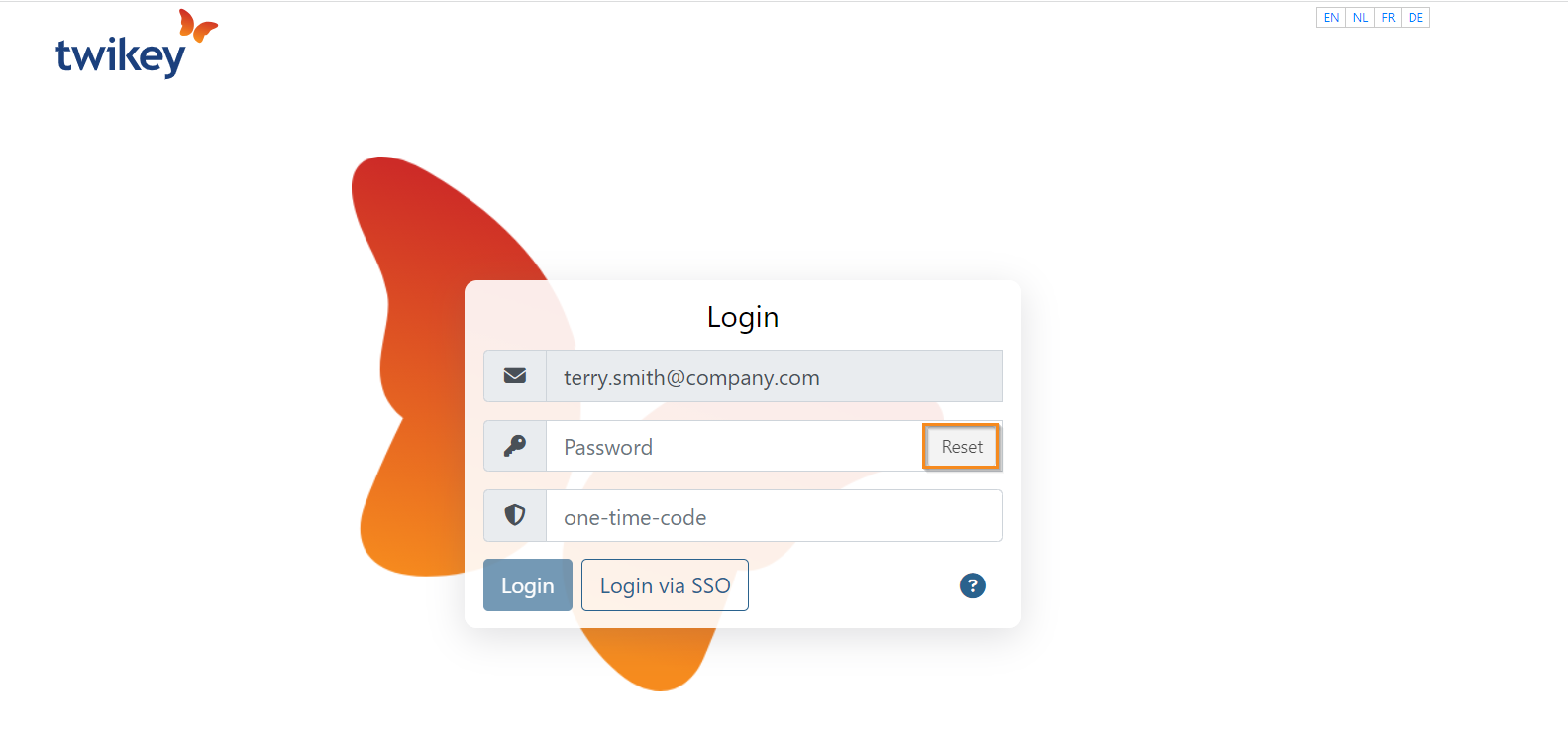
- Navigate to the Twikey login page.
- Enter your email address.
- Click Reset.
- Indicate the position of the icon shown on screen.
- Click Create new password.
You will receive an email with a link to set a new password.
Reset another user's password
As an administrator, you can reset the password of any user in your account. This is also how you unlock a user who is locked out due to too many failed login attempts or who has lost access to their 2FA code.
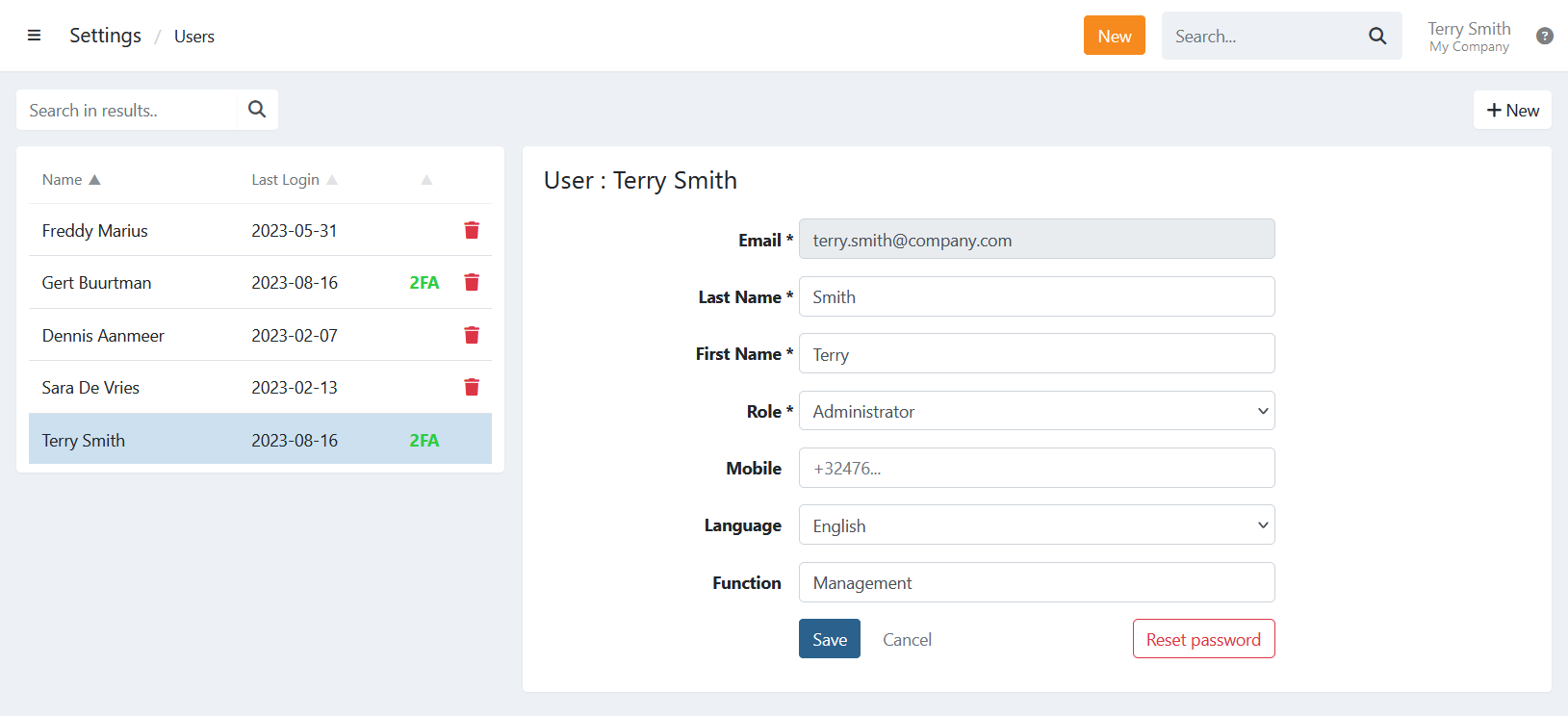
- Navigate to Settings in the left-hand navigation menu.
- Open the Users tab.
- Click the user to open their detail page.
- Click Reset Password.
The user receives an email with a link to set a new password.
If 2FA is required on your account, the user must reactivate it on their profile before regaining full access.
Last Update: 2026-04-02