
How to create or clone a profile
Create a new profile
- Navigate to the settings menu
- Navigate to profiles
- Click the New button in the top right corner of your screen
- The modal opens immediatly on the new submenu
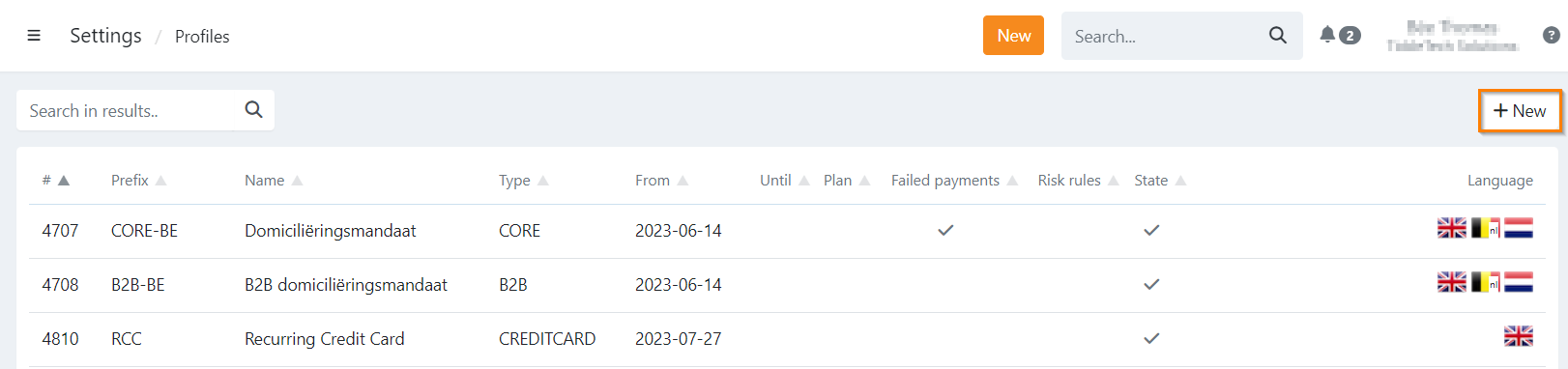
Here you need to fill in all details:
- Name - The name of your profile
- Type - The type of recurring payment method
- Prefix - The prefix used for agreement or token ID's
- Currency
- Gateway - The gateway to connect to that profile
- Creditor-ID - This is optional, but needed in case of Direct Debits agreements
Clone an existing profile
When selecting this option you make a clone of an existing profile, including all settings,
except for mails and SMS templates.
- Navigate to the settings menu
- Navigate to profiles
- Click the New button in the top right corner of your screen
- Click the Clone submenu
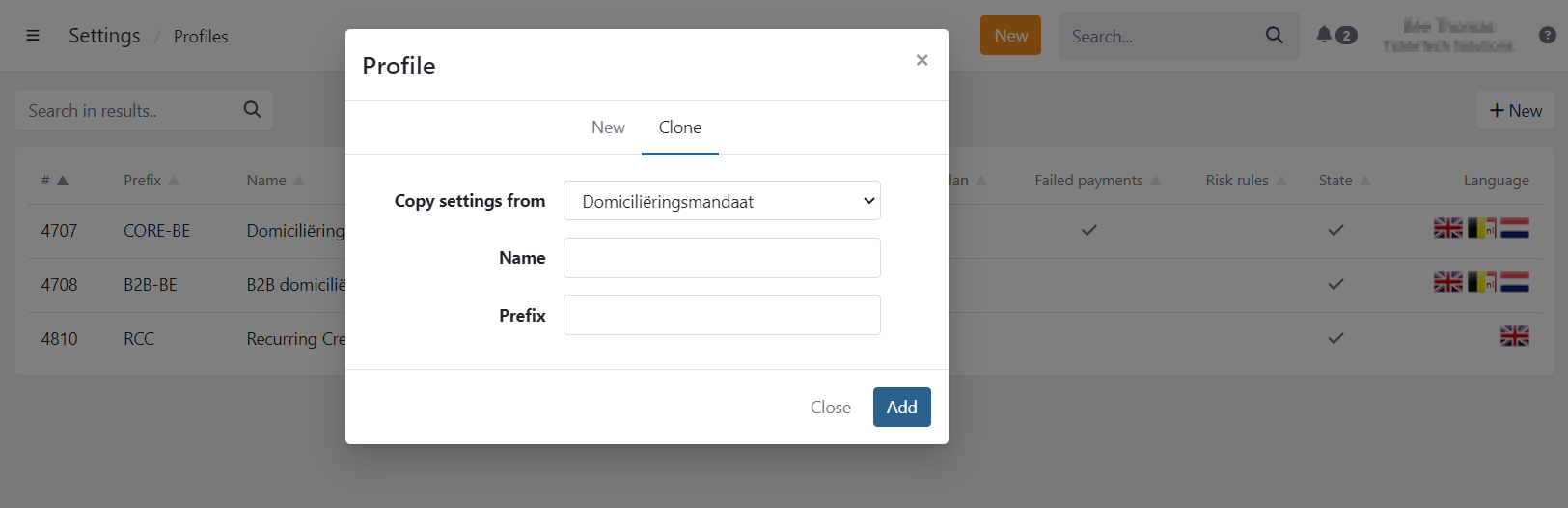
Here you need to :
- Copy settings from - the existing profile
- Name - define the name of your profile
- Prefix - define the prefix used for agreement or token ID's
Last Update: 2025-12-30