
Interaction settings
- Default domain
- Global thank-you page
- Thank-you page
- Invoice thank-you page
- Contract reference URL
- From Email
- Support Email
In the Interaction tab of a profile, you define how your customer interacts with you: which domain they see, where they are redirected afterwards, and which email addresses are used.
- Navigate to Settings > Profiles in the left-hand navigation menu.
- Click the profile.
- Open the Interaction tab.
- Change the settings you need.
- Click Save.
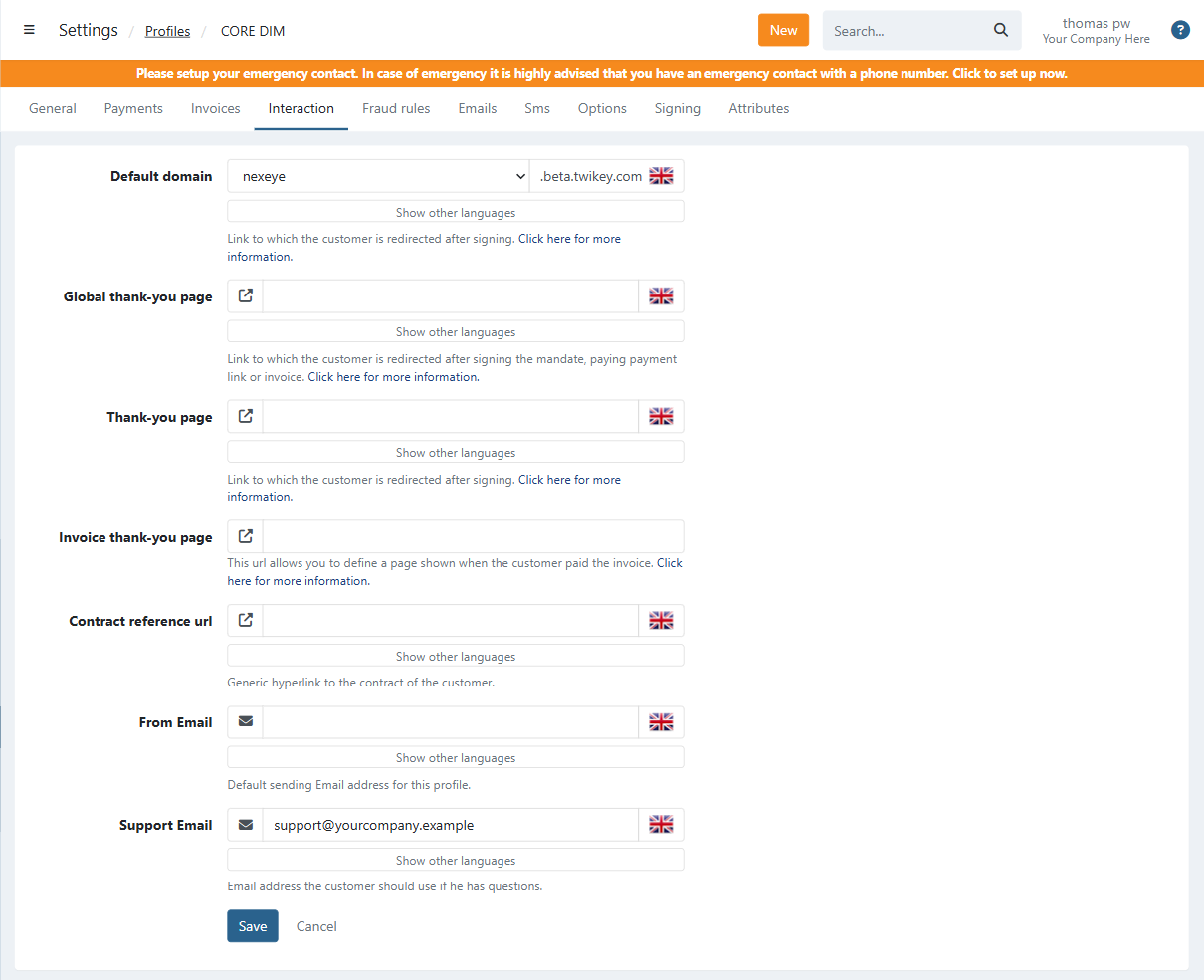
Most settings can be set per language. Click Show other languages under a field to fill in a value for the other languages active on the profile.
Default domain
The domain used by this profile for communication with your customer. The available domains are configured in the branding settings.
Global thank-you page
The page your customer is redirected to after signing the mandate, paying a payment link or paying an invoice. Always use http(s):// or, for mobile applications, the mobile prefix.
By default, the thank-you page is https://{yourdomainname}.twikey.com/postSign.html
See How to define a Global Thank-you page for more information.
Thank-you page
Only applicable for agreements. The page your customer is redirected to after signing (or trying to sign) the agreement. This can be a page on your own website or any other page of your choice. Always use http(s):// or, for mobile applications, the mobile prefix.
Invoice thank-you page
Only applicable for invoices. The page shown when the customer has paid the invoice. The type determines whether the URL is shown inside the page, as a popup or as a new page. For Modal or Popup, contact our support, as these only support relative links for security reasons.
See How to define a Global Thank-you page for more information.
Contract reference URL
A link to the contract your customer signs a document for. The customer can open it with the info icon next to the profile name in the signing flow.
From Email
The sender address for emails sent from this profile.
- The sender address can be different for each language enabled on the profile.
- Languages left blank use the default email address defined in your Email Integration.