
E-mail notifications overview
All customer e-mails are managed in Settings > Profile > Emails, and are grouped by functionality (invites, mandates, transactions, etc.). Below is a brief overview per e-mail type, including what it contains and when it is used.
See Emails settings and variables for how to edit, test and disable these e-mails.
Invites
New invite
Sent when a customer is invited to sign an agreement. Contains the signing link that the customer will use to proceed with the signing process.
Invite reminder (#1-4)
A reminder for the customer to sign their agreement. Contains the same signing link as the original invite, as a nudge to complete the signing process. There are four reminder e-mails, allowing customizable content for each one.
There are three ways to send a reminder e-mail:
- Scheduling it - it's also possible to schedule reminders before the first invitation is sent.
- Setting automatic reminders
- Sending it manually
New print
The invitation sent when a customer is invited to sign their agreement on paper (print) instead of electronically. Contains the instructions the customer needs to follow, as well as an upload link and e-mail address that can be used to send the signed document back to you.
Print reminder
Contains similar content to the New print e-mail, but is sent as a reminder when the signed paper mandate hasn't been returned yet, nudging the customer to print, sign, and upload/send the signed document.
B2B registration
All e-mails that fall under this category are related to the automated B2B validation flow. You can find more information here.
Alternative profile
Sent when the dunning step Move mandate to other profile is configured, offering the customer a new invitation under an alternative profile (and suggesting that the customer uses a different IBAN/payment method in the signing process). Contains a new signing link for that alternative profile.
Mandate
Mandate create
Sent when a mandate is signed, confirming the mandate is now active. Contains the mandate reference and a link to the signed document.
Mandate update
Sent when the IBAN and/or mandate reference of an existing agreement is changed (only applicable to CORE agreements).
Mandate cancel
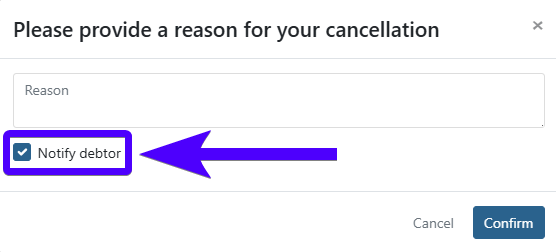
Sent when a mandate is cancelled, informing the customer that the agreement is no longer active (including the cancellation reason). This e-mail is only sent if you choose to notify the customer.
Transactions
Collection
Sent by default when a transaction is submitted to the bank for collection. Informs the customer of the amount, the collection date, and the transaction communication.
Notify (payment failure)
Sent when a collection fails and the dunning step Notify is activated. It informs the customer of the collection failure, and the recommended action to take.
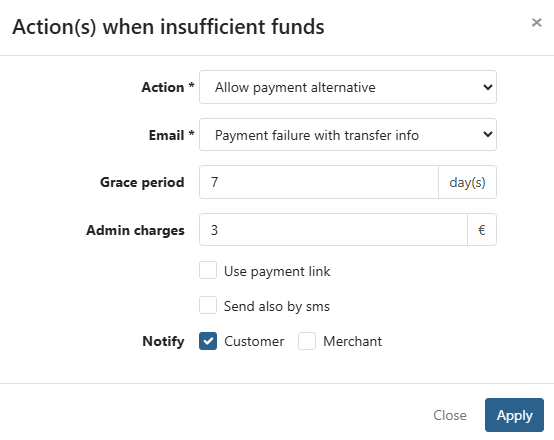
Payment failure w/ transfer
Sent when the dunning step Allow payment alternative is configured and Payment failure with transfer info is selected. Contains the bank transfer details needed to perform the transfer.
Payment failure w/link (#1-4)
Sent when the dunning step Allow payment alternative is used and Reminder with payment link is selected. Contains a payment link used to settle the failed payment.
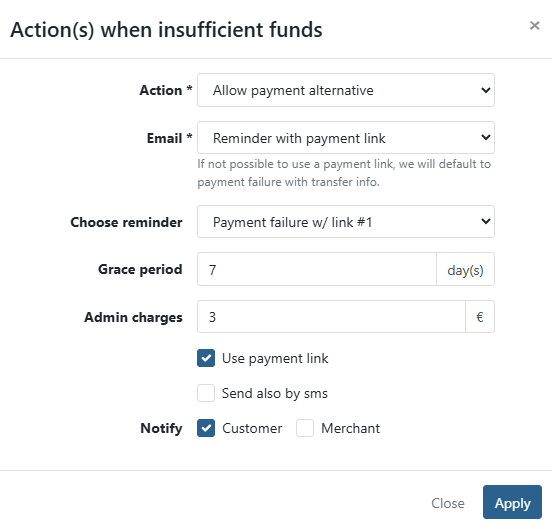
There are four e-mails that can be sent, allowing customizable content for each one.
Wik
Sent when the dunning step Send official letter (Wik Letter) is used. It acts as a final warning before the outstanding invoice is sent to the collection agency. It also contains a button that can be used to pay the outstanding invoice, allowing the customer to pay before the letter is dispatched to the collection agency.
Payment links
Invite
Sent when a payment link is shared with a customer by e-mail. Contains the payment button the customer uses to pay.
Invite reminder (#1-4)
Has content similar to the Payment link invite e-mail, and is sent as a reminder if the first invitation hasn't been paid yet. There are four e-mails that can be sent, allowing customizable content for each one.
Invoices
Invoice
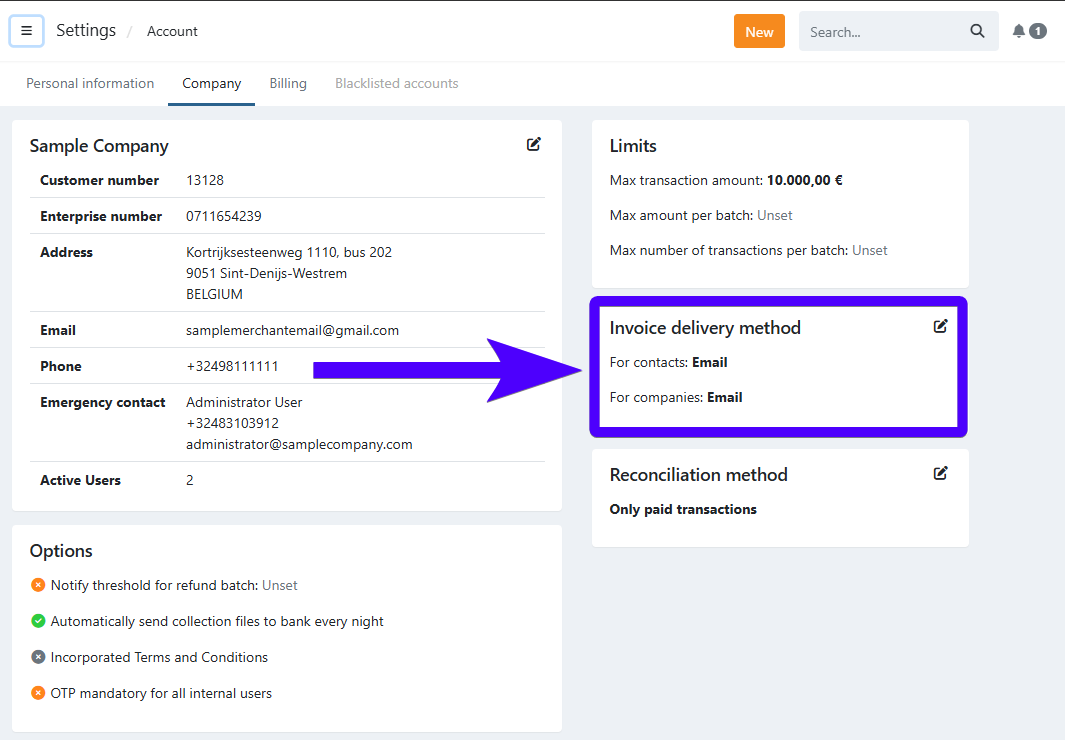
Is automatically sent when a new invoice is booked, if the profile is configured to automatically send invoices on booking, and the company default invoice delivery method is via e-mail.
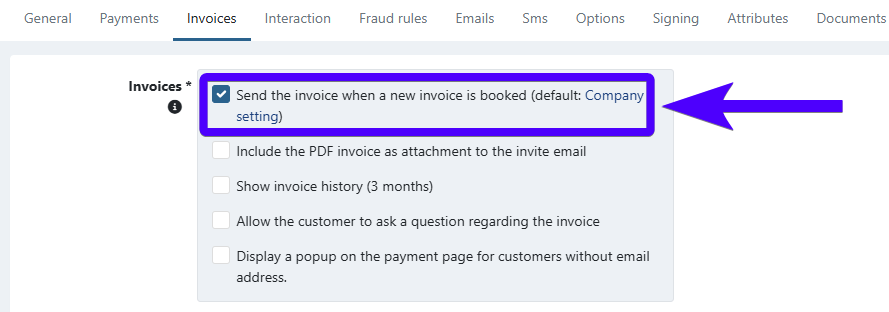
Can also be sent manually.
Contains the payment link and the key details of the invoice.
Invoice via direct debit
Is automatically sent when a new invoice (which will be collected via direct debit) is booked, if the profile is configured to automatically send invoices on booking, and the company default invoice delivery method is via e-mail.
Can also be sent manually.
Contains the payment link (in case the customer prefers to pay immediately/on a date of their choosing/via a bank transfer instead of via direct debit) and the key details of the invoice.
Credit note
Is automatically sent when a new credit note is booked, if the profile is configured to automatically send invoices on booking and the company default invoice delivery method is via e-mail.
Can also be sent manually.
Contains the key details of the credit note.
Invoice reminder (#1-4)
Sent whenever an invoice reminder is sent by e-mail.
Contains the payment link and the key details of the invoice. There are four e-mails that can be sent, allowing customizable content for each one.