
Reset API feeds
The feed for each API scope can be reset to a specific date and time.
This is useful when your server was temporarily unable to process incoming entries, or if you need to re-synchronize Twikey’s system with your own.
Important: Resetting feeds improperly can cause data duplication or synchronization issues.
How to reset a specific feed
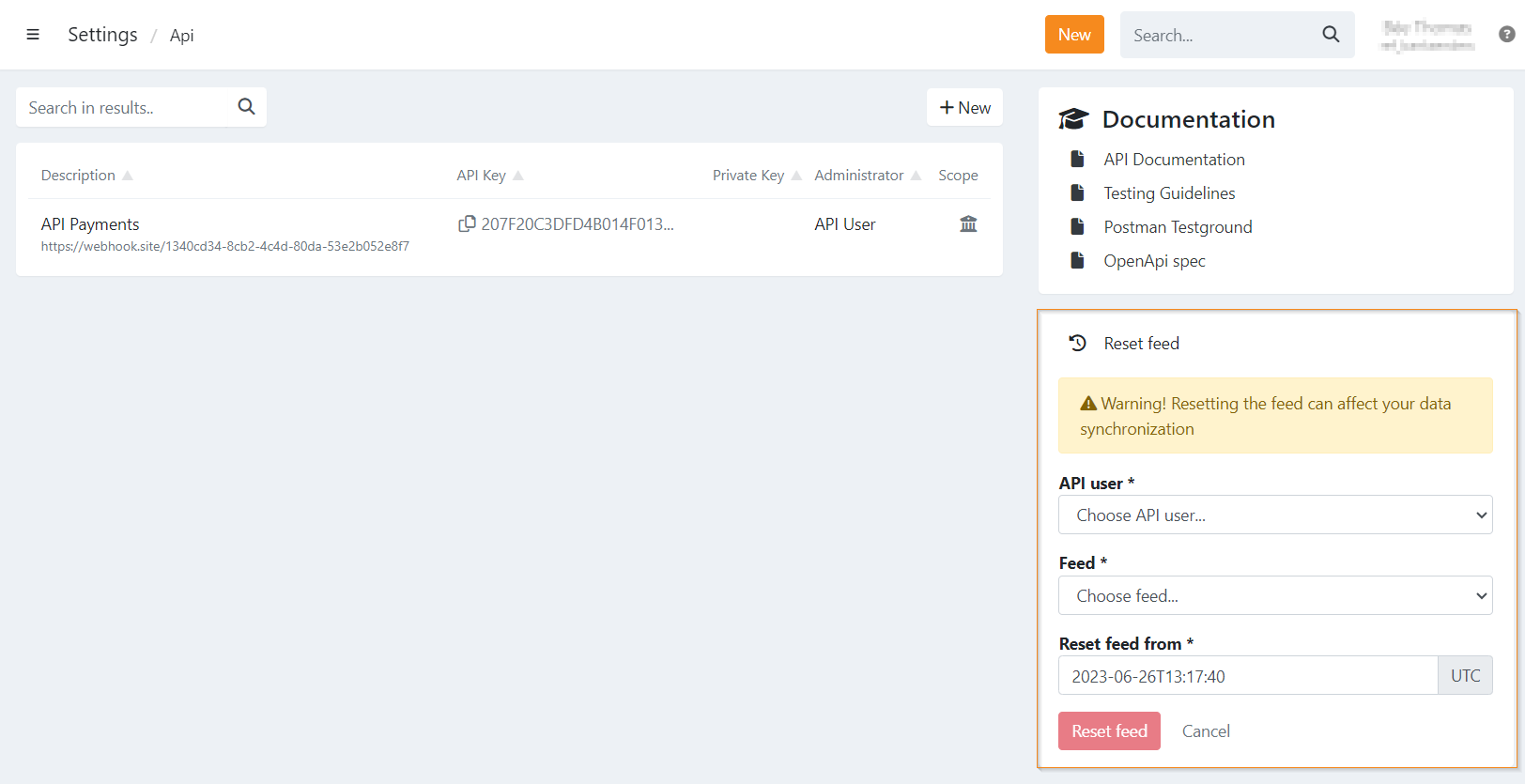
- Navigate to Settings in your Twikey menu
- Navigate to API
- Click Reset feed on the right of the screen to display the reset options
- Select the API user whose feed should be reset.
Changes only apply to this user, other API users are not affected - Select the scope of the feed you want to reset (e.g., Contracts, Transactions,...)
- Enter the date and time (UTC) to which you want to reset the feed
- Click Reset feed
Best practices
- Only reset feeds when absolutely necessary, such as after a server outage or missed webhook processing.
- Be aware that all entries from the reset point onward will be replayed, which can cause duplicate processing if your system does not handle idempotency.
- After resetting, monitor your system for any unexpected behavior and verify that all entries have been processed correctly.
- Consider resetting feeds in small time windows for large volumes to avoid overwhelming your server with replayed events.
Last Update: 2025-12-29