
How to create an API key
Show me
An API key lets your own software or a partner system (for example your ERP or accounting package) connect to Twikey. This article explains how to create an API key, how to view and edit it, and how to regenerate or delete it.
Important
- An API key gives access to your Twikey environment. Handle it with care.
- Only give the key to trusted systems and people, and do not share it with parties outside your organisation.
Create a new API key
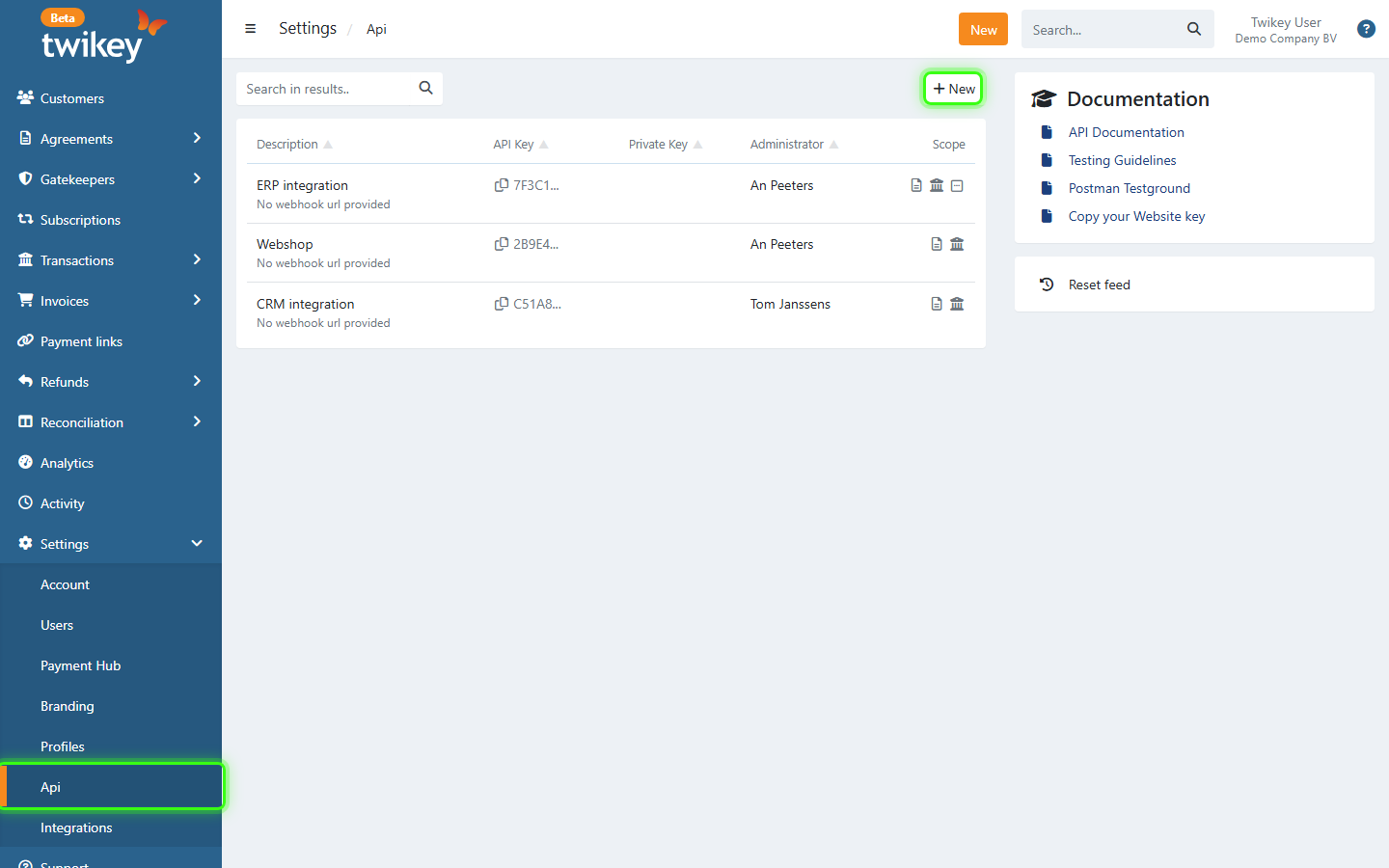
- Navigate to Settings > API in the left-hand navigation menu.
- Click + New.
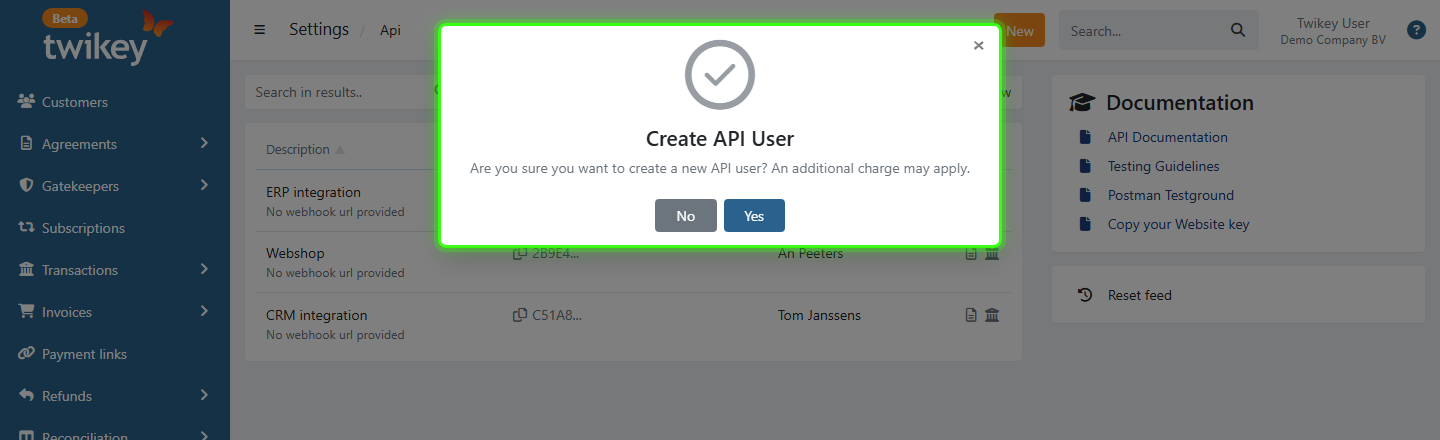
- If your account already has an API key, Twikey asks you to confirm, because an additional charge may apply. Click Yes.
- The Api options window opens. Twikey has already created the key. Fill in the settings:
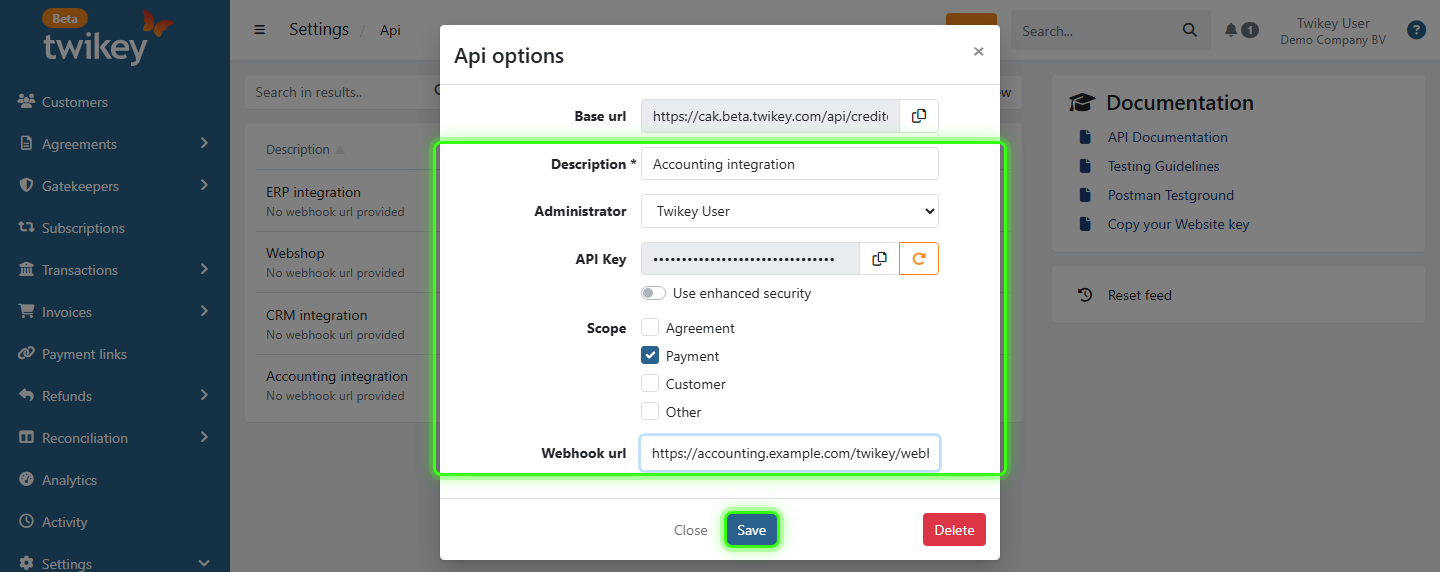
- Base url: The address your software uses to call the Twikey API. It is the same for all API keys of your company and cannot be changed. Click the copy icon to copy it.
- Description (required): The name of the API key, for example "Accounting integration".
- Administrator: The user responsible for this key. All API requests are logged under this user.
- API Key: The key itself. Click the copy icon to copy it.
- Use enhanced security: Creates an extra private key, used to calculate a 2FA code for each request. Only use this when your software supports it.
- Scope: The types of webhooks you want to receive for this key: Agreement, Payment, Customer and/or Other. Read more about webhooks in our API documentation.
- Webhook url: The HTTPS address where Twikey sends the webhooks. Click Test to send a test webhook to this address.
- Click Save.
Twikey checks the webhook url when you save. If the address cannot be reached, you see the message "The webhook url is invalid or needs to be saved first" and the changes are not saved. You can also save the key without a webhook url and add it later.
View or edit an existing API key
- Navigate to Settings > API in the left-hand navigation menu.
- Click the description of the API key.
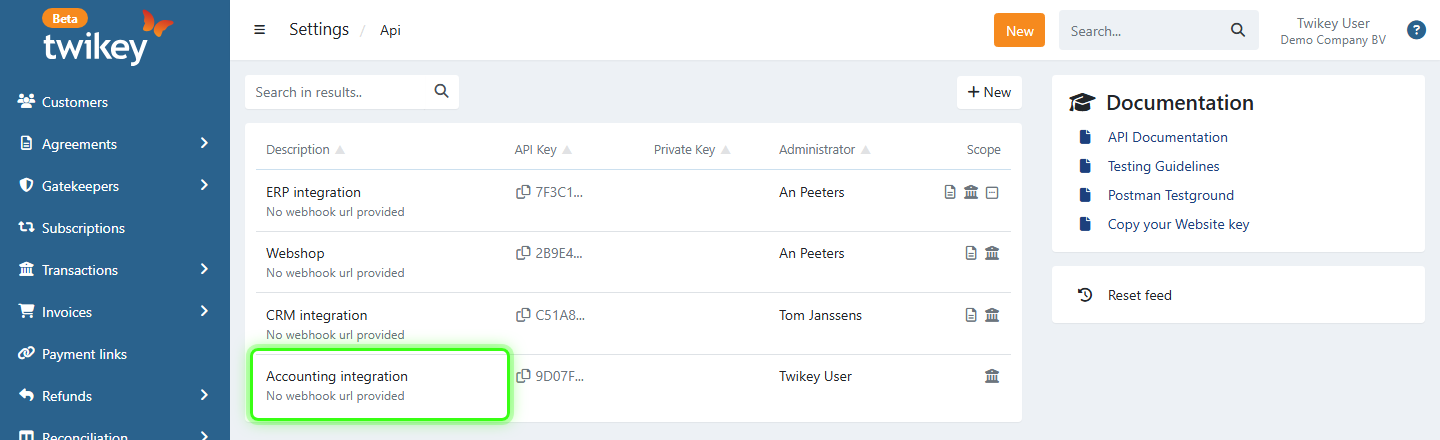
- Make your changes in the Api options window. You can change the Description, Administrator, Use enhanced security, Scope and Webhook url.
- Click Save.
Regenerate an API key
Regenerate the key when it may have been shared with someone who should not have it.
- Open the API key as described above.
- Click the orange Renew icon next to the API Key field.
- Confirm.
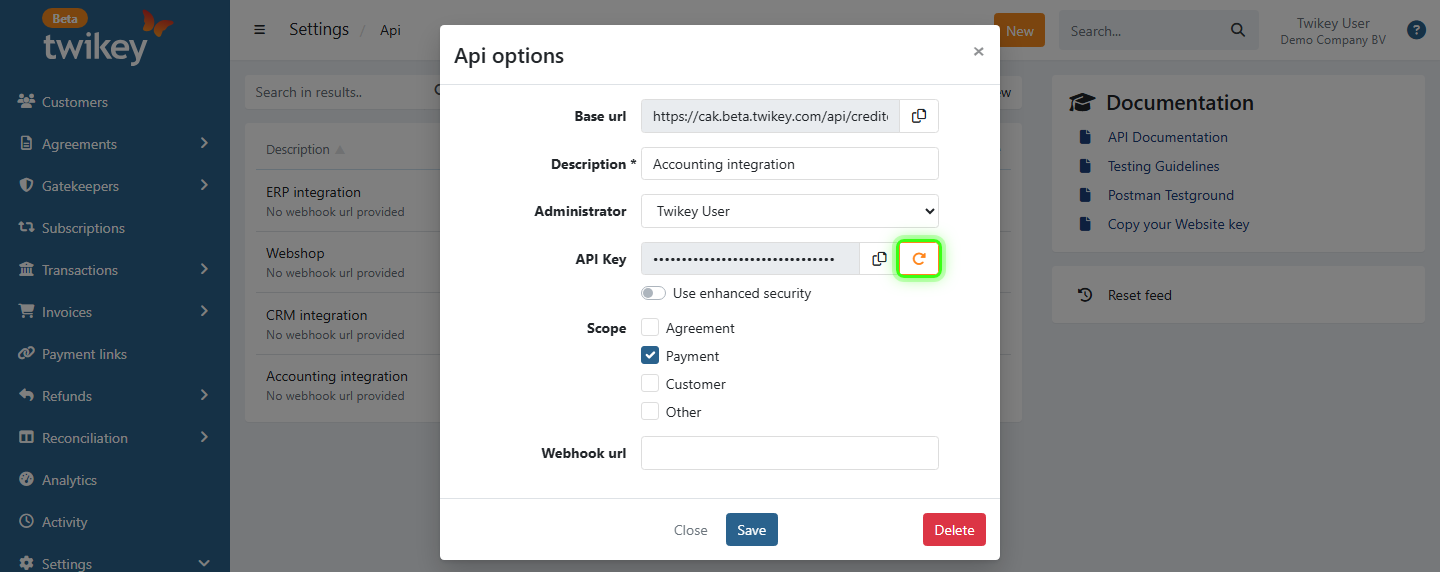
Twikey creates a new key for this API user. Update the key in every system that uses it.
Regenerating the key also invalidates all links that were generated with the old key.
Delete an API key
- Open the API key as described above.
- Click Delete at the bottom right of the window.
- Confirm.
Systems that still use this key can no longer connect to Twikey.
Last Update: 2026-10-21