
Billing
In the billing tab, you can find all the information related to your organization's Twikey subscription.
How to reach the billing tab
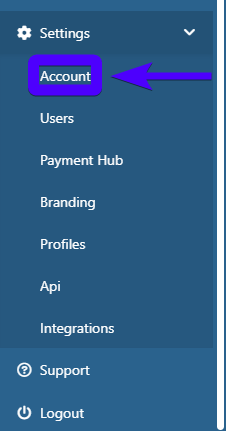
- Click on Settings on the sidebar.

- Click on Account.
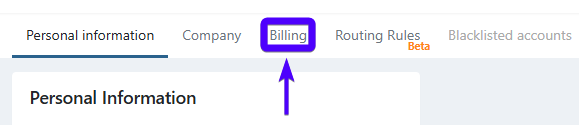
- Click on Billing.
The billing tab interface appears as follows:
We can divide the interface into several sections:
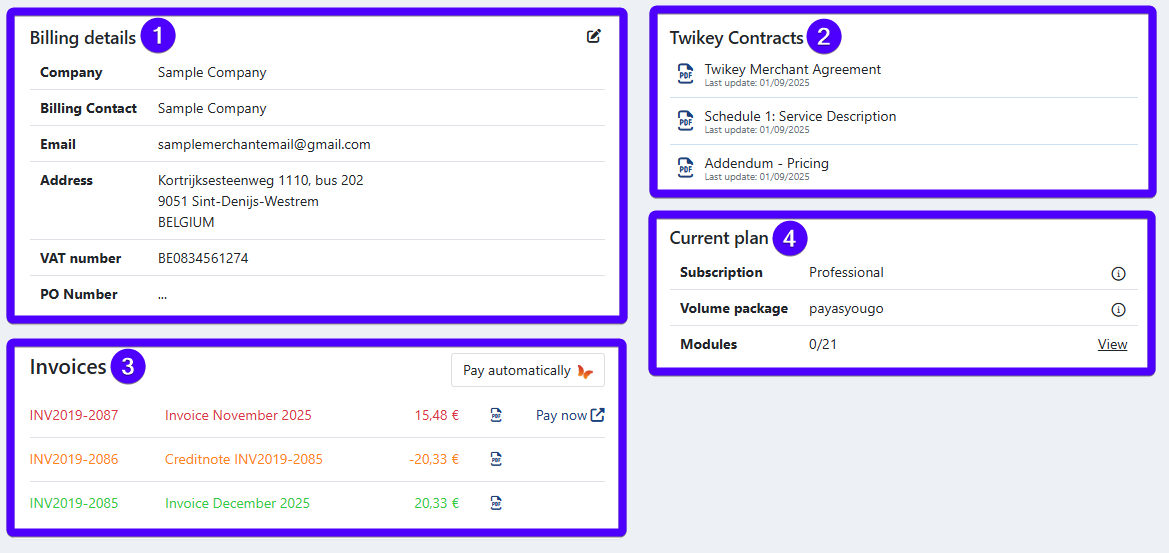
- Billing details
- Twikey contracts
- Invoices
- Current plan
Below, you'll find the explanation for each section.
Billing details
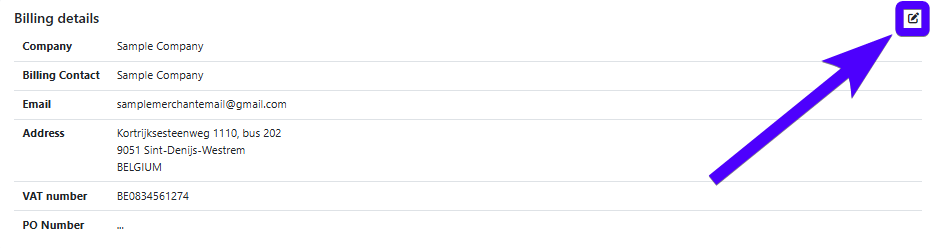
In this section, you can see and edit the key information regarding your organization's billing details.
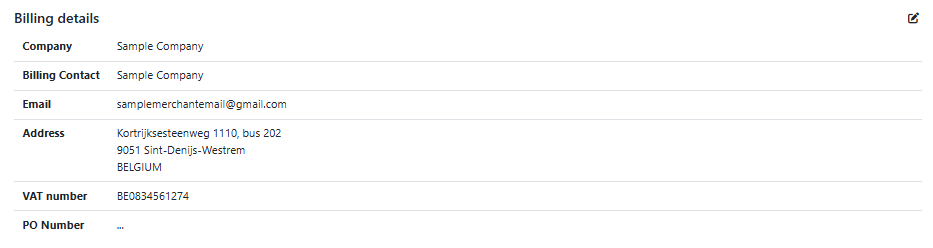
The information listed here include:
- Company name
- *Billing contact
- The e-mail address that will receive Twikey invoices
- Company address
- **Your company's Value Added Tax (VAT) number - commonly known as BTW in Dutch and TVA in French
- PO number (if applicable)
*Keep the billing contact updated to ensure that your Twikey invoices always reach the right recipient.
**Make sure your VAT number is correct to avoid tax issues.
To edit your billing details, click on the pencil icon, as shown in the image below:
Twikey contracts
This section displays the contract that your organization has signed with Twikey, as well as its supporting documents. Here are the documents that are available here:
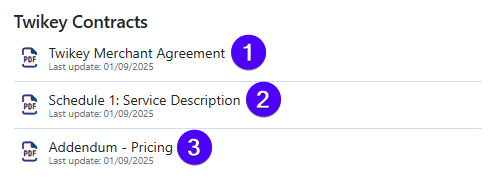
- This document is Twikey's general terms & conditions.
- This document contains the scope of services offered by Twikey.
- This document explains Twikey's pricing system.
To open a document, simply click on it.
Invoices
This section shows the Twikey invoices and credit notes that have been billed to your organization in the past 12 months. If you need access to older documents, please contact us via accounting@twikey.com
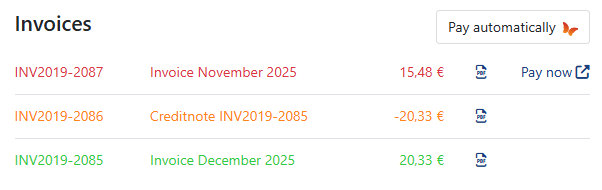
To help you identify items here, we have a text color-coding system for the texts:
- Red means unpaid invoices.
- Green means paid invoices.
- Grey means archived invoices. Invoices can only be archived by the Twikey team.
- Orange means credit notes.
Moreover, here's the list of actions that you can do in this section:
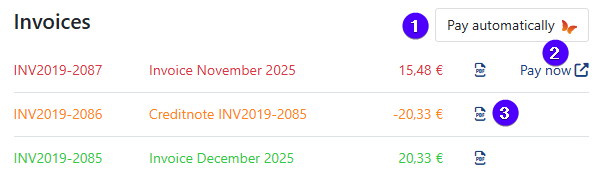
- Click to activate automated Twikey subscription. This is advantageous compared to paying manually, as it saves you time through full automation and eliminates the risk of extra fees due to late payments.
- Click to pay this invoice.
- Click to open the PDF file of this invoice.
What is lifecycle?
A Twikey invoice contains various items. One of the most frequently asked-about items is lifecycle..
Yet, what is lifecycle exactly?
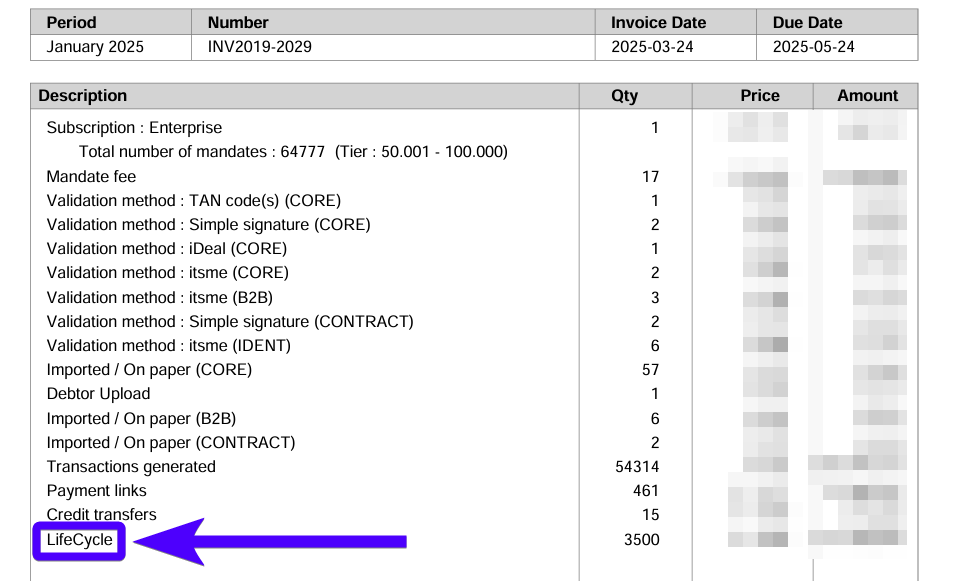
Imagine if your Twikey company has a very large number of agreements. It's possible that some of these agreements are no longer being used and no longer facilitate any financial activity (for example: they have been suspended), yet they still exist in your Twikey environment.
These agreements are considered inactive, but because they still exist within your account, they continue to be included on your Twikey invoice. This is what we refer to as lifecycle : the fee Twikey charges for securely storing and maintaining inactive agreements.
The lifecycle fee starts being charged after an agreement no longer has any financial activities in the past 12 months.
To limit lifecycle charges, make sure that agreements in your Twikey company are actively used for direct debit or recurring credit card transactions, including at least one transaction within a 12-month period.
You can keep track of your agreements' starting date by navigating to the agreements overview interface and use the date filter.
Current plan
This section displays your organization's current subscription, volume package, and the number of modules that are active in your Twikey environment.
To learn more about the subscriptions and volume packages that Twikey offers, click on the information icon.
And to see the list of possible modules (extra features) that you can activate, click on View, as shown in the image below:
