
Delete reconciliation files
You can opt to remove reconciliation files to either just remove them or generate them again in the same or a different format.
Files older than 3 months can not be generated anymore. Ensure you have downloaded the necessary files before removal.
How to delete files
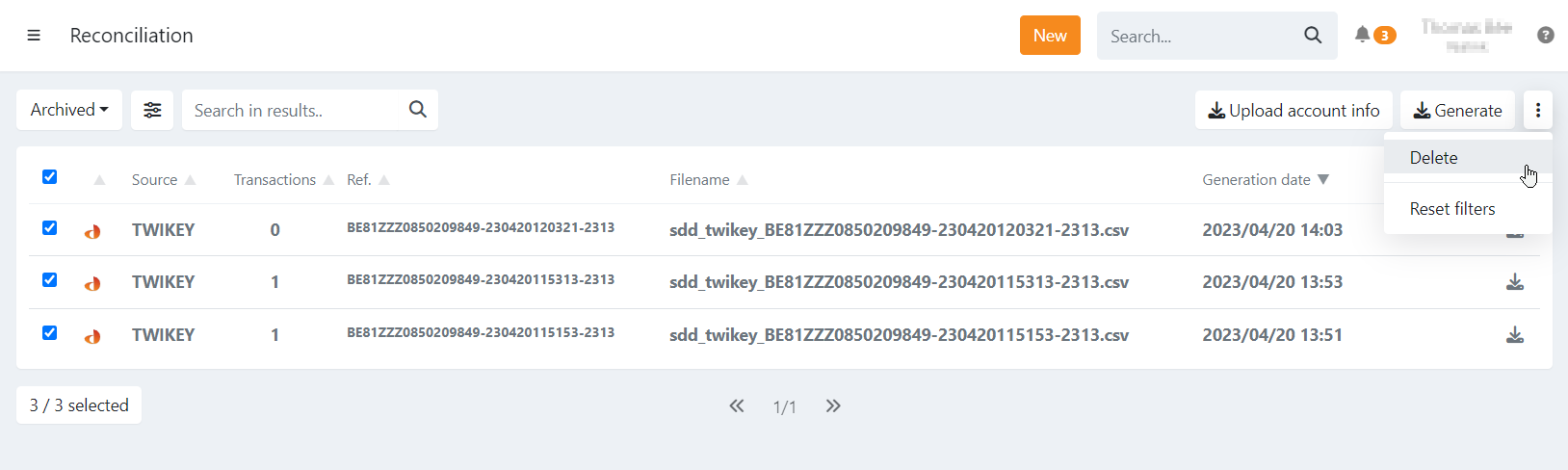
On the overview select the file(s), click on the three dots
and select 'Delete'.
You can now generate the files again in the same or a different format.
Regenerating a file always reflects the latest bank feedback available at that moment. If additional feedback arrived since the original file was generated — such as transactions that were initially unknown and later confirmed as paid or failed — the new file will include that updated information.
Last Update: 2026-03-10