
How to match manually
- Match a transfer to an invoice
- When the amount does not match
- Refund a payment you cannot match
- Work through several payments
- Archive payments from the list
- Undo an archive
You can manually match a bank transfer to one or more open invoices of a customer. Use this when a payment could not be matched automatically, for example because the customer used a wrong or missing reference, paid several invoices at once, or paid a different amount than the invoice total.
Match a transfer to an invoice
- Navigate to Reconciliation in the left-hand navigation menu.
- Click Matching.
- Click the transfer to open the Reconcile payment window.
- Check the customer. Twikey first looks for an invoice number in the payment message and then for the customer by the name of the payer:
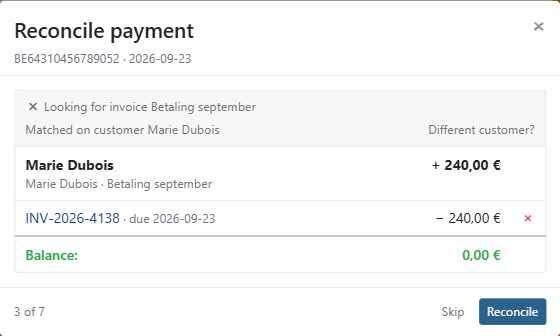
Matched on invoice number or Matched on customer - Twikey found the customer. If this is the wrong customer, click Different customer? and search for the right one.
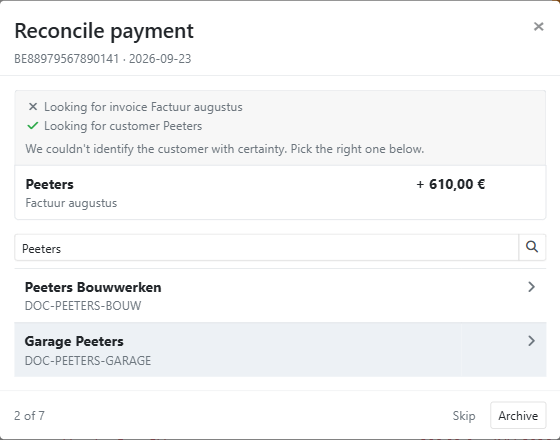
We couldn't identify the customer with certainty. Pick the right one below. - Twikey found several possible customers. Click the correct one in the list.
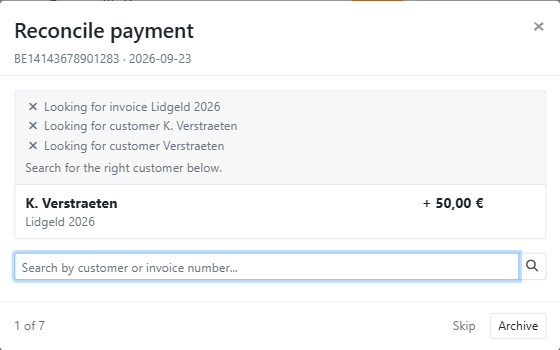
Search for the right customer below. - Twikey found no customer. Enter a customer name or invoice number in the Search by customer or invoice number... field and click the correct customer.
- Check the selected invoices. Twikey pre-selects the customer's open invoices, starting with the oldest, until the payment amount is covered. The remaining open invoices are listed under Other open invoices.
- Adjust the selection if needed:
- Click the + icon next to an invoice to add it.
- Click the × icon next to a selected invoice to remove it.
- Check the Balance. When it shows 0, the payment exactly covers the selected invoices.
- If the balance is not 0, choose what to do with the difference (see below).
- Click Reconcile to confirm the match.
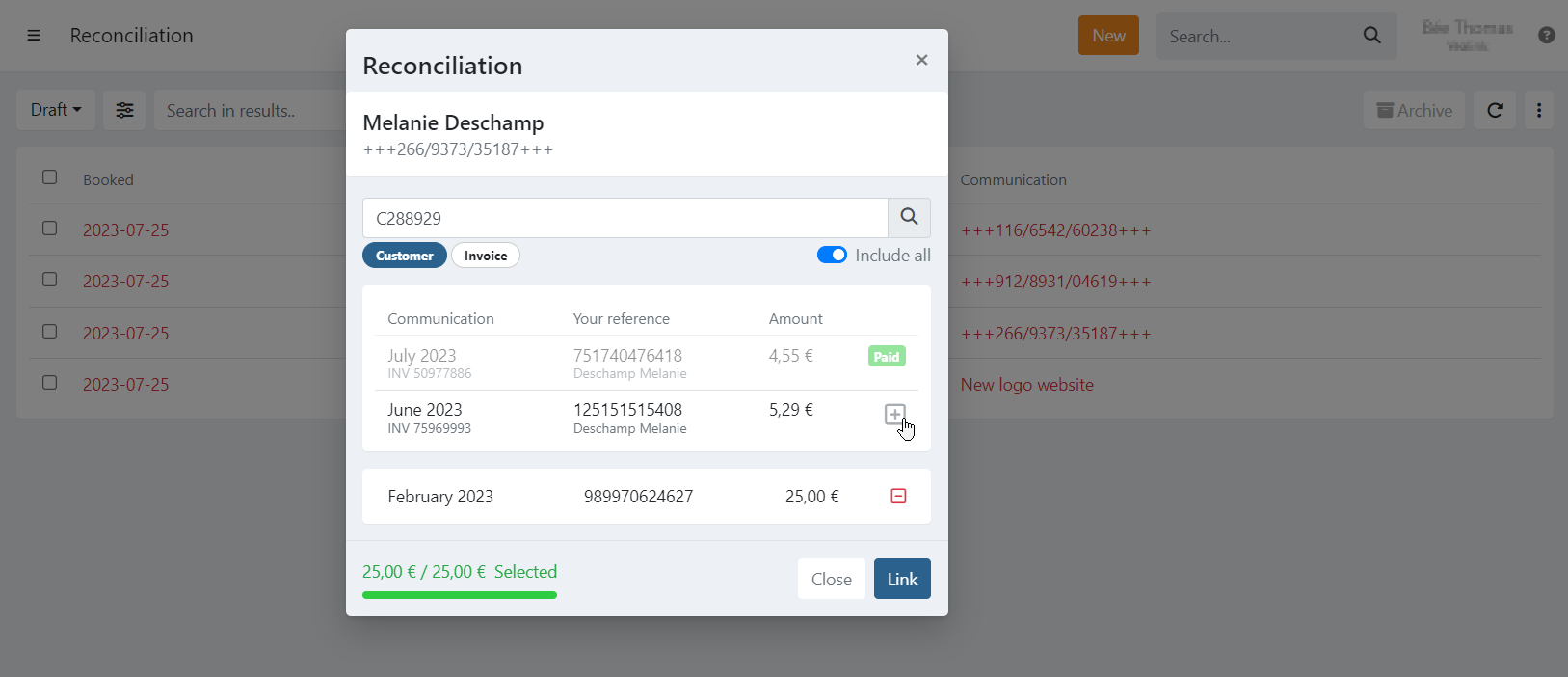
Only invoices that can still be paid and that are in the same currency as the payment are shown. Clicking an invoice number or the customer name opens it in a new browser tab, so the matching window stays open.
When the amount does not match
When the payment amount differs from the selected invoices, Twikey asks what to do with the difference.
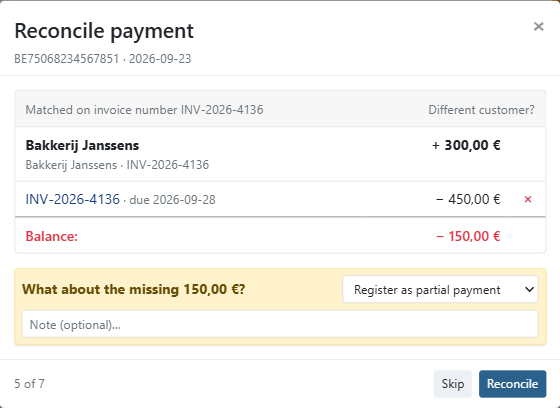
If the customer paid less than the selected invoices (What about the missing ...?):
- Register as partial payment - The received amount is booked on the invoices. The newest selected invoice stays open for the amount that was not received, so a later payment can still be matched to it.
- Mark invoice as paid - The shortfall is forgiven and the invoice is marked as fully paid.
If the customer paid more than the selected invoices (What about the extra ...?):
- Leave it - The invoices are marked as paid and the extra amount stays with you.
- Create a refund - The invoices are marked as paid and the extra amount is sent back to the account the payment came from.
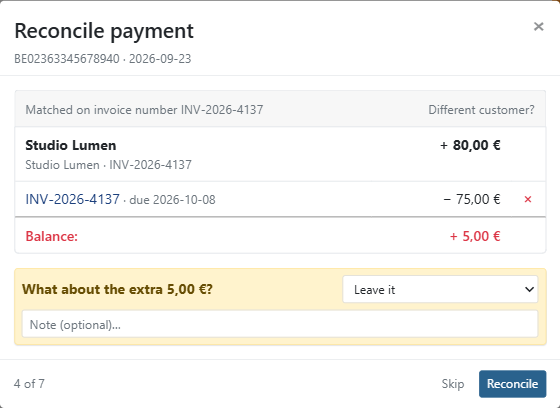
You can add a note in the Note (optional)… field to explain your choice.
Refund a payment you cannot match
When the customer has no open invoices, the window shows This customer has no open invoices and asks: Nothing to book this against. Send the ... back to the account it came from?
- Optionally, enter a reason in the Note (optional)… field.
- Click Refund.
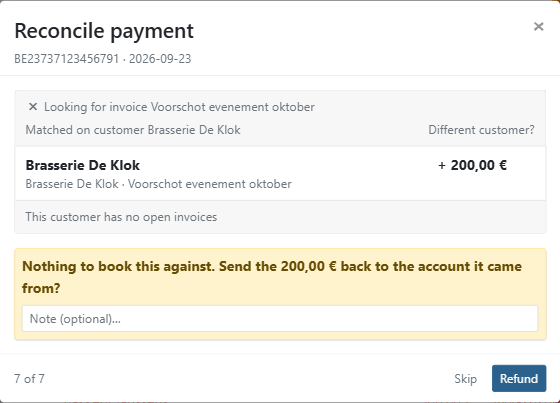
The payment is added to your pending refunds on the Refunds screen and is archived in the matching list. The refund is sent back to the account the payment came from once the refund batch is sent to the bank.
If the payment does not contain a valid account number of the payer, Twikey cannot create the refund and shows Refund failed. The payment then stays in the matching list.
Work through several payments
When you open the matching window from a list with several unmatched payments, the window shows your position (for example 1 of 12) and moves to the next payment after each action.
- Skip - Leave this payment for later and move on to the next one.
- Reconcile - Confirm the match and move on to the next payment.
- Refund - Shown instead of Reconcile when the customer has no open invoices. Send the payment back and move on to the next payment.
- Archive - Shown when no customer is selected. Archive the payment if it does not need to be matched, for example a transfer that is not related to an invoice.
After each action, Twikey briefly shows Loading next payment… before the next payment opens.
Archive payments from the list
You can also archive one or more payments directly from the matching list, for example a batch of transfers that are not related to any invoice.
- Navigate to Reconciliation in the left-hand navigation menu.
- Click Matching.
- Select the checkbox of each payment you want to archive.
- Click Archive.
- Click Yes to confirm.
The archived payments are removed from the Draft view. To see them again, select Archived in the filter at the top left.
Undo an archive
If a payment was archived by mistake, you can restore it so it can be matched again.
- Navigate to Reconciliation in the left-hand navigation menu.
- Click Matching.
- Select Archived in the filter at the top left.
- Select the checkbox of each payment you want to restore.
- Click Undo Archive.
- Click Yes to confirm.
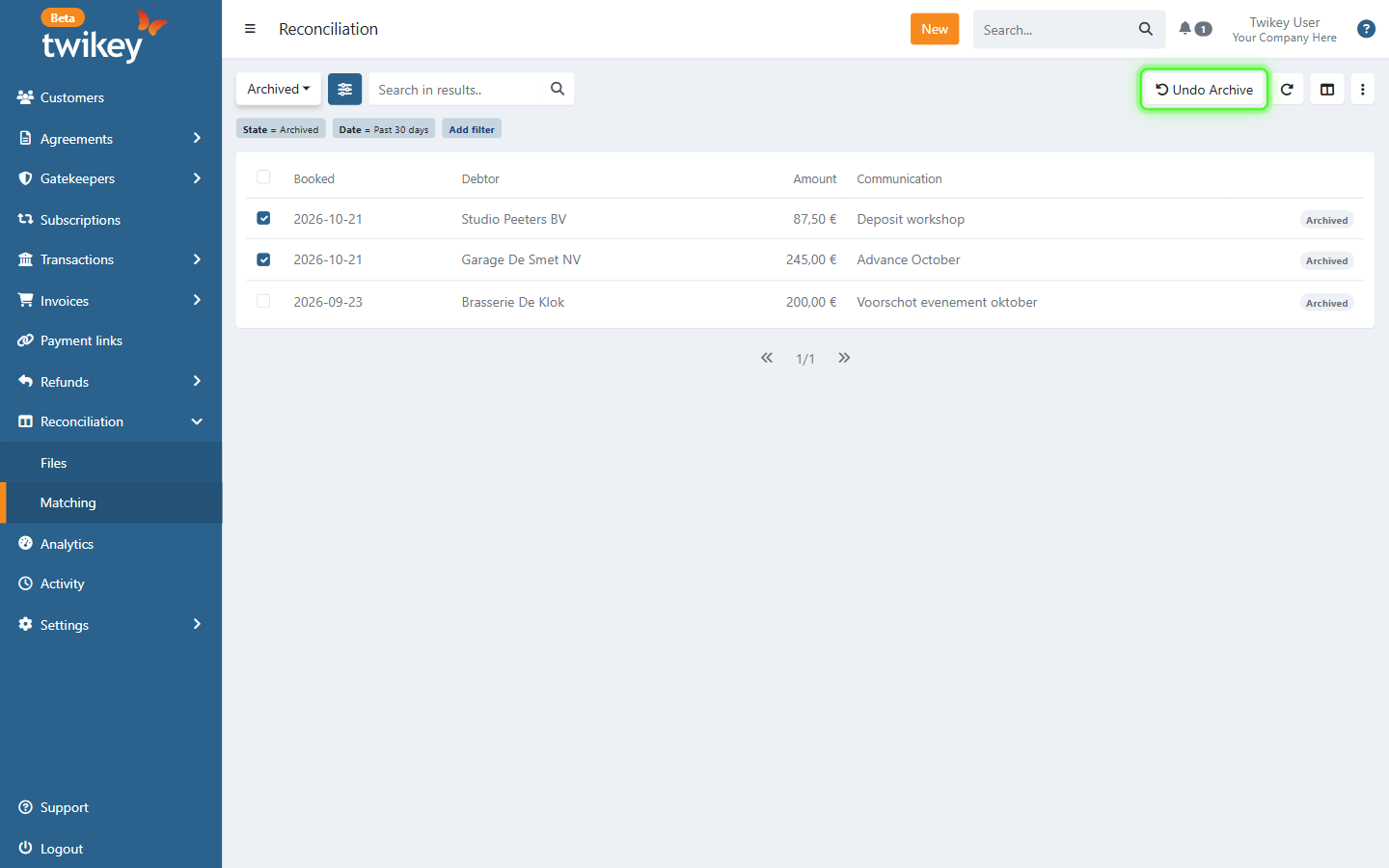
The Undo Archive button replaces Archive in the toolbar as soon as all selected payments are archived. When your selection contains both archived and non-archived payments, Archive is greyed out and Undo Archive is not shown.
You can also restore a single payment:
- Click the Archived label at the end of the row, and click Yes to confirm.
- Click the payment to open the Archived payment window, and click Undo Archive.
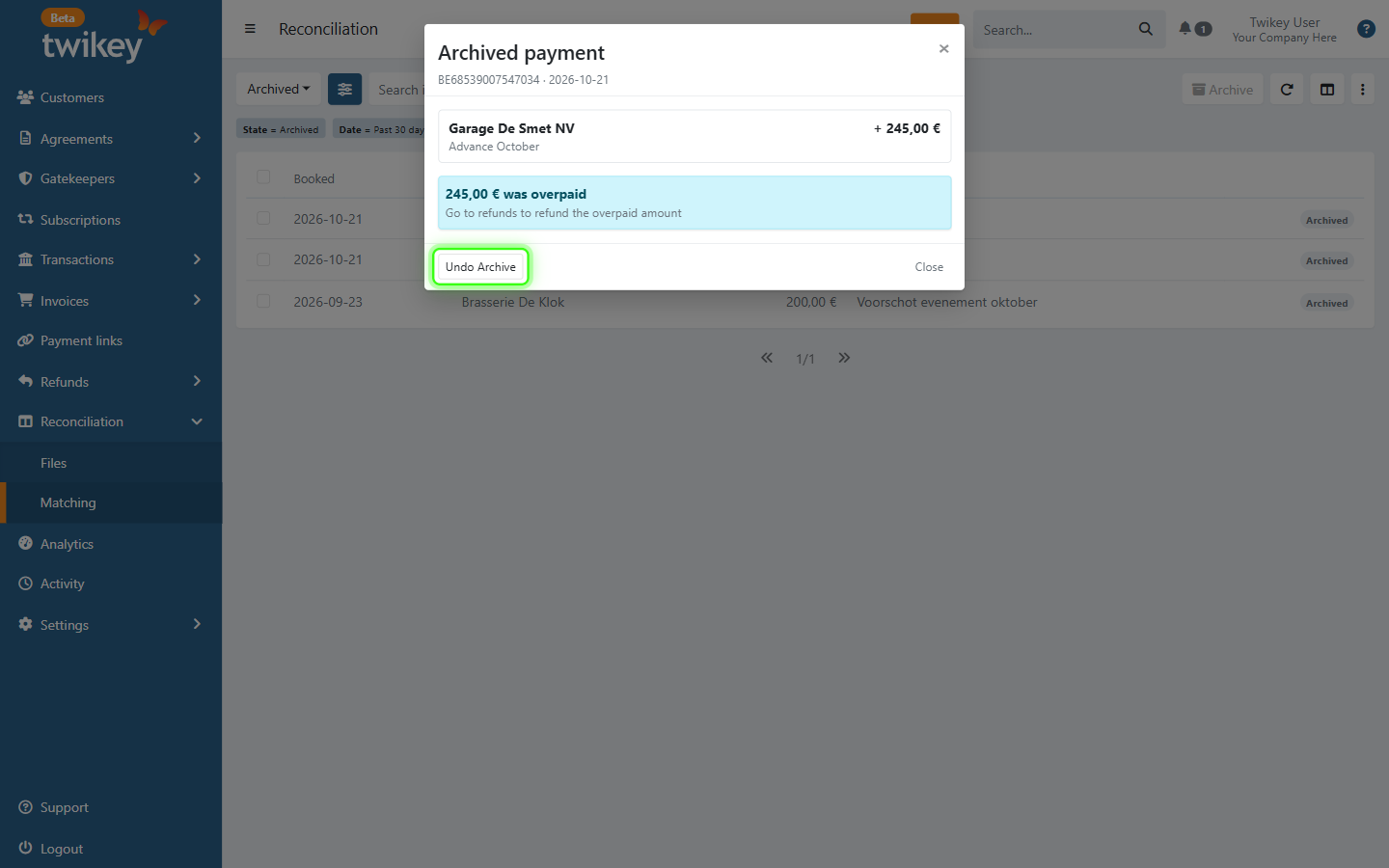
The payment is restored and shows up again in the Draft view, ready to be matched.