
How to import payment links
Show me
You can import payment links in bulk using a CSV file. Use a basic file with only payment link fields, or a full file that also creates or updates customer records — both formats are accepted.
Import payment links
- Navigate to Payment links in the left-hand navigation menu.
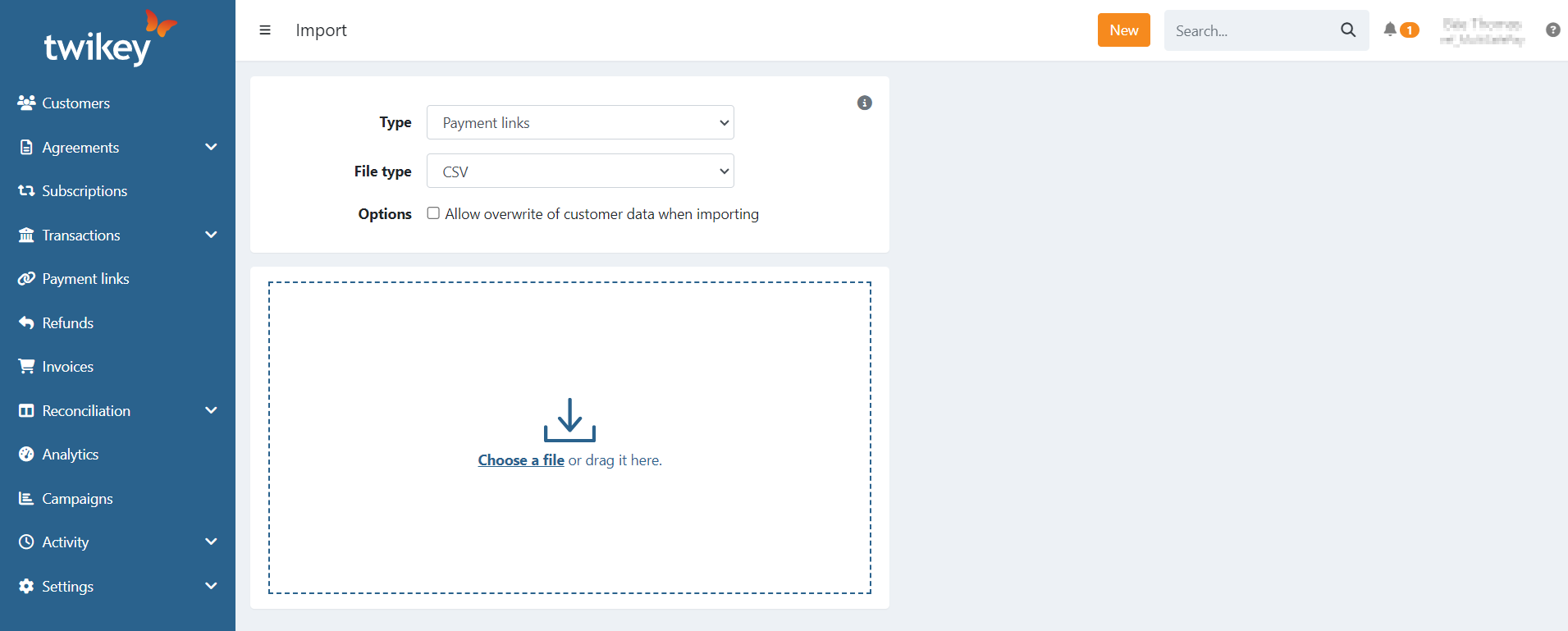
- Click Import or click New and select Import.
- Optionally, check Allow overwrite of customer data when importing to update existing customer records during import.
- Upload your CSV file.
If an import fails, you will receive an email with a detailed error report so you can correct and re-upload your file.
When a customer field is left empty in your imported file, that field is also cleared on the existing customer record. Make sure to include all required data.
The following customer fields can be updated when overwrite is enabled:
- address
- mobile
- language
CSV headers
Required
| Field | Description |
|---|---|
amount | Amount of the payment link |
msg | Message / title of the payment link |
ref | Reference / remittance of the payment link |
At least one customer identifier is also required:
| Field | Description |
|---|---|
firstname | First name of the customer |
lastname | Last name of the customer |
customerNumber | Customer number — use to reference an existing customer |
email | Email address — use to reference an existing customer |
You can use `debtor` instead of `firstname` and `lastname`. The value is used as the full customer name in the format `firstname lastname`.
Optional
| Field | Description |
|---|---|
l | Language for the payment link invitation. Accepted values: en, nl, fr, nl_nl (Netherlands), fr_fr (France), de, it, es, pt. When not provided, the language configured on your company is used. The language must be enabled on the selected profile, otherwise English is used by default. |
ct | Profile ID — use a specific profile for the payment link |
mobile | Phone number of the customer. Ignored if the customer already has a mobile number. Use international format (+31, +32, +33, …). |
expiry | Expiration date of the payment link (yyyy-mm-dd) |
companyName | Company name |
coc | Chamber of Commerce number or VAT number (format: BE0123456789). Leave blank if the customer is a private individual. |
address | Street and number |
city | City |
zip | Postal code |
country | Country in ISO 2-character format (e.g. BE, NL, FR) |
Template files
For a general overview of all import types and guidelines, see the Data import guide.
Some editors (e.g. Microsoft Excel) may reformat date and number values to your local settings when opening a CSV file. Verify the file contents before uploading, or use a plain text editor.
Last Update: 2026-03-10