
Sending an individual invoice via the Peppol Network
I want to send one (1) invoice via Peppol or any other method.
Use this method to send an individual invoice to Peppol or any other method. There is no fallback system active for Peppol invoices.
Should sending to Peppol fail, no invoice mail will be sent.
To send invoices to Peppol take these steps:
- Navigate to "Invoices"
- Click on an invoice
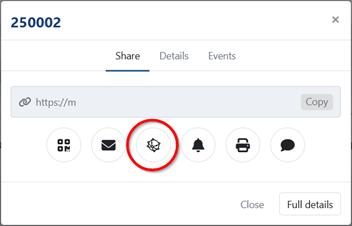
- When available the Peppol icon will be colored. Click on the button Send via Peppol
The Peppol button is not available when there is a technical issue. This ensures that no faulty invoice will be sent.
Why the Send via Peppol button is not available
The button is unavailable when the invoice cannot be sent, which prevents a faulty invoice from going out.
Check the following:
- The Peppol integration is active — the icon is green.
- The selected invoice has a UBL.
- The UBL contains invoice lines.
Last Update: 2026-08-04