
How to mark an invoice as paid
When a customer paid by bank transfer outside of Twikey, or when you need to reconcile a payment that was not automatically matched, you can mark invoices as paid from the invoice detail page.
How to mark an invoice as paid
- Navigate to Invoices in the left-hand navigation menu, or look up the invoice using the search bar.
- Click the invoice to open the detail page.
- Click Mark as paid.
- Open the Register payment via list. It shows Select a method... until you pick an option. This field is required: if you leave it empty, Required is shown and the invoice is not marked as paid. Choose one of the following options:
Bank transfer - Your customer paid by bank transfer.
Cash - Your customer paid in cash.
Card payment - Your customer paid by card.
Internal transfer - The amount was settled internally, for example by an internal transfer between accounts.
Other - None of the options above applies. An extra field with the placeholder Enter payment method... appears where you type the payment method yourself. This field is also required.
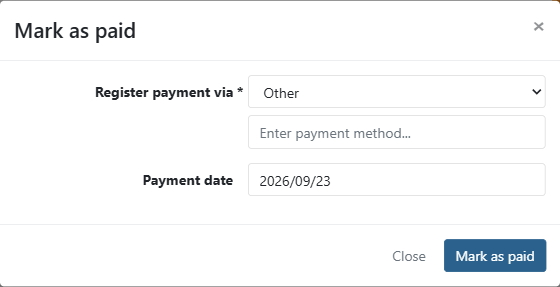
- Enter the Payment date, so you know when it was paid. Today's date is filled in by default.
- Click Mark as paid to confirm.
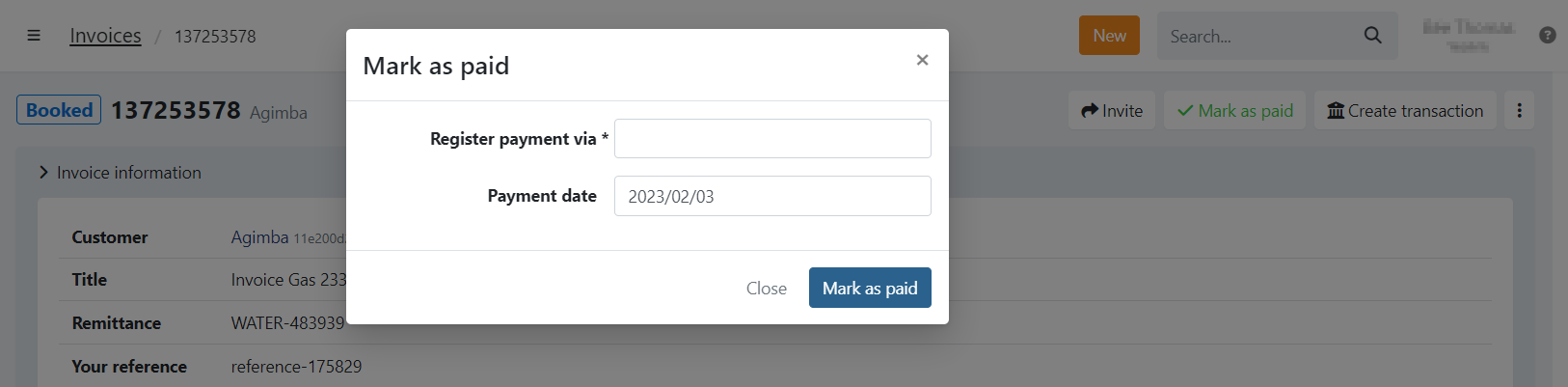
Mark as paid can only be done for invoices in a booked or expired state. When the invoice is in progress this is not possible.
Why the option may not be available
The mark as paid button is not shown when the invoice is in a state that does not allow manual payment registration:
- In progress - A payment is already pending for this invoice. For example, a direct debit transaction is being processed at the bank, or the invoice is still active in a dunning workflow.
- Paid - The invoice has already been paid and cannot be marked as paid again.
Last Update: 2026-10-20