
Send an invoice link via SMS
Show me
SMS is a direct and effective way to reach customers who may not have a valid email address or who respond better to text messages. Use SMS invitations to prompt first-time payment, and SMS reminders to follow up on outstanding invoices. Both individual and bulk sending are supported.
SMS sending must be enabled in your Twikey environment before use. Contact our support if this option is not yet activated.
How to send an invoice link via SMS
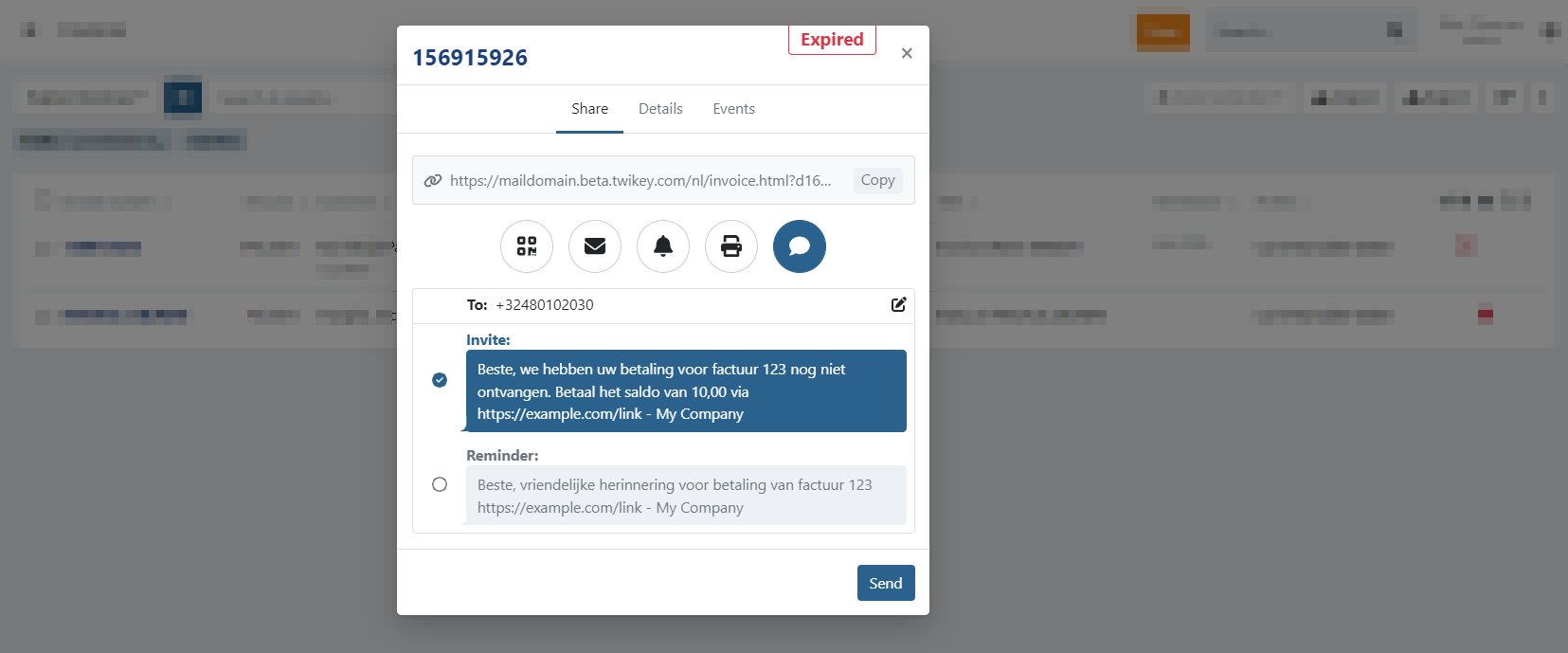
- Navigate to Invoices menu in the left-hand navigation menu.
- Set your filters and select the invoices
- Click the Share button to open the invitation screen.
- Select the SMS to display the SMS options.
- Review or update the To field — this shows the customer's mobile number.
- If you change the number here, the customer's stored mobile number is updated as well.
- Select whether you want to send an invitation or a reminder SMS.
- Click Send to deliver the message.
The SMS text for both invitation and reminder can be customised in Settings > Profile > SMS tab > Invoice
When the selection contains invoices in the state **Paid** or **Archived**, or with an invalid phone number, the message is not sent for those invoices. All other selected invoices will receive the invitation.
Selecting invoices
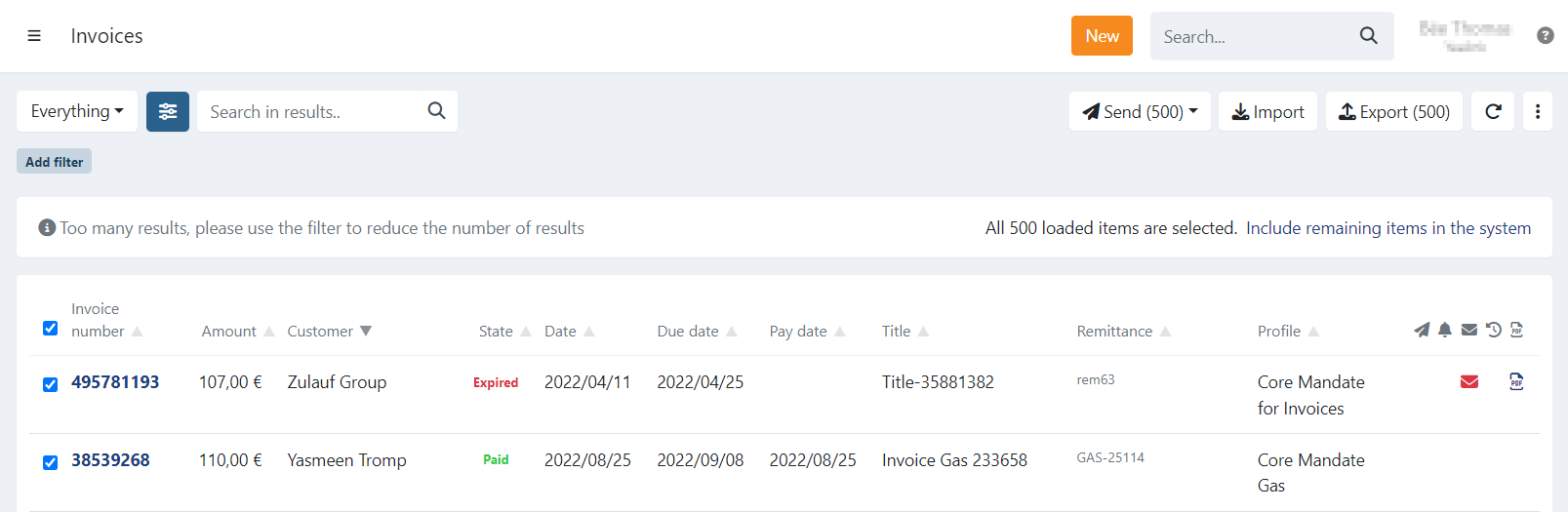
The invoice overview is limited to 500 invoices at a time.
When you select all invoices at once, you can choose to perform an action on:
- Only the 500 displayed invoices, or
- All invoices that match your current filter.
A dialogue will notify you about this option.
To select all remaining invoices that are not displayed, click: "Include remaining items in the system."
Last Update: 2026-04-08