
How to follow up signing progress
- Progress in the agreements overview
- Progress on the agreement detail page
- Progress toolbar steps
- Continuing on a later date
- B2B mandates
- When the agreement is not signed
When you send a signing invitation, you can track how far your customer got in the signing flow. Without a Campaign, this progress view is the main way to check individual pending agreements.
Progress in the agreements overview
- Navigate to Agreements in the left-hand navigation menu.
- Open the Overview tab.
The overview shows a progress indicator for each pending agreement.
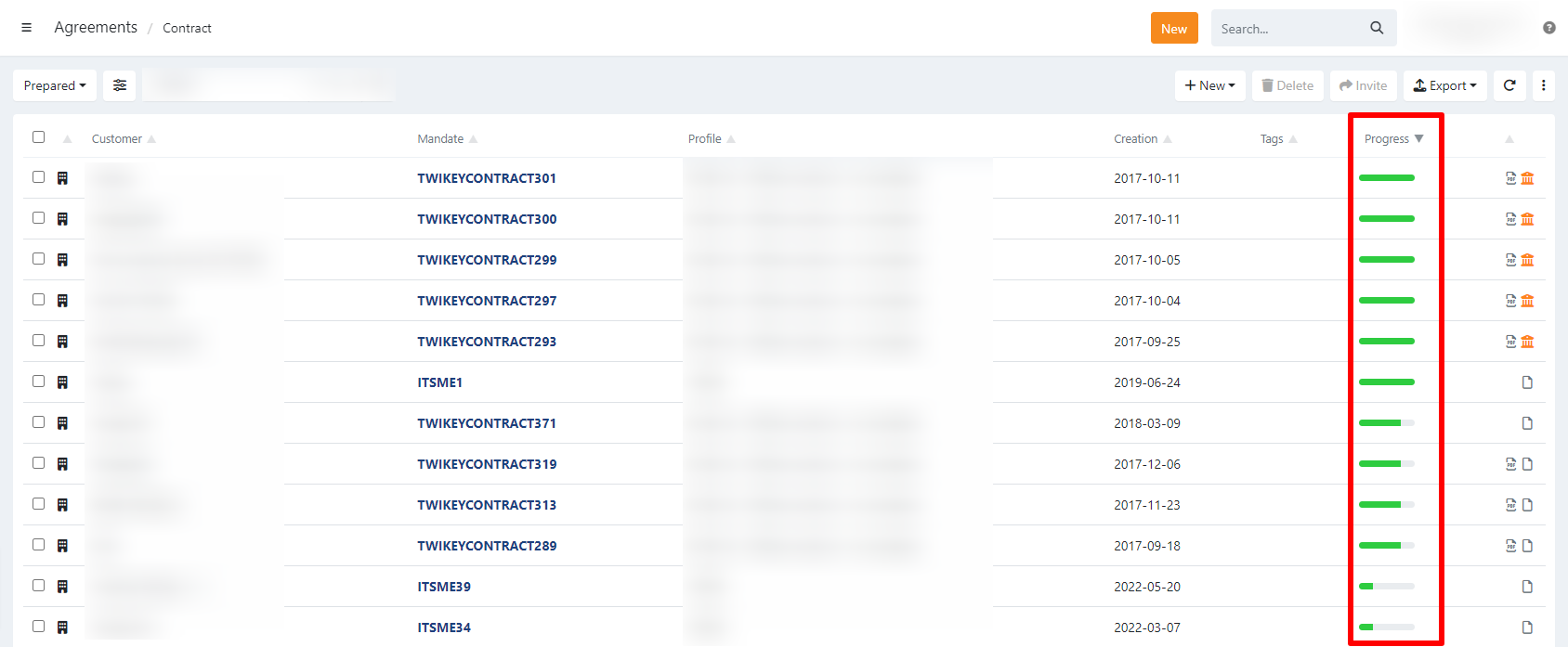
Progress on the agreement detail page
- Navigate to Agreements in the left-hand navigation menu.
- Open the Overview tab.
- Click the agreement to open the detail page.
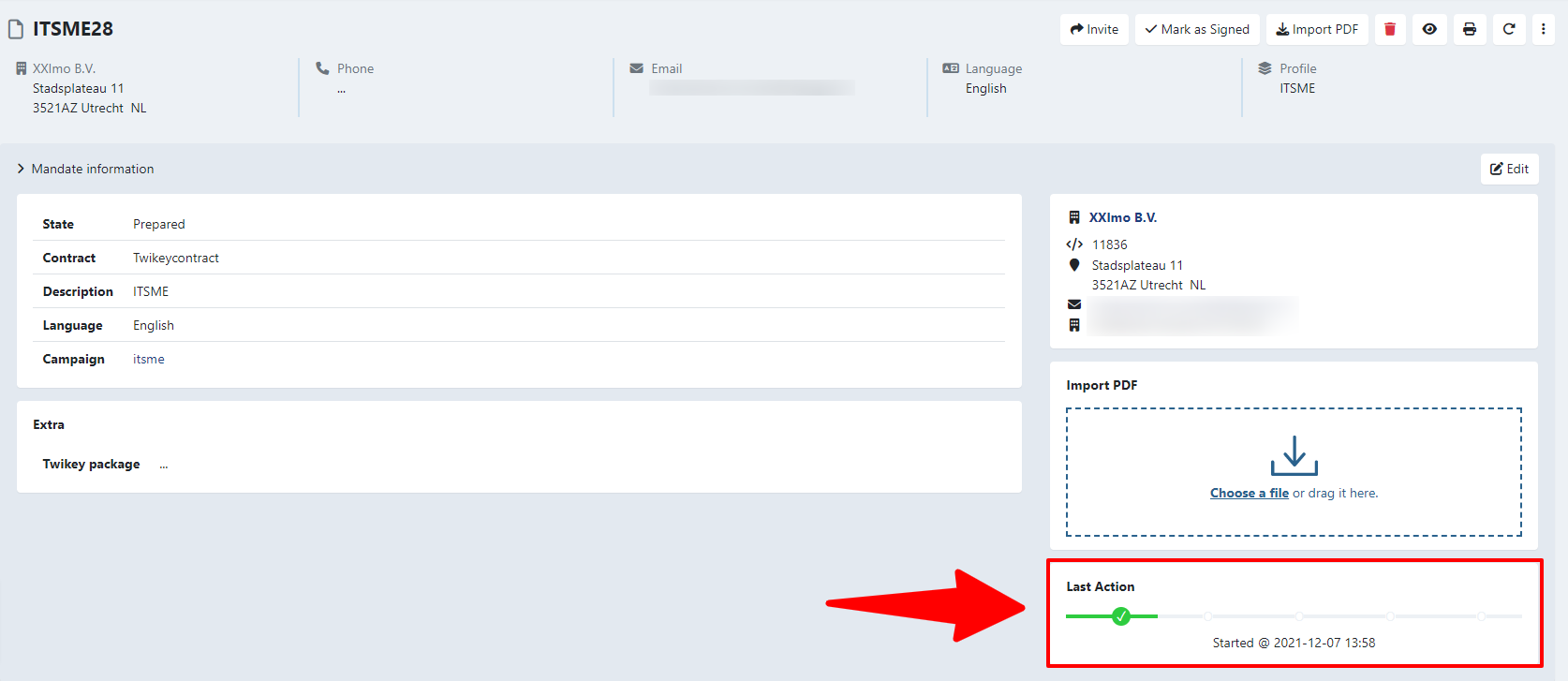
The Last Action section on the right shows the progress toolbar. Below the toolbar, the timestamp shows when the latest step was reached.
Progress toolbar steps
The toolbar tracks your customer's progress through five steps. Each step lights up as the customer completes it.
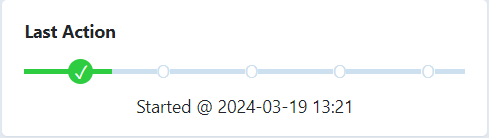
Started - The customer accepted the terms and conditions and confirmed their details are correct.
Account checked - The customer entered their account number.
Saved - The customer confirmed their account number and continued to the preview page.
Signing - The customer chose a signing method and continued to the signature page.
Done - The agreement is fully signed and moves to the signed documents.
Continuing on a later date
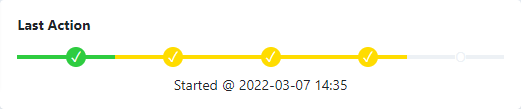
When your customer stops and returns to the signing flow later, the toolbar shows two layers of progress:
- Green - The current progress in the latest signing attempt.
- Yellow - The furthest point reached in a previous attempt.
B2B mandates
B2B mandates that still require bank approval remain in the pending documents section until the bank approves them. The progress toolbar is no longer shown once your customer has completed their part of the signing flow.
When the agreement is not signed
Common reasons an agreement has not been signed:
- The invitation email did not reach the customer. This can be the case when the mail integration is not properly set up (DKIM / SPF)
- The customer started the signing flow but did not complete it.
- The signing link expired.
- The customer's bank does not support the selected signing method.
The Events panel on the agreement shows a detailed log of what happened and when.
To help the customer further:
- Share the debtor help page with them: https://support.twikey.com.
- Verify that the signing link itself works. Navigate to the agreement, click the paper plane icon (Share) in the top-right corner (nothing is sent yet), copy the link from the pop-up, and open it in another browser tab.
- Identify where the flow breaks. If the link works and the customer gets as far as logging in with their bank, the problem is on the debtor's bank side.
"Link expired" vs. a session timeout
The Events log distinguishes two different expiry causes, and they need different handling:
- Error: Expired - the signing session timed out (usually multiple open tabs or extended inactivity). The invitation link itself is still valid and the customer can resume via the same link.
- Error: Link expired - the invite was created with a fixed expiry date, so that specific link stopped working once that date passed. This is set via the Twikey API rather than in the interface, so it usually points to how the merchant's integration (or whoever manages their API connection) creates invites, not a Twikey-side issue. The customer is redirected to an expired-link page and cannot resume via that link at any point in the flow - opening it, filling in details, or signing. The agreement stays Prepared; re-invite the customer to give them a new, non-expired link.