
How to mark an agreement as fraud
- Mark an agreement as fraud
- What happens when an agreement is marked...
- Automatic fraud detection during signing
- Viewing and managing blacklisted account...
If you suspect an agreement was signed fraudulently, you can flag it, ban the signature and/or bank account used on it from further use on your account, and suspend or cancel the agreement — all from a single action. Twikey can also find other agreements that share the same signature or account and apply the same action to them in one go.
Mark an agreement as fraud
- Navigate to Agreements in the left-hand navigation menu, or look up the agreement using the search bar.
- Click the agreement to open the detail page.
- Click Actions in the top-right corner.
- Select Mark as fraud.
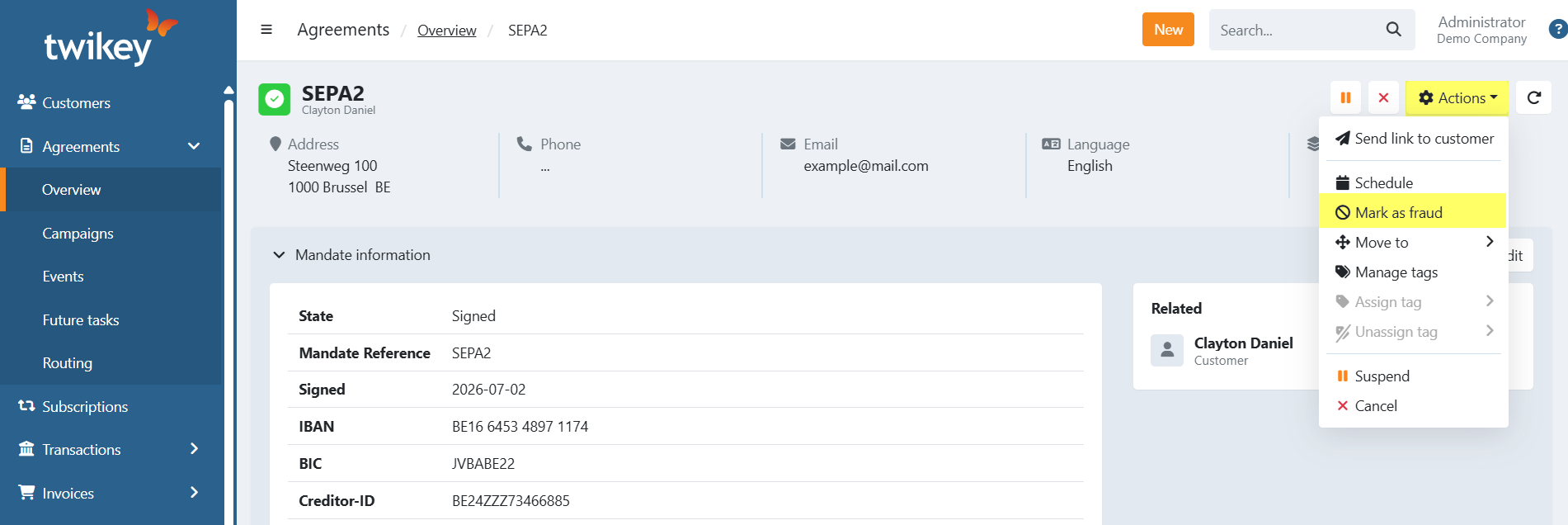
- Choose one of the following options:
- Just flag it — Adds a fraud marker to the agreement only. Nothing is banned and the agreement itself is not suspended or cancelled. Use this to keep a record of suspected fraud without taking further action yet.
- Block & suspend — Bans the signature and/or bank account used on the agreement and suspends it. The agreement can be reactivated later if needed.
- Block & cancel (recommended) — Bans the signature and/or bank account used on the agreement and cancels it. This is selected by default, since a fraudulent agreement should generally not stay active.
- Custom... — Choose exactly what to do: whether to add a fraud marker, whether to ban the signature and/or bank account, and whether to keep, suspend, or cancel the agreement.
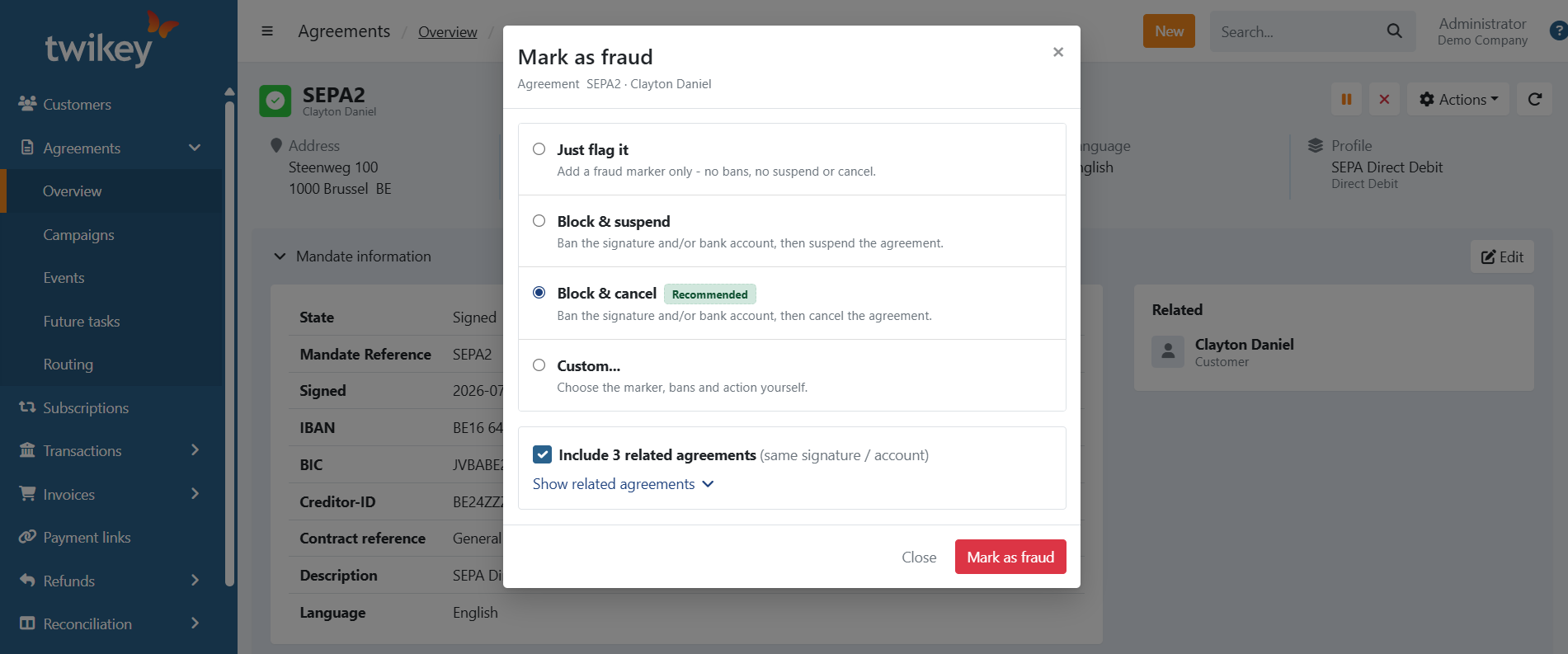
- If Twikey finds other agreements that use the same signature or bank account, an Include N related agreements option appears and is checked by default — leave it checked to apply your chosen action to all of them at once, or uncheck it to only act on the current agreement. Click Show related agreements to see which customers and agreements are matched, and whether each one matches on signature, account, or both.
- If you selected Custom..., set your own combination:
- Add fraud marker — flags the agreement without changing anything else.
- Ban signature and Ban bank account — only shown when the agreement type supports that ban.
- Under Agreement, choose to Keep, Suspend, or Cancel the agreement.
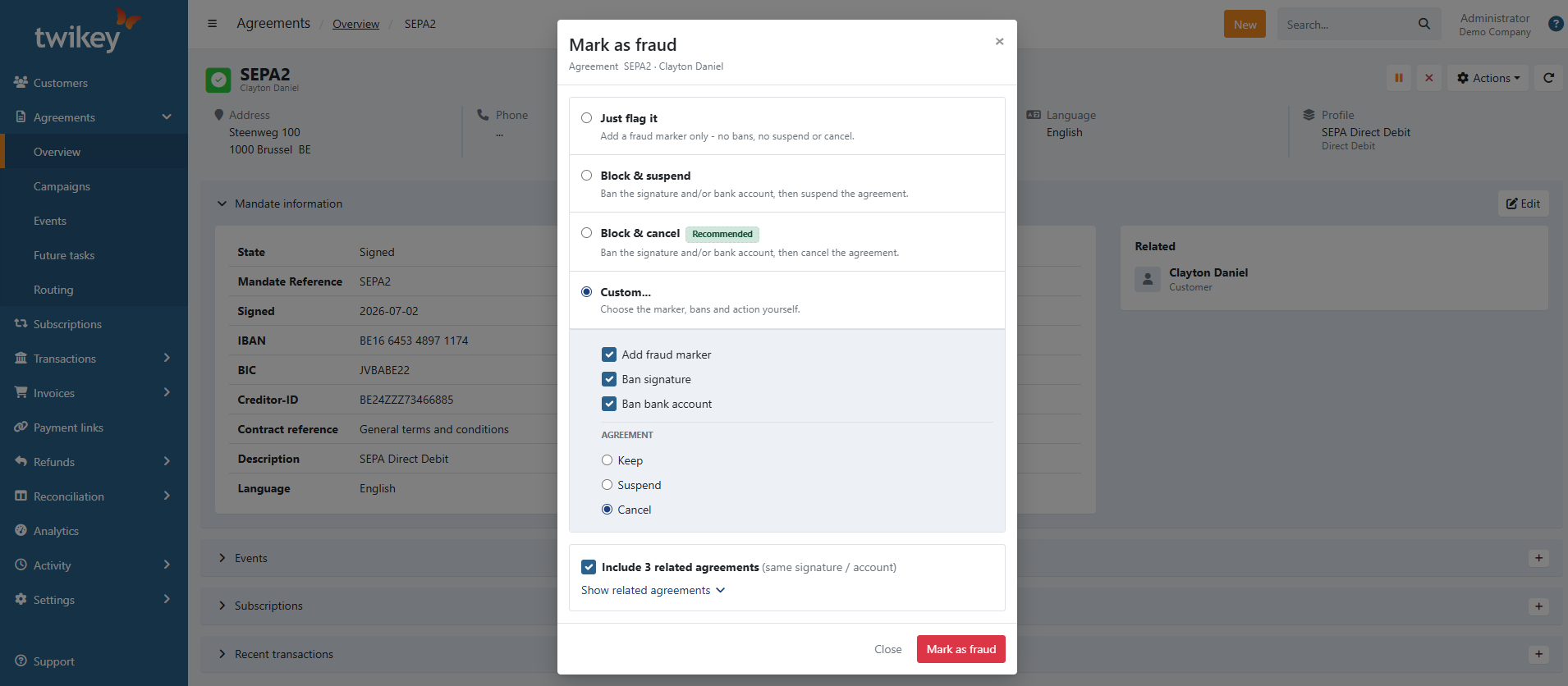
- Click Mark as fraud to confirm.
What happens when an agreement is marked as fraud
Depending on the option you chose, Twikey can:
- Add a fraud marker – the agreement is flagged as fraudulent so you can recognize it later.
- Ban the signature – blocks that signature from being used to sign new agreements. Only possible for agreement types with a reusable signature.
- Ban the bank account (IBAN) – blocks that account from being used on new agreements. Only possible for agreement types based on an IBAN.
- Suspend or cancel the agreement – pauses or ends the agreement.
If you included related agreements, the same combination of actions is applied to each of them as well.
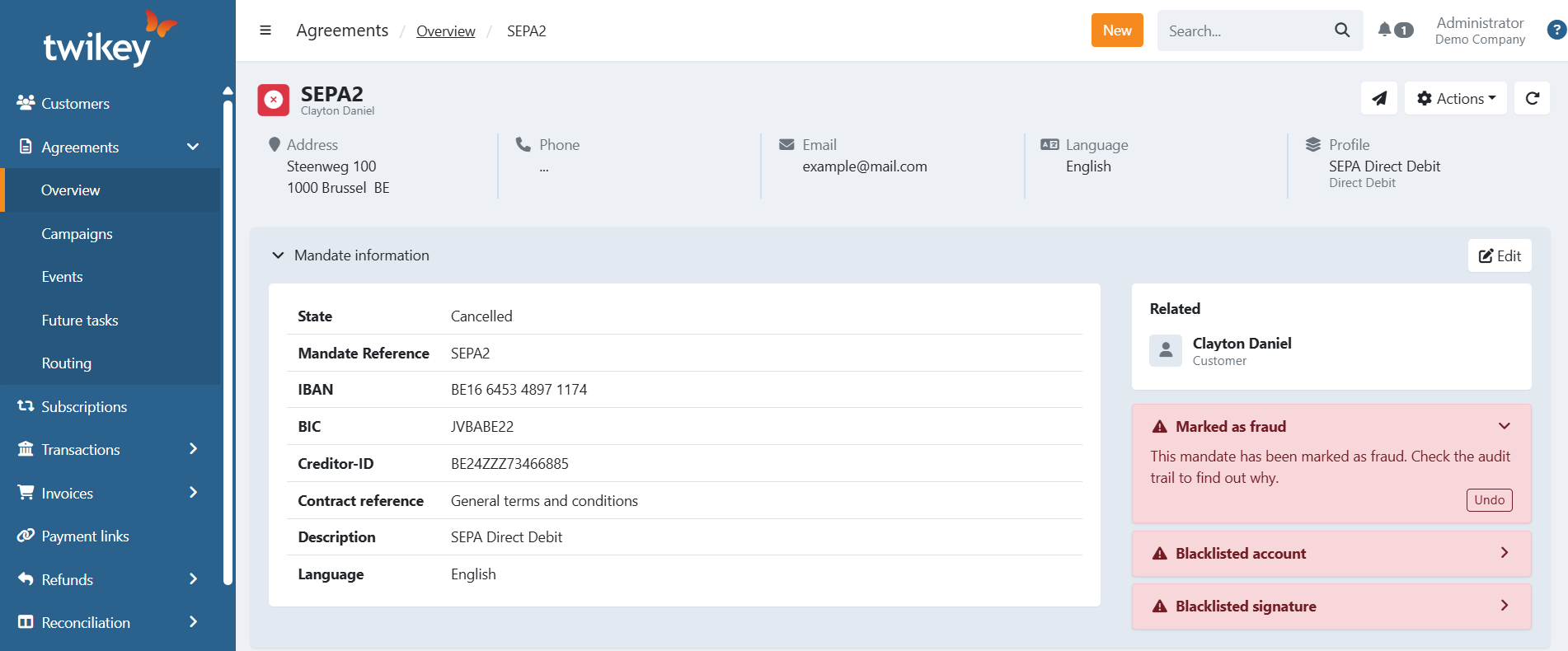
On the agreement detail page, the fraud marker and any bans are visible and can be reversed if they were applied by mistake.
Automatic fraud detection during signing
When a customer enters an IBAN during the signing flow, Twikey automatically checks whether one of your existing active mandates already uses the same account. If a match is found, the signing attempt is blocked and the new agreement is flagged as fraud automatically — no manual action is needed.
This prevents customers from creating multiple mandates against the same bank account without your awareness.
Viewing and managing blacklisted accounts
You can view and manage all blocked bank accounts in your account settings.
- Navigate to Settings in the left menu.
- Click Account.
- Open the Blacklisted accounts tab.
- Click an account to see all agreements that used that IBAN.
This overview helps you understand which agreements are linked to a blocked account and take further action if necessary.