
Edit agreements
Show me
Agreements can be edited once they are created, but depending on the state of the document (signed, prepared,...) and the type of document (Core, B2B, Contract,...) different data can or can't be updated.
In this article we explain what can be updated and in which case.
How to edit agreements
To edit agreements you can open the details modal from the agreement overview,
go to the Details tab and select
or on the details of the individual agreement use the button.
There are 3 different tabs on which information can be added or updated.
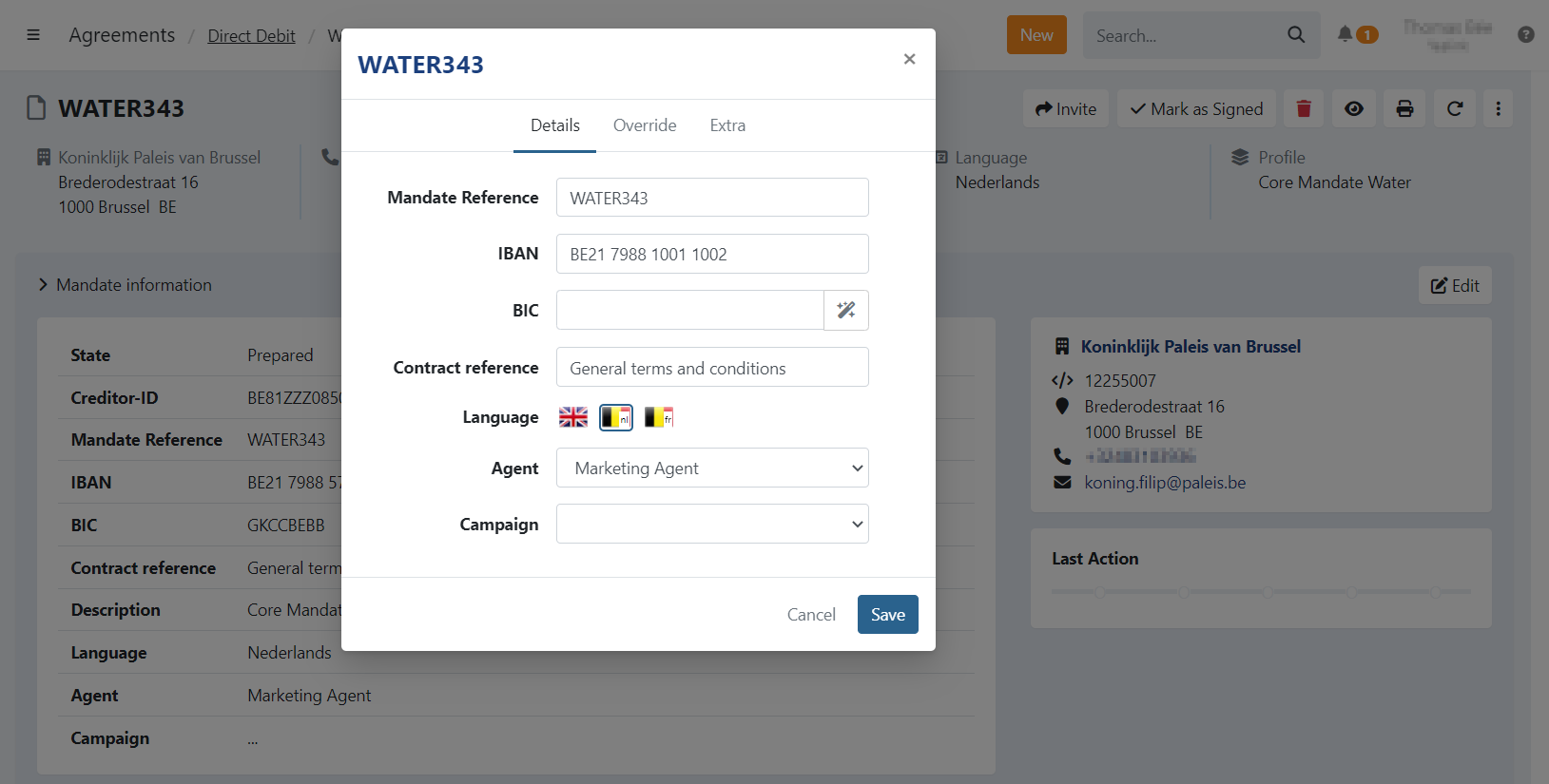
Details
This tab contains the details of the agreement itself.
Debtor
On this tab you can edit the debtor's name and address, those are only applied to the agreement itself, not the customer.
Extra
When you defined custom attributes on the profile settings, the extra tab is available.
Here you can enter or edit your own values for custom attributes.
Core agreements
You can edit the following fields:
- Mandate Reference: the reference of the mandate
- IBAN/BIC: the account number and BIC. You can calculate the BIC automatically using the wizard icon.
- Language: select a different language for the agreement.
- Agent: change the agent assigned to the document.
B2B agreements
Business-to-Business agreements have more restrictions, you can only edit the Language and Agent on the details.
Prepared agreements
The details of a prepared agreement can be edited in full. There are no restrictions when the document is in this state.
You can still edit the Contract reference, once the document is signed this is not possible anymore.
Update the Language to send an invitation in a different language.
Signed agreements
The details that can be updated on a signed agreement depend on the type (Core, B2B, other).
Other
Other types (Contract, Credit Cards, ..) only allow the language and agent to be updated once the document is signed.