
Credit card expiry and renewal options
When a recurring credit card agreement is created or imported and Twikey receives the card's expiration date, it automatically handles expiry notifications and renewal. This article explains how that process works and how to configure it.
How credit card expiry is handled
When Twikey receives the card's expiration date — either during signing or from an imported file — the following happens:
- One month before the card expires, a notification task is created and visible under Upcoming events.
- A second task moves the agreement to Expired status once the card has actually expired. The agreement is not cancelled — it stays in this status until the customer updates their card, at which point it becomes active again.
- If the notification option below is enabled, the customer receives an email with a link they can use to update their card, even after the agreement has already reached Expired status.
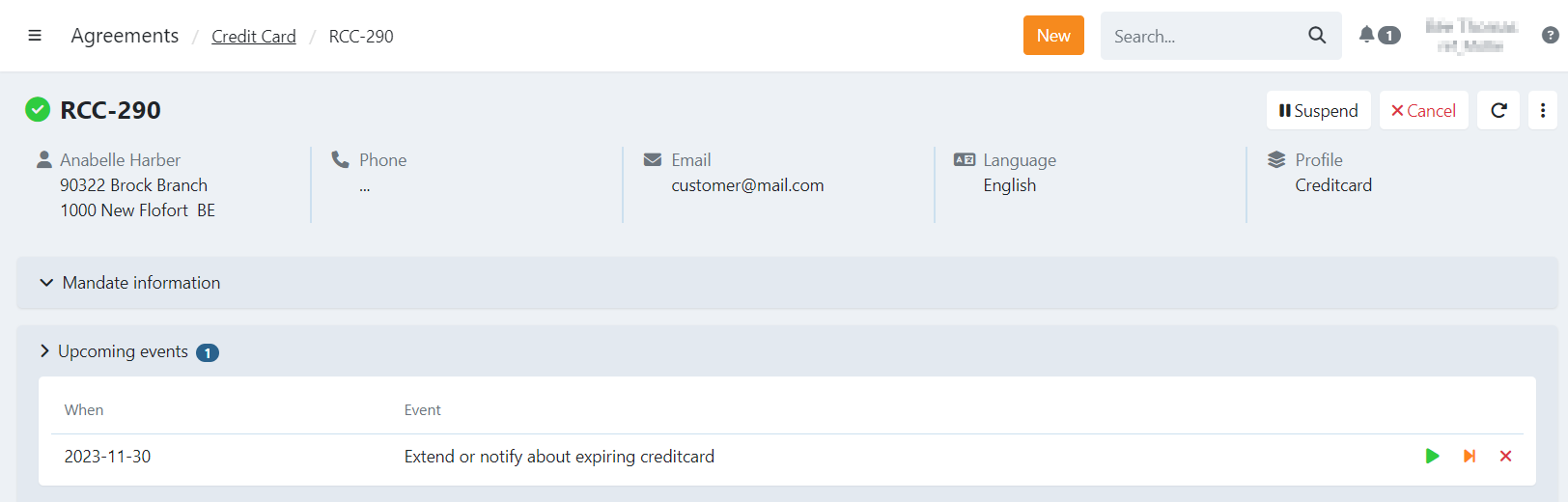
When the agreement moves to Expired status, all subscriptions linked to it are cancelled. Cancelling a subscription is permanent: when the customer later updates their card and the agreement becomes active again, these subscriptions are not reactivated. Create them again, for example with the start over function on the cancelled subscription.
Configure an automatic credit card renewal notification
You can control whether customers should be notified upfront about the upcoming expiring date.
- Navigate to Settings in the left-hand navigation menu.
- Click Profiles.
- Click the credit card profile you want to configure.
- Open the Options tab.
- Enable or disable Notify the customer when their credit card is about to expire.
The setting has the following effect:
- Enabled — The customer receives an email one month before expiry with a link to renew their recurring credit card agreement using their new card. This link remains valid even after the card has expired, so the customer can still use it to reactivate the agreement.
- Disabled — The expiry task is created but the customer is not notified. The agreement's status still changes to Expired automatically when the card expires.
You can find and edit the corresponding mail via settings > profiles > choose your credit card profile > emails > mandate > card expiry.
Last Update: 2026-09-23