
B2B automated validation for non-connected banks
- Enable the automated B2B validation
- Step 1: Send the invitation to your debt...
- Step 2: Twikey performs the automated B2...
- What happens when the validation succeed...
- What happens when the validation fails?
- Bank feedback: No valid mandate (MD01)
- Customize the validation emails
A B2B agreement requires validation from your debtor's bank. Not every bank supports digital signing via Twikey — see the signing options for Belgium and the Netherlands for the list of supported banks per country.
If a debtor's bank is not on that list, it still has to register the B2B mandate before it can be used — same requirement as the manual paper flow. The difference is how you find out that registration succeeded: in the paper flow, the debtor brings back a bank-stamped document and you verify it yourself; here, Twikey confirms it for you automatically instead.
That's why Twikey developed automated B2B validation, which allows for a smoother validation process for non-digitally connected banks. Instead of relying on the merchant to collect and verify a signed document, Twikey confirms the bank registration directly. This flow works the same way regardless of the debtor's country — only the list of connected banks differs per country.
The system sends a small test transaction of €0.01. Once the bank gives positive feedback and the possible refusal period has passed (normally up to 5 business days), the system automatically marks the agreement as Signed and ready to use.
See What is a SEPA B2B Direct Debit mandate for the full decision flowchart, showing how this path fits alongside digital signing and paper signing.
Enable the automated B2B validation
To perform the automated B2B validation, your Twikey company must have the following:
- An active bank connection in your Payment Hub — See How to connect my own bank account for the setup steps.
- An active email integration — Twikey needs this to send the validation-related emails to your debtor during the flow. See Email & SMTP configuration guide for the setup steps.
Before this flow can be used, perform the steps below:
- Contact us to activate the Auto-send transactions every night option — this is a backend setting only Twikey can turn on for you.
- Navigate to Settings in the left-hand navigation menu.
- Open the Profiles tab.
- Click the B2B profile that will be used.
- Open the Options tab.
- Enable Automatic validation for non-connected banks.
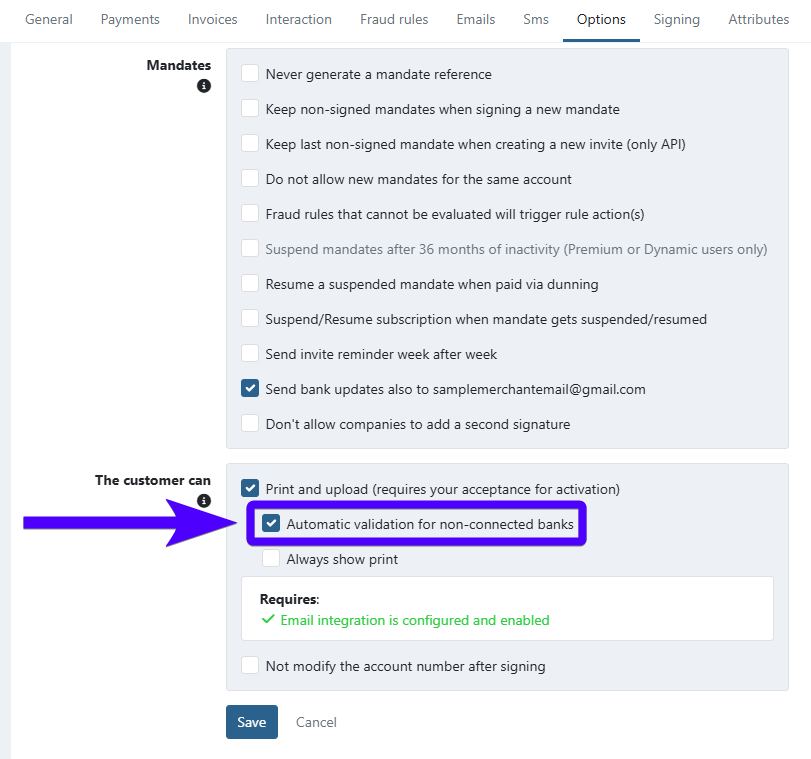
- Click Save.
Step 1: Send the invitation to your debtor
Send the invitation as usual — your debtor follows the same signing process as any other agreement.
During that process, alongside the standard emails, they'll also see the following notice:
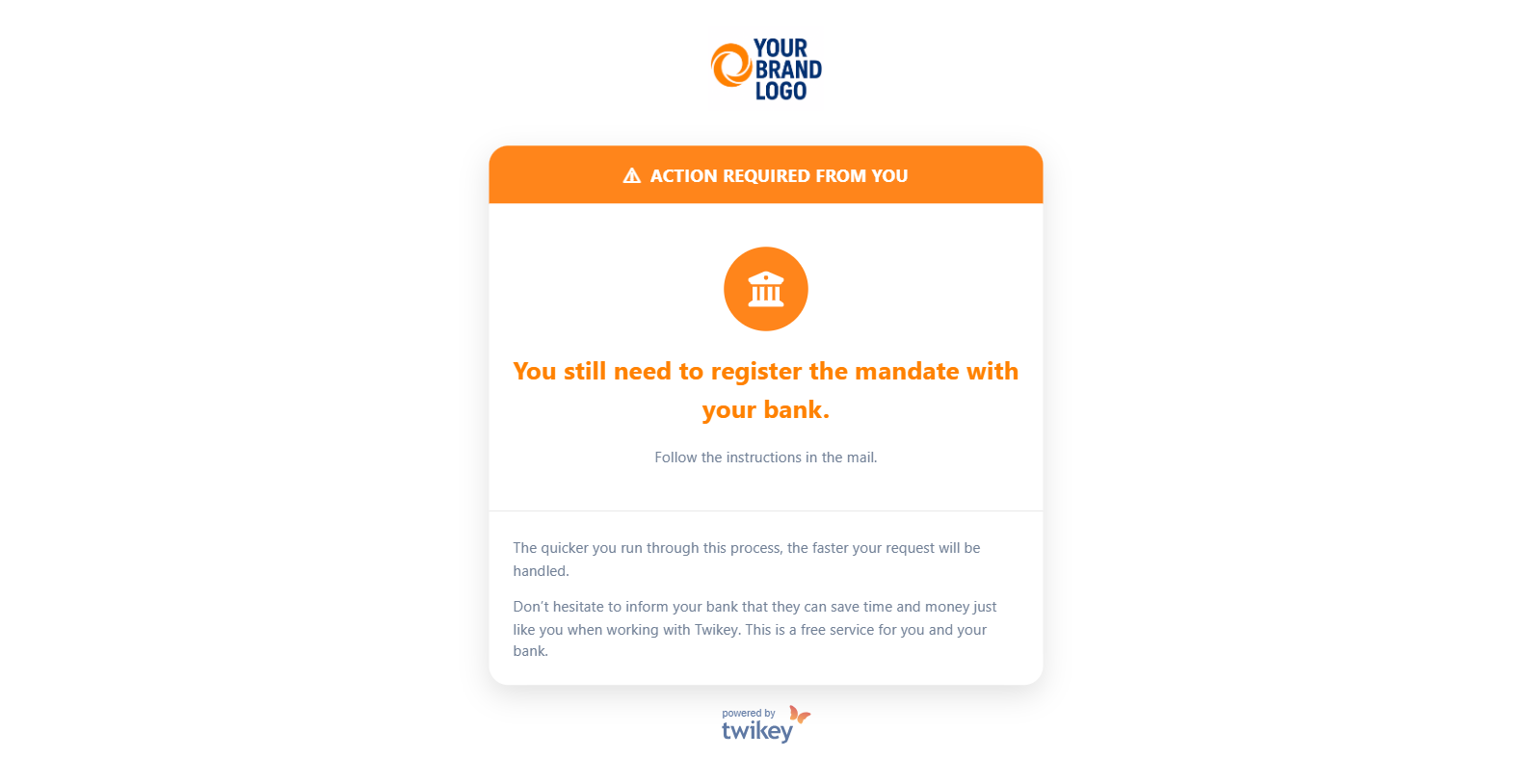
At this point, our system sends them another email:
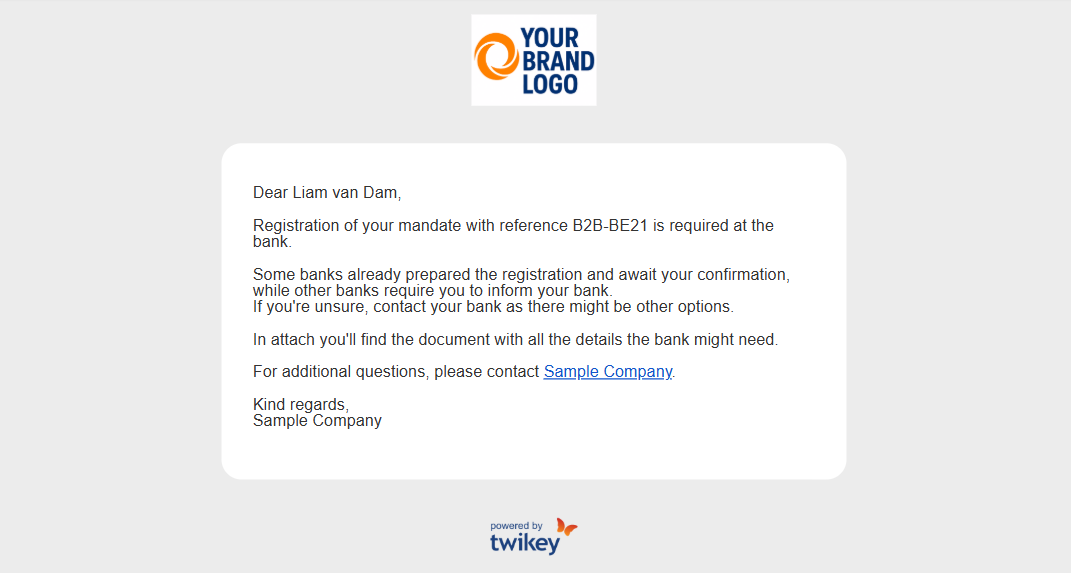
As stated there, some banks support the automated B2B validation flow while others don't. The safest way to find out is to contact their bank directly (or ask your debtor to) and confirm whether physical registration is required. Either way, that email contains a PDF your debtor needs to print and bring to the bank (if necessary).
Step 2: Twikey performs the automated B2B validation
The diagram below summarizes every state and event covered in this section — from the initial test transaction through retries, pausing, overriding, and the MD01 edge case.
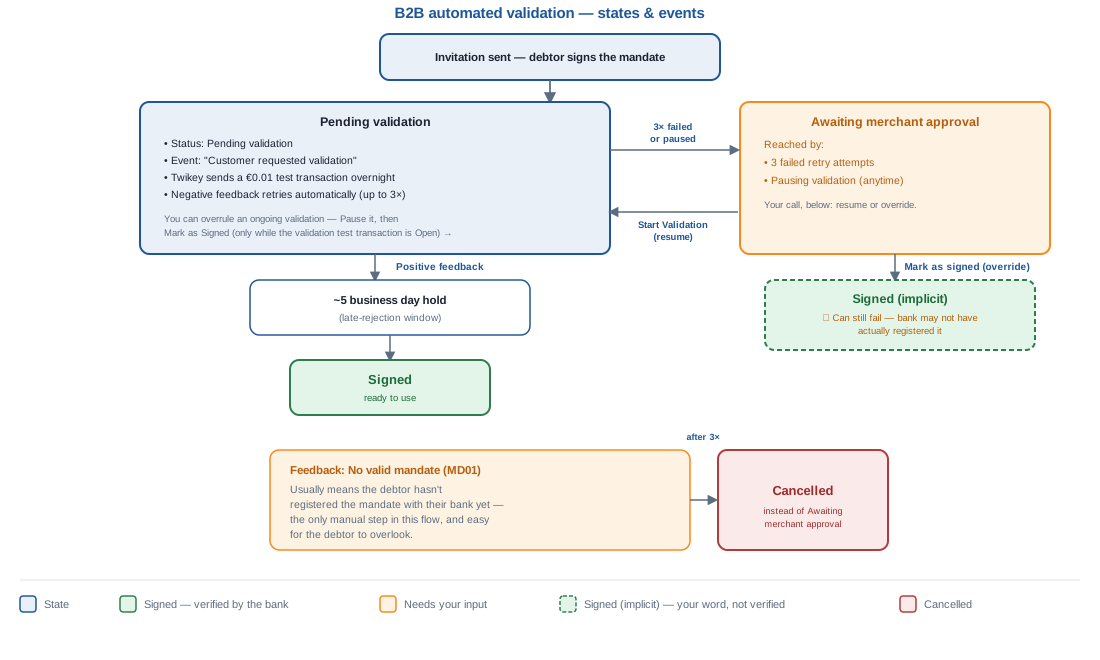
You can tell that the validation process starts when you see these three signals:
- Pending validation — The agreement's state changes to this status.
- Customer requested validation — This event appears in the agreement's events list.
- Test transaction of €0.01 — Twikey automatically sends this overnight to confirm the agreement is correctly registered with the bank.
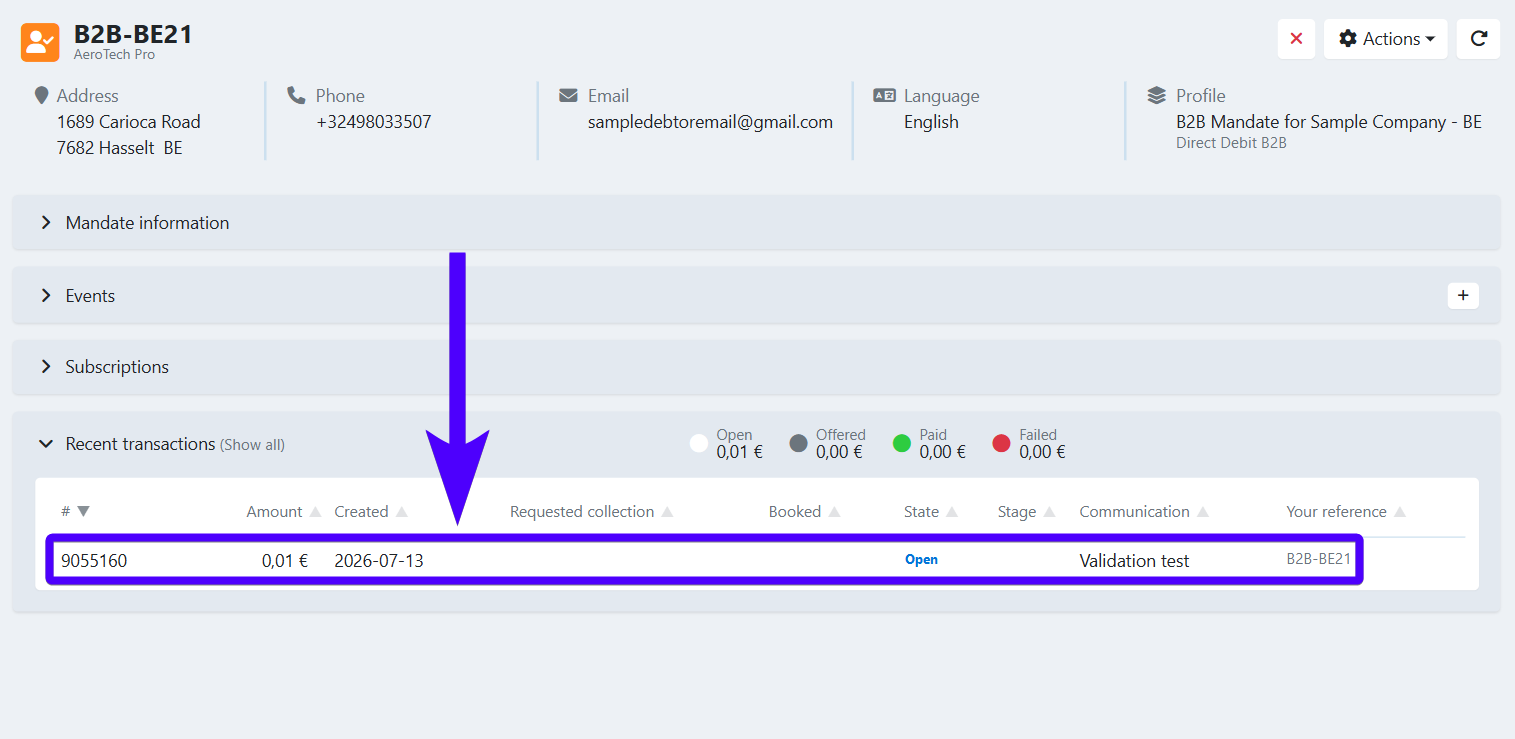
By default, this transaction has no requested collection date, so it's sent to the bank as soon as possible. If needed, you can ask our support team to add a delay of several days instead — this gives the debtor more time to complete their registration, at the cost of a longer overall process.
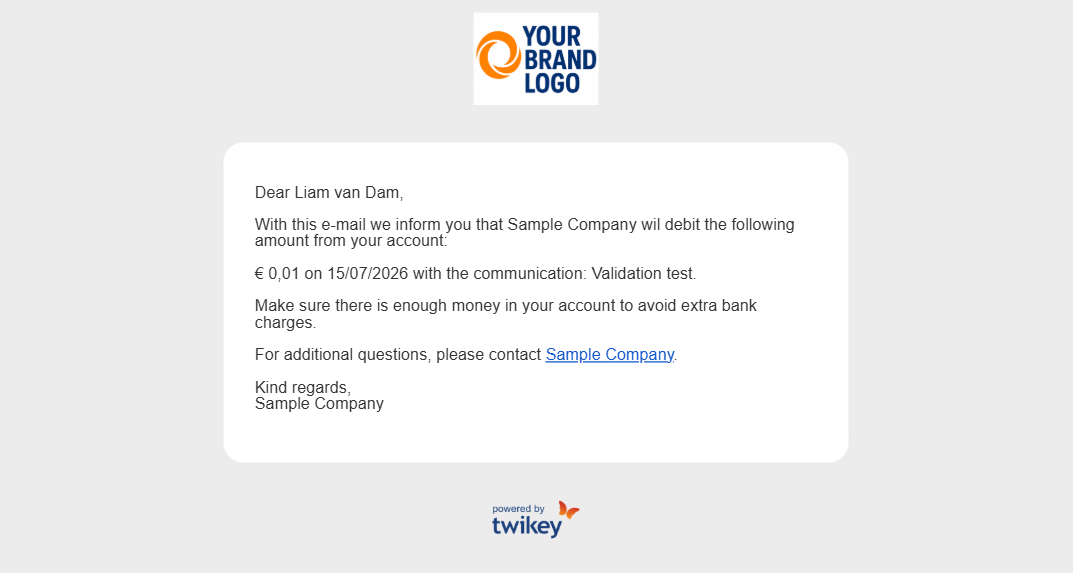
Your debtor also receives an email that informs them that a small amount of €0.01 will be deducted from their bank account for the validation test.
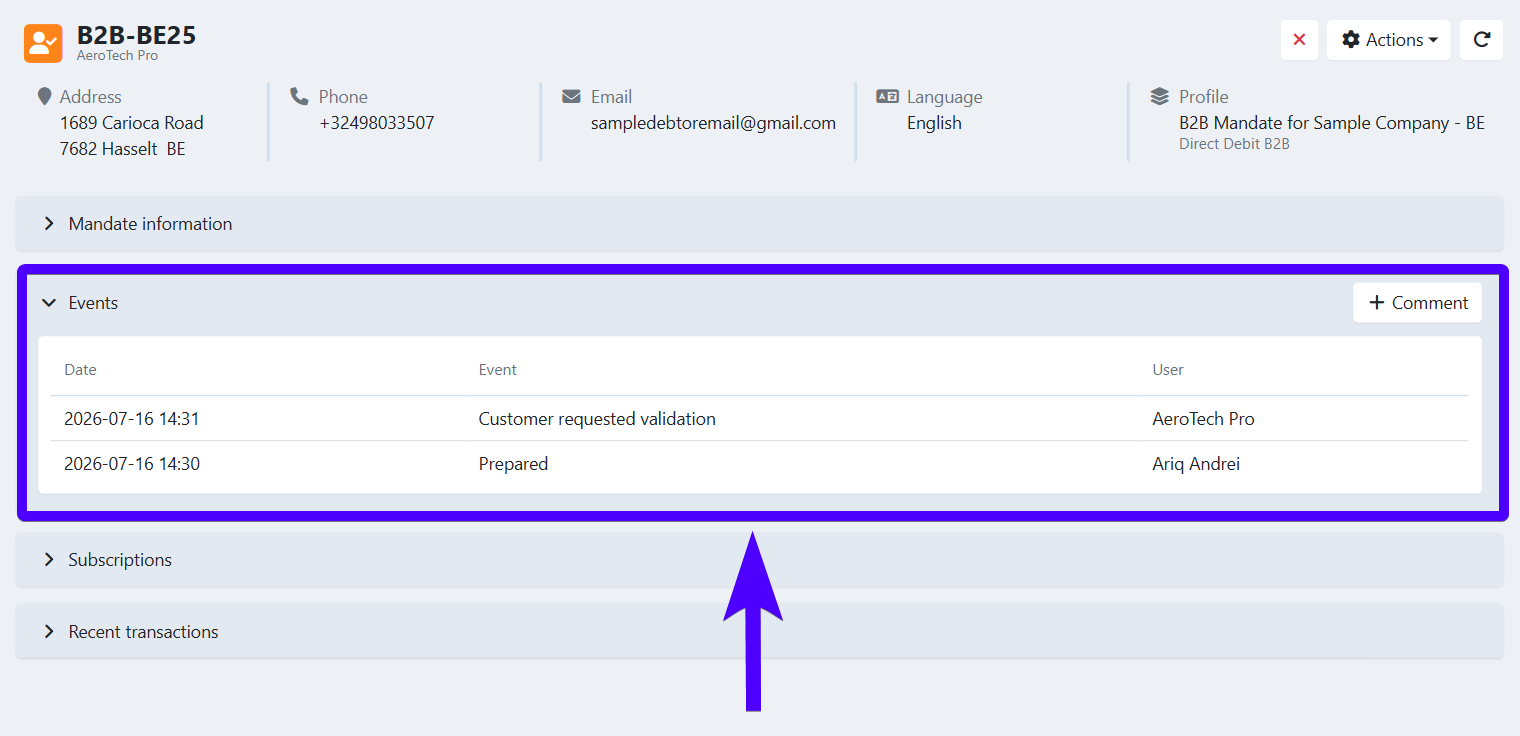
Once the validation process starts, our system waits for positive feedback from the bank. Depending on the bank, this can take anywhere from several days to a few weeks. At this stage, other than waiting, there are no actions that need to be taken.
The agreement stays in Pending validation until the bank responds: a positive outcome moves it toward Signed (see below), while a negative or missing outcome moves it to Awaiting merchant approval.
Pause an ongoing validation
You can pause an ongoing validation, for example if a debtor asks you to hold off while they sort out their bank registration.
- Navigate to Agreements in the left-hand navigation menu, or look up the agreement using the search bar.
- Click the agreement to open its details.
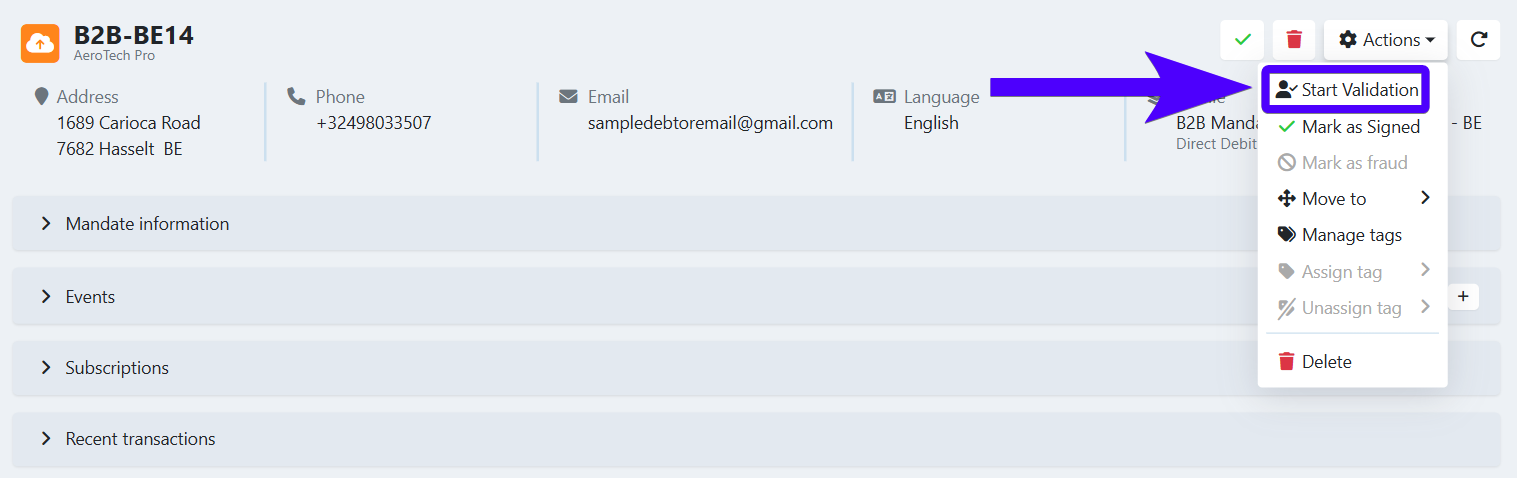
- Click Actions.

- Click Pause Validation.
Any transaction still pending for this agreement is no longer sent to the bank. The agreement moves to the state Awaiting merchant approval.
To continue the validation, click Start Validation.
Mark a mandate as signed while validation is ongoing
If you don't want to wait for the validation to complete, you can overrule it manually while it's already running.
- Click Pause Validation to pause the ongoing validation (see above).
- Click Mark as Signed to confirm the mandate yourself.
The agreement becomes Signed immediately — but this overrides Twikey's own check with your word, not a verified confirmation. Only do this if you're sure the bank has actually registered the mandate; if it turns out they haven't, the mandate can still fail later.
What happens when the validation succeeds?
When Twikey receives a paid outcome for the test transaction from the bank, you will see the event Validation with bank succeeded, entering waiting period on the agreement's events list. However, this doesn't guarantee that the automated B2B validation actually succeeds, as there is a possibility that the bank rejects it in the upcoming days.
Therefore, our system waits a few more days until we confirm that the validation is successful. The waiting time varies, but in general it can take up to 5 business days. During this time, the agreement's status remains at Pending validation.
If during this waiting period we don't receive any rejection from the bank, you will see two events on the events list:
- Validation with bank succeeded
- Approved by bank
In addition, you will also see the Externally signed flag.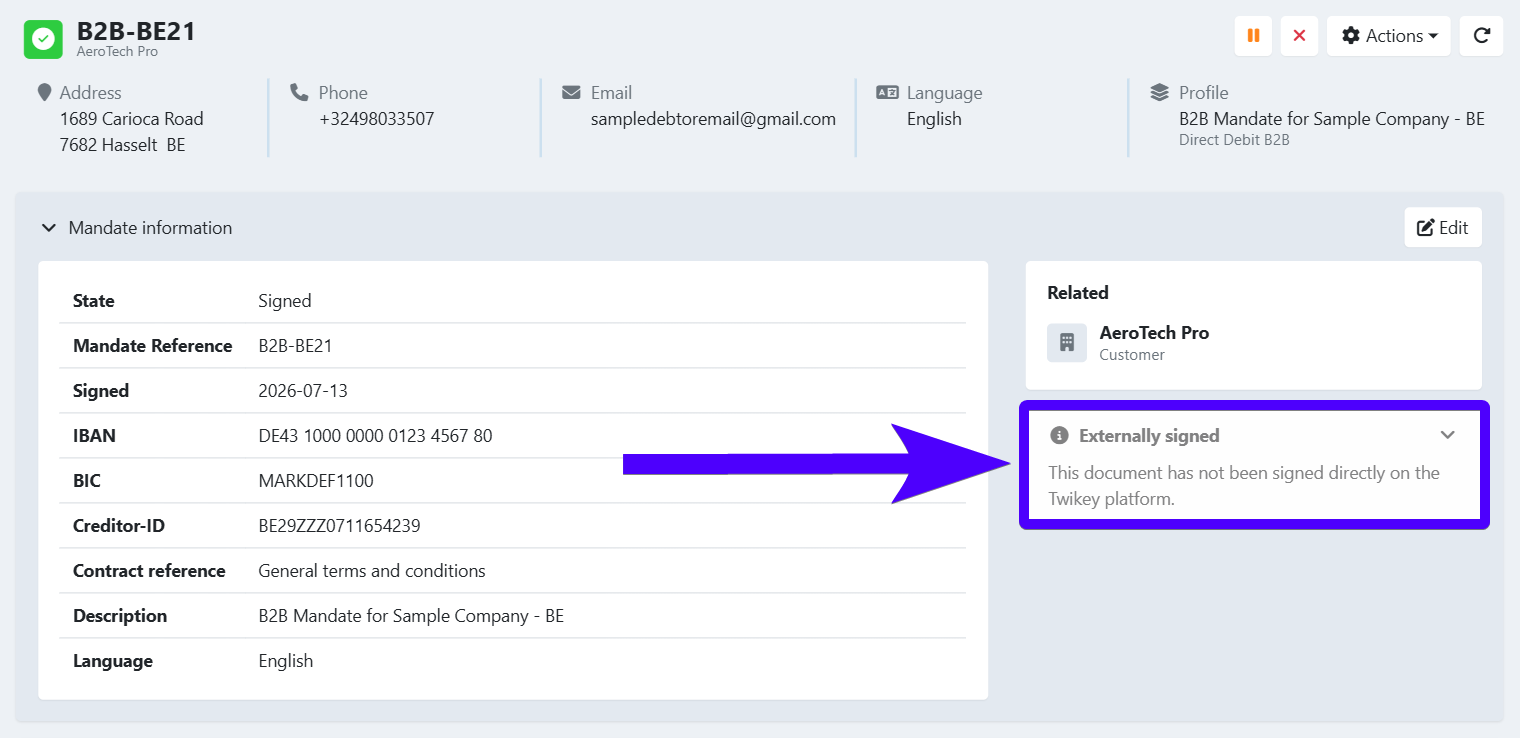
At this stage, the agreement's status becomes Signed. This means that the validation process has been completed, and that the agreement is ready to be used.
What happens when the validation fails?
If the bank returns negative feedback, you will see the event Validation with bank failed, retrying on the events list. The agreement status remains at Pending validation. In addition, your debtor will also receive an email informing them of this failure, along with instructions on which steps to take next.
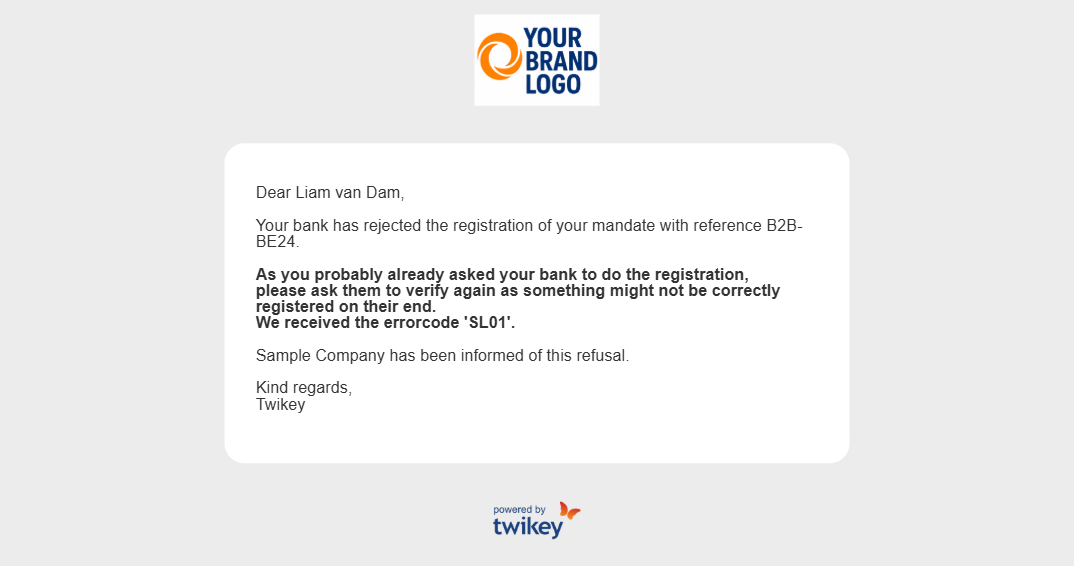
Twikey automatically retries the validation, and feedback from the bank is generally received within 6 business days.
After 3 failed attempts, the agreement moves to the Awaiting merchant approval status — unless the recurring feedback is MD01, in which case the agreement is Cancelled instead (see below). Your debtor will also get the Registration Failure email notification. At this point, no more automatic attempts will be taken. Your options are:
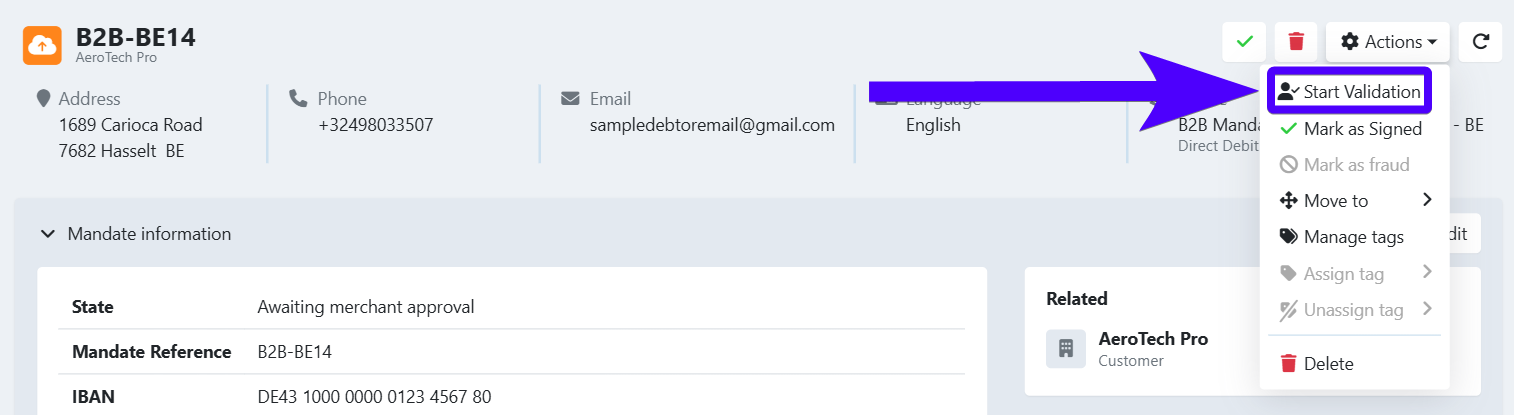
- Do another attempt — Click Actions, then Start Validation. If this attempt also fails, our system won't retry the validation automatically — you'll need to repeat this action manually for any further attempt.
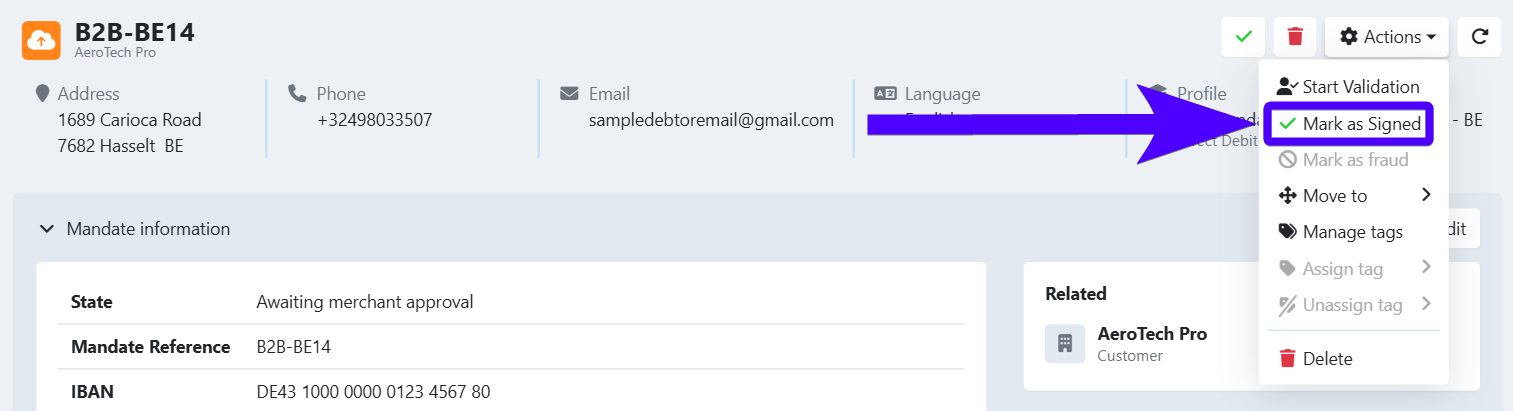
- Mark the agreement as signed — If you're entirely sure that the agreement has been approved by your debtor's bank despite the failed validation in Twikey, click Mark as Signed instead. This overrides Twikey's own check with your word — the agreement becomes Signed immediately, but if the bank genuinely never registered it, the mandate can still fail later.
An agreement can also end up in Awaiting merchant approval because a printed mandate was uploaded, rather than after 3 failed automated attempts. In that case, double check it was signed correctly — see B2B paper signing for non-connected banks for what a validly signed document must show. If the debtor signed electronically instead of by hand, the mandate is not valid and the bank will not approve it.

You can always check a mandate's validity on our own Verification page.
Bank feedback: No valid mandate (MD01)
If the test transaction keeps coming back with the bank feedback No valid mandate (MD01), it usually means your debtor has not yet registered the agreement with their bank. This is the only step in the flow that isn't automated, and it's easily overlooked — make sure to communicate this clearly to them.
After 3 failed attempts with this feedback, the agreement is automatically Cancelled — it does not move to Awaiting merchant approval like other failure reasons, since there's no pending mandate for you to approve.
Customize the validation emails
You can modify the contents of the emails that are sent to your debtors for the automated B2B validation process. You can learn more about editing emails in profile settings here. The emails that are specifically related to the automated B2B validation flow are the following:
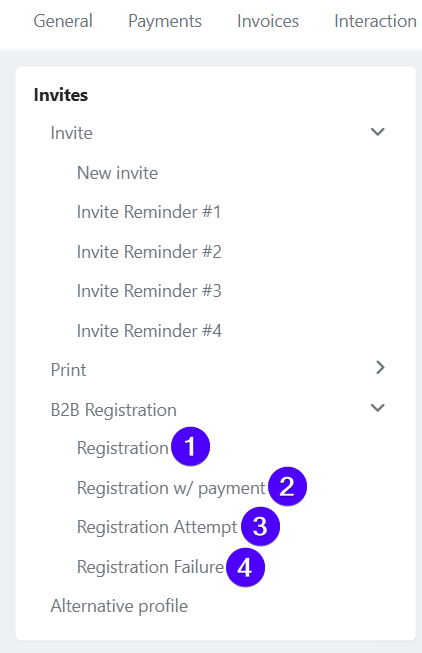
- Registration — Sent at the beginning of the validation flow.
- Registration w/ payment — Only for banks that accept the agreements through the first transaction, such as Bunq.
- Registration Attempt — Sent whenever the Twikey system receives negative feedback (validation failure) from the bank.
- Registration Failure — Sent after 3 negative feedback responses from the bank.