
B2B digital signing for connected banks - Netherlands
- What is Digitaal Incassomachtigen (incas...
- How to apply for Digitaal Incassomachtig...
- Activate Digitaal Incassomachtigen in Tw...
- How it works
- Supported banks and signing methods
- Bank not listed?
Digitaal Incassomachtigen is how connected Dutch banks handle electronic B2B signing.
Not all Dutch banks support full electronic signing for B2B mandates through Twikey.
This page explains how to apply for Digitaal Incassomachtigen, how to activate it in Twikey, and which signing methods each Dutch bank supports.
What is Digitaal Incassomachtigen (incassomachtigen)?
Digitaal incassomachtigen (also called eMachtigen) is the Dutch method for customers to digitally authorize Direct Debit mandates through their own bank's online banking environment. Unlike paper mandates or simple online checkboxes, Digitaal incassomachtigen is the only legally valid way to create a digital Direct Debit mandate in the Netherlands, as it can only be established within the secure banking environment.
How to apply for Digitaal Incassomachtigen
Before you can use Digitaal Incassomachtigen in Twikey, you need two things from your bank:
- A direct debit contract (incassocontract) with your bank.
- A Digital (Business) European Direct Debit creditor contract — this is a separate contract specifically for digital mandate signing.
To apply, follow the step-by-step process provided by your bank. You can find the application page on your bank's website:
- ABN AMRO — abnamro.nl — Digitaal incassomachtigen
- Rabobank — rabobank.nl — Digitaal incassomachtigen
- ING — ing.nl — Incassomachtigen
- BNP Paribas — bnpparibas.nl
- Deutsche Bank — db.com/netherlands
The average processing time is a few days to about a week.
Activate Digitaal Incassomachtigen in Twikey
Once your bank has processed the application, you receive a MerchantID. This MerchantID must be configured in your Twikey environment before you can start using Digitaal Incassomachtigen.
- Send your MerchantID to support@twikey.com.
- Twikey support configures the MerchantID in your environment.
- After confirmation from Twikey support, Digitaal Incassomachtigen is active and you can start inviting customers to sign B2B mandates digitally.
How it works
When your customer chooses one of the connected banks during signing:
- Your customer is redirected to their own bank's secure online banking environment, for example using the Rabo Scanner for Rabobank.
- Your customer can optionally set an incassolimiet (collection limit) — a maximum amount that may be collected per collection under this mandate.
- Your customer confirms and signs the mandate directly in their banking environment.
- Twikey receives the signed mandate, including the confirmed IBAN and, if set, the collection limit. Approval is normally instant — the bank confirms the mandate before the customer is redirected back to Twikey, so the agreement moves straight to Signed.
See Maximum amount for B2B mandates - Netherlands for more on the collection limit.
The agreement's status updates throughout this process — see B2B signing statuses - Netherlands for what each status means.
Supported banks and signing methods
The table below shows which signing methods are supported by each Dutch bank:
| Bank | Digitaal incassomachtigen | Paper |
|---|---|---|
| ING | ✓ ¹ | ✓ |
| ABN AMRO | ✓ ¹ | ✓ |
| Rabobank | ✓ ¹ | ✓ |
| Bunq | ✓ ² | ✓ |
| Knab | – | ✓ |
| SNS Bank | – | ✓ |
| ASN Bank | – | ✓ |
| RegioBank | – | ✓ |
| Triodos | – | ✓ |
Legend:
- ✓ = Supported
- – = Not supported
¹ ING, ABN AMRO & Rabobank limitations:
- ING Bank Inside Business Payments, ABN AMRO Access Online and Rabobank Cash Management do not support digital eMachtiging signing. Customers using these platforms must complete the eMachtiging on paper.
- If your profile also allows signing on paper or another signing method, these platforms are shown as separate options (InsideBusiness, Access Online and Cash Management) in the bank list during signing.
² Bunq specifics
Bunq uses a different signing process compared to other banks.
- Customer prints and signs the PDF sent by mail.
- Upload it in Twikey or mail it back.
- Must also approve the first collection in the Bunq app.
Knab specifics
Knab uses a paper flow with manual verification, similar to the other non-connected banks:
- The customer receives a PDF, prints and signs it, and submits it.
- On upload, the mandate enters Pending validation.
- If automated B2B validation is enabled, the €0.01 test transaction serves purely as a verification step here — confirming the customer completed the bank-side registration — rather than as a consent mechanism like it is for Bunq (see above).
- If automated validation isn't enabled, the mandate moves directly to Signed upon upload.
Bank not listed?
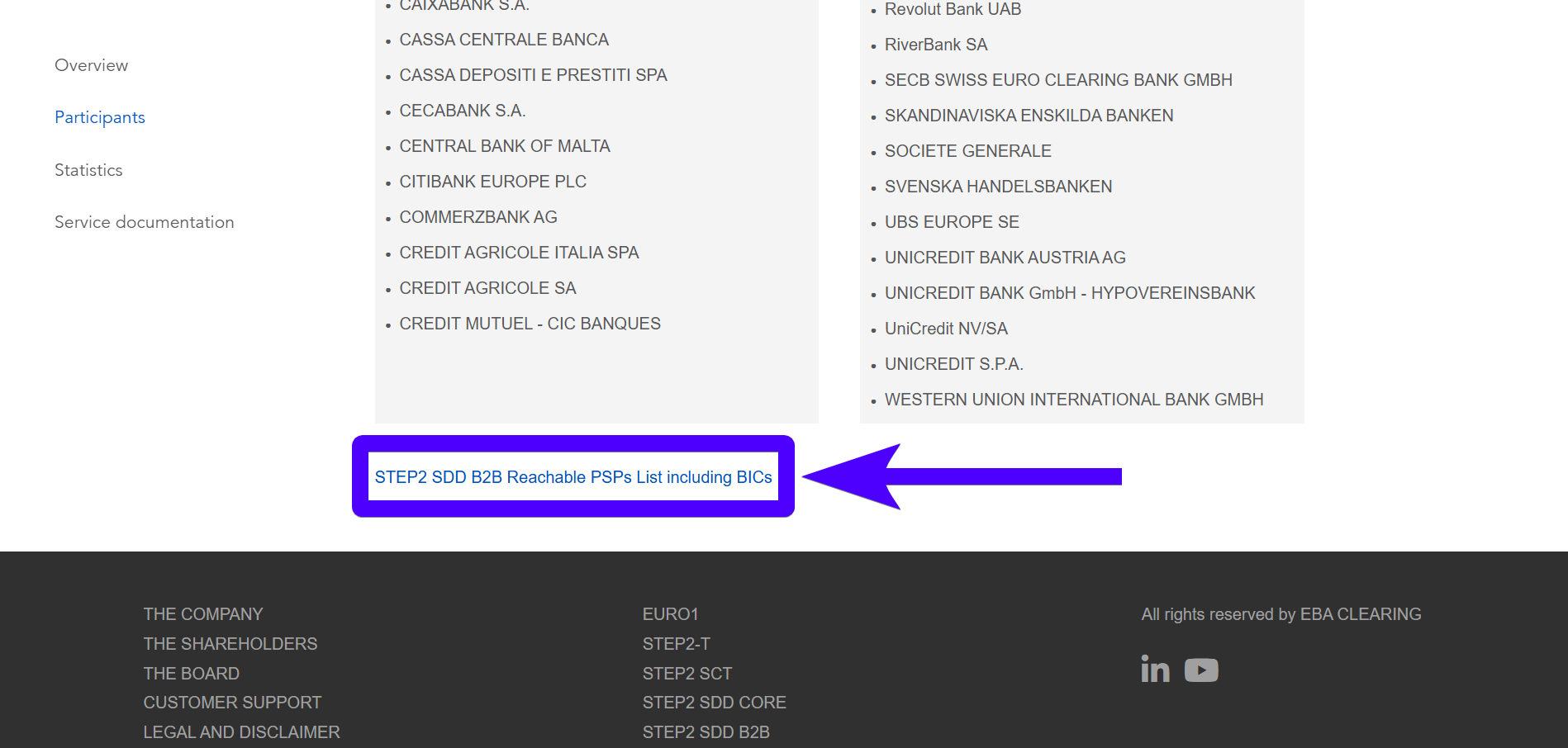
The table above only contains the most commonly-used banks in the Netherlands. Even if the customer's bank isn't mentioned above, most likely it supports B2B mandates. To see the list of all banks that support B2B mandates, please refer to this webpage from the European Banking Association. Specifically, the Excel sheet at the bottom of the page.
In this case, the mandate must be signed on paper instead — see B2B paper signing for non-connected banks.
Alternatively, Twikey can confirm the bank registration for you automatically instead of you having to verify a document yourself — see B2B automated validation for non-connected banks.