
Details of a campaign
Show me
On the detail page of each campaign you can follow the progress of different elements such as which customer started the signing progress, signed or printed the document, etc.
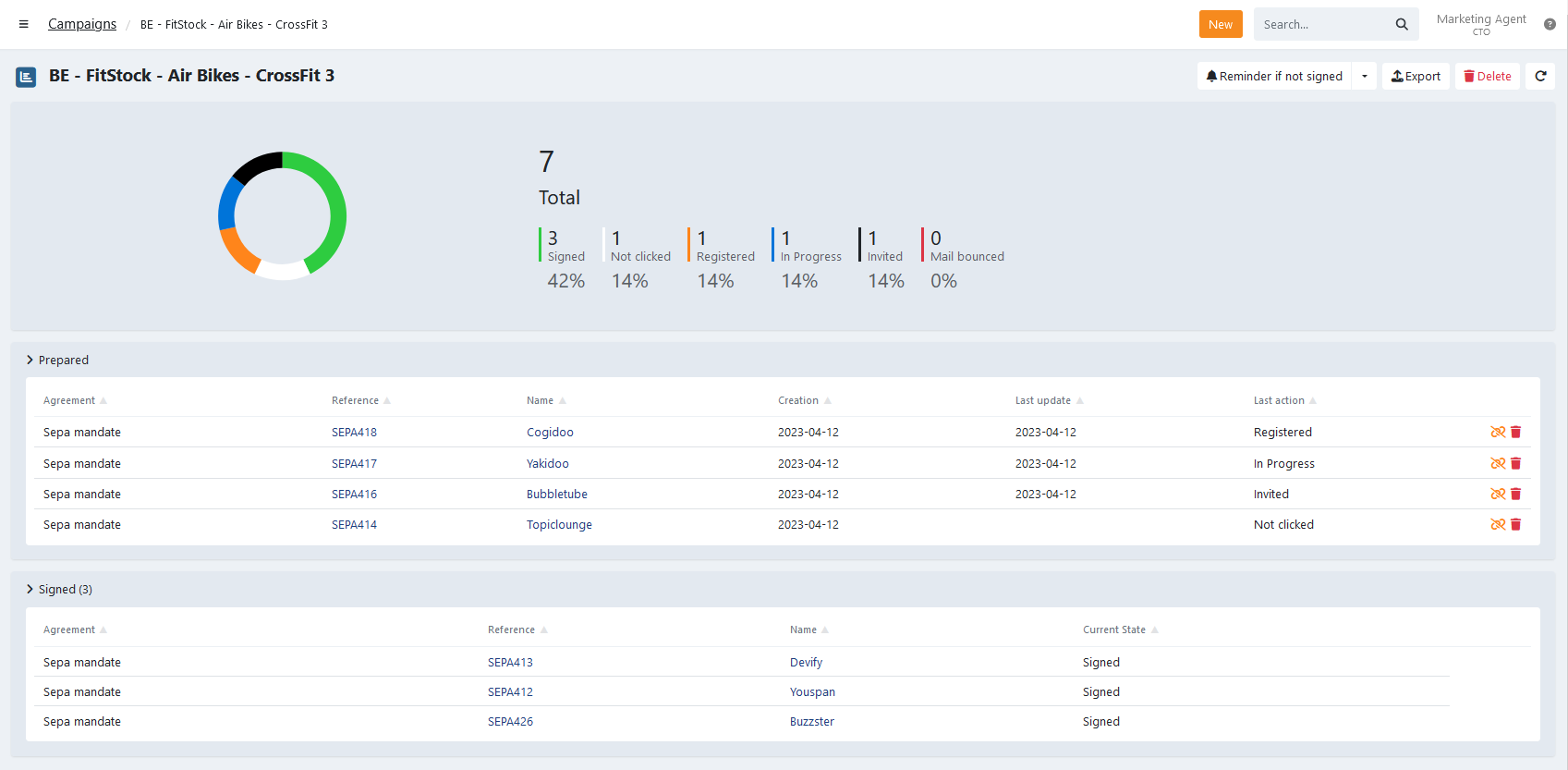
Using the pie chart or the statistics next to it, you can swiftly assess the overall progress and review the most recent actions.
The Last action for each agreement is also listed next to it, those can be:
- Not invited: The link to sign the agreement is not yet used.
- Invited: The invitation email was sent to the customer
- Mail bounced: The email could not be delivered. Verify if the email of the customer is valid.
- Mail opened: The customer opened the mail
- Not clicked: The received invite link is not clicked
- Clicked: The received invite link is clicked
- Registered: The customer confirmed their personal information on the registration page
- In Progress: The signing process was started
- Printd: The customer selected to print and return the signed document during the signing flow
- Signed: The agreement is signed
Invite or remind customers to sign
You can easily send the invitation or reminder to sign to your customers for all the agreements in a campaign.
On the details click on Reminder if not signed button to directly send out a reminder email to all unsigned agreements, or click on the arrow next to it to select a specific invitation or reminder:
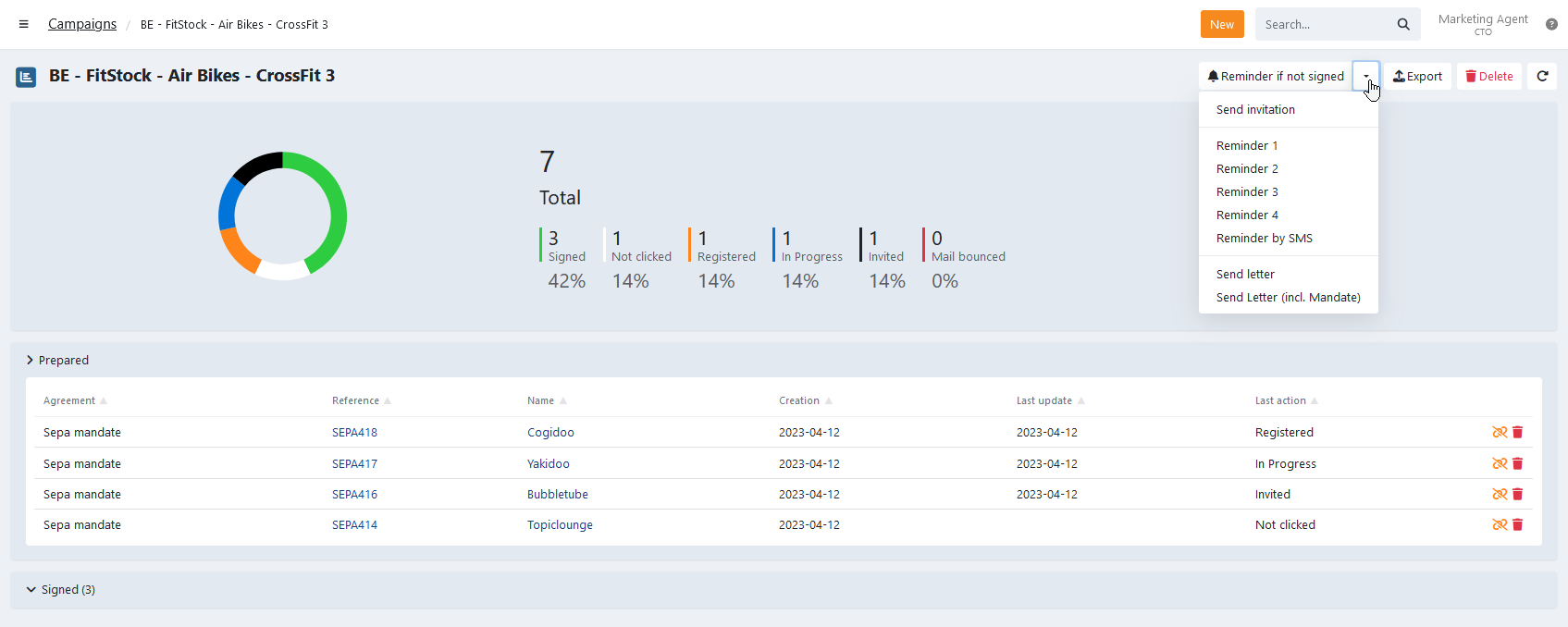
Select the notification that you want to send and a confirmation modal appears. Click on Yes to confirm the action.
Signed and Others
Under "Signed and Others" you see a list of agreements for which the end-customer completed the complete signing procedure.
The actual state of the agreement is listed under the 'Current State' column and may require your attention:
- Signed: No action required, the mandate is collectible.
- Awaiting merchant approval: Action required, verify the documents uploaded by the customer and marking as signed is necessary.
- Awaiting bank approval: No action required, The mandate is being processed by the bank.
- Refused by bank: The mandate is refused by the bank, verify the specific refusal reason in the events on the mandate details.
Unlink or delete agreements from a campaign
On the details you have the option to unlink or delete agreements individually from the campaign.
You can remove agreements from a campaign individually:
- Unlink: Remove the agreement from the campaign. Only available if a shortcode exists.
- Delete: Remove the agreement completely. Previously sent invitation links will no longer be valid.
When selecting to delete, the agreement is removed completely. If you already sent the invitation to a customer, the link won't be valid anymore.