
Create a batch of transactions by importing a Direct Debit file
- Why we recommend using API or CSV first
- Supported versions
- How to import a PAIN Direct Debit file
- Important to know
- Payment provider as gateway
- Supported XML fields
Show me
You can import Direct Debit (pain.008) files from your accounting package into Twikey to create transactions for collection.
Why we recommend using API or CSV first
We generally recommend using our API or CSV import instead of uploading a PAIN.008 XML file. This is easier and safer because it automatically takes care of important details that can cause errors in the XML file.
Using API or CSV ensures:
- Mandates are updated and validated automatically
- Complex XML formatting issues are avoided
- Files are correctly generated according to SEPA rules and Febelfin updates
- Limits set by your bank or creditor contract like maximum batch amount, number of transactions, or transaction amounts are respected automatically
- The status of each mandate is checked, reducing the risk of failed payments
- All transaction identifiers are guaranteed to be unique from start to finish
Supported versions
Twikey supports pain.008.001 and pain.008.002 files. These files must follow the ISO 20022 XML standard.
How to import a PAIN Direct Debit file
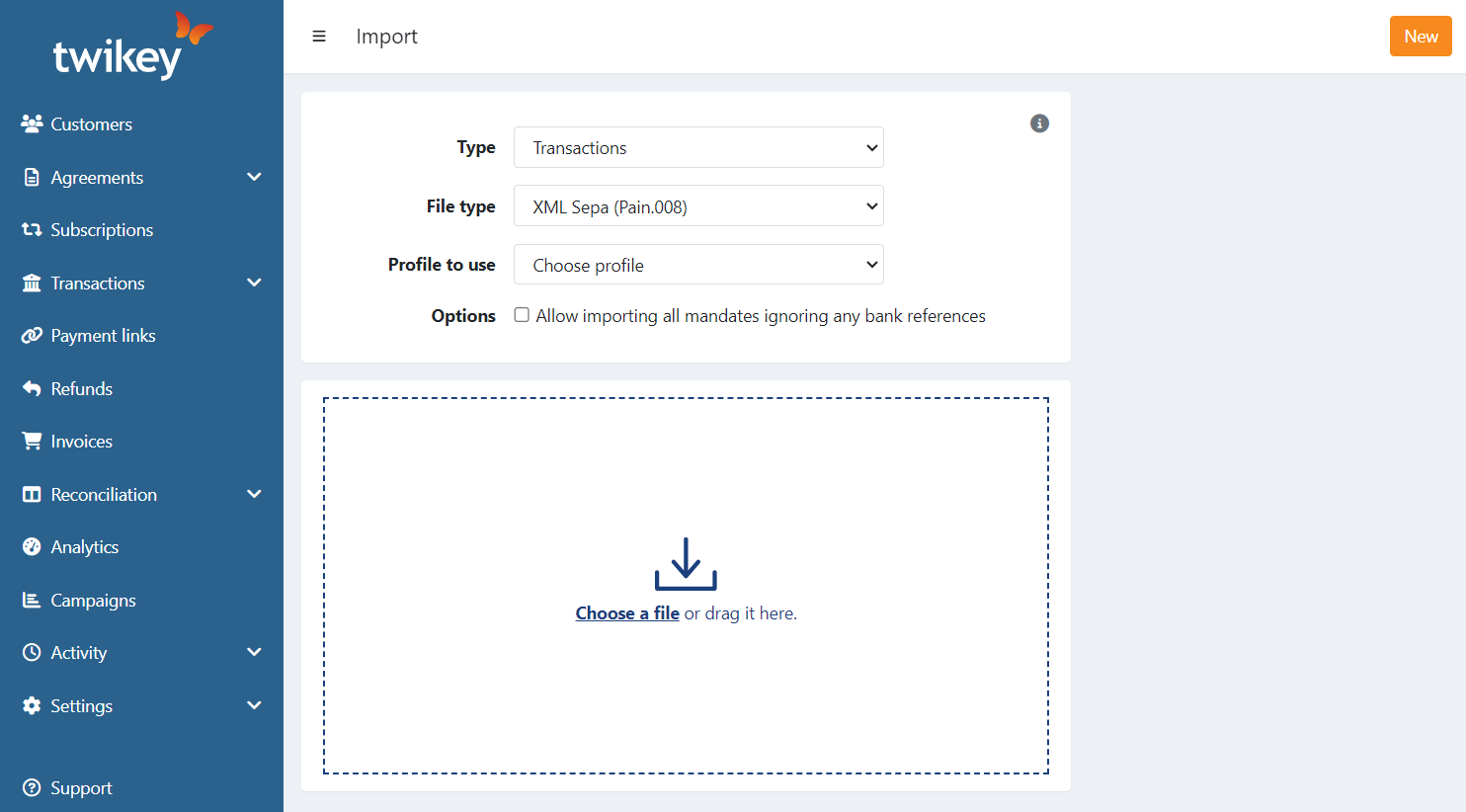
- Navigate to the orange 'NEW' button
- Select 'import'
- Select 'type = transactions'
- Select 'source = XMl Sepa (pain.008)
- Select the profile you want to use, make sure the selected profile has the correct bank gateway assigned so that the IBAN from your XML file matches the IBAN of the configured bank gateway.
- Select the correct options :
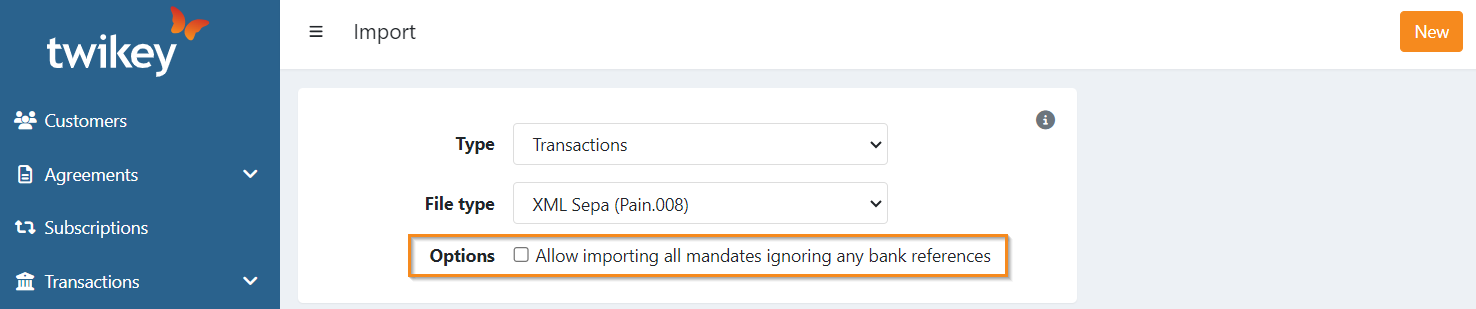
- If you enable “Allow importing all mandates ignoring any bank references”:
- Twikey ignores bank references and generates them automatically
- The requested collection date in the file is ignored
- Transactions with amount 0 are skipped
- New mandates are created automatically
- Imported transactions are placed in a batch “To be sent” instead of being sent immediately
Tip: When a BIC code from your file is not accepted, you can opt to create the mandate manually in Twikey with the IBAN and BIC, then mark it as signed. Afterwards, retry the import.
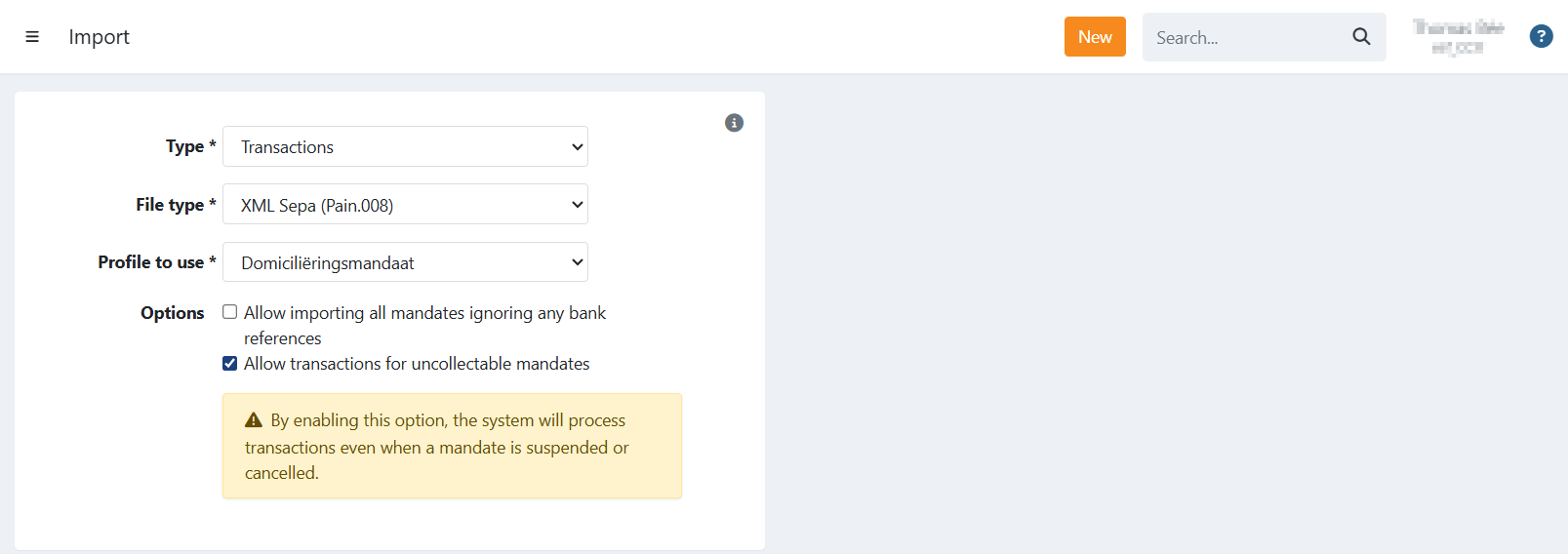
- If you enable "Allow transactions for uncollectable mandates":
*When selected, the file will be imported regardless of the mandate status. Transactions linked to the cancelled and/or suspended mandates will still be processed and sent to the bank.
Note: Enabling this option means transactions for mandates that are no longer active may still be submitted to the bank. Please ensure this is intentional.
Important to know
Twikey does not perform checks on your XML files.
If your file contains mandates that are in a cancelled or suspended state in Twikey, the upload will be rejected by default.
The transactions are imported to the profile that corresponds according to the IBAN used in CdtrAcct > Id > IBAN> BE85363142311234.
Once a SEPA Direct Debit (SSD) file is imported, it is immediately sent to the bank for collection.
When you import a Direct Debit file, any new mandates are automatically created and signed. If your file specifies a date of signature, this date will be used as the signing date.
If the Direct Debit file includes a different IBAN, CORE mandates will be updated with the new account number.
Payment provider as gateway
If you use a payment service provider instead of a traditional bank:
- Direct Debit files can still be imported
- Some providers ignore the requested collection date, collecting transactions immediately. Consult your payment service provider for more information.
Supported XML fields
| Field | XML Path |
|---|---|
| Mandate reference | DrctDbtTx > MndtRltdInf > MndtId |
| Date of Signature | DrctDbtTx > MndtRltdInf > DtOfSgntr |
| IBAN | DrctDbtTx > DbtrAcct > Id > IBAN |
| BIC | DrctDbtTx > DbtrAgt > FinInstnId > BIC |
| Name (first + lastname) | DrctDbtTx > Dbtr > Nm |
| Country | DrctDbtTx > Dbtr > PstlAdr > Ctry |
| Address | |
| 1. Street: DrctDbtTx > Dbtr > PstlAdr > StrtNm | |
| 2. Zip: DrctDbtTx > Dbtr > PstlAdr > PstCd | |
| 3. City: DrctDbtTx > Dbtr > PstlAdr > TwnNm | |
| Mobile Number | DrctDbtTx > Dbtr > CtctDtls > MobNb |
| DrctDbtTx > Dbtr > CtctDtls > EmailAdr | |
| CustomerNumber | DrctDbtTx > Dbtr > CtctDtls > Othr |
Last Update: 2026-01-30