
Possible statuses of an individual transaction
- How to know the status of an individual ...
- Transaction details
- Possible statuses of a transaction
- Actions on a transaction
Each transaction can have a specific state that indicates its current progress in the collection process.
Understanding these statuses helps you monitor, manage, and take appropriate actions on your transactions.
How to know the status of an individual transaction
Via the agreement menu
- Lookup the agreement in the agreement menu.
- Click on an agreement to enter the details
- Navigate to the 'Recent transactions'
- A list with all transactions linked to that agreement appears
- Click on the transaction for the details
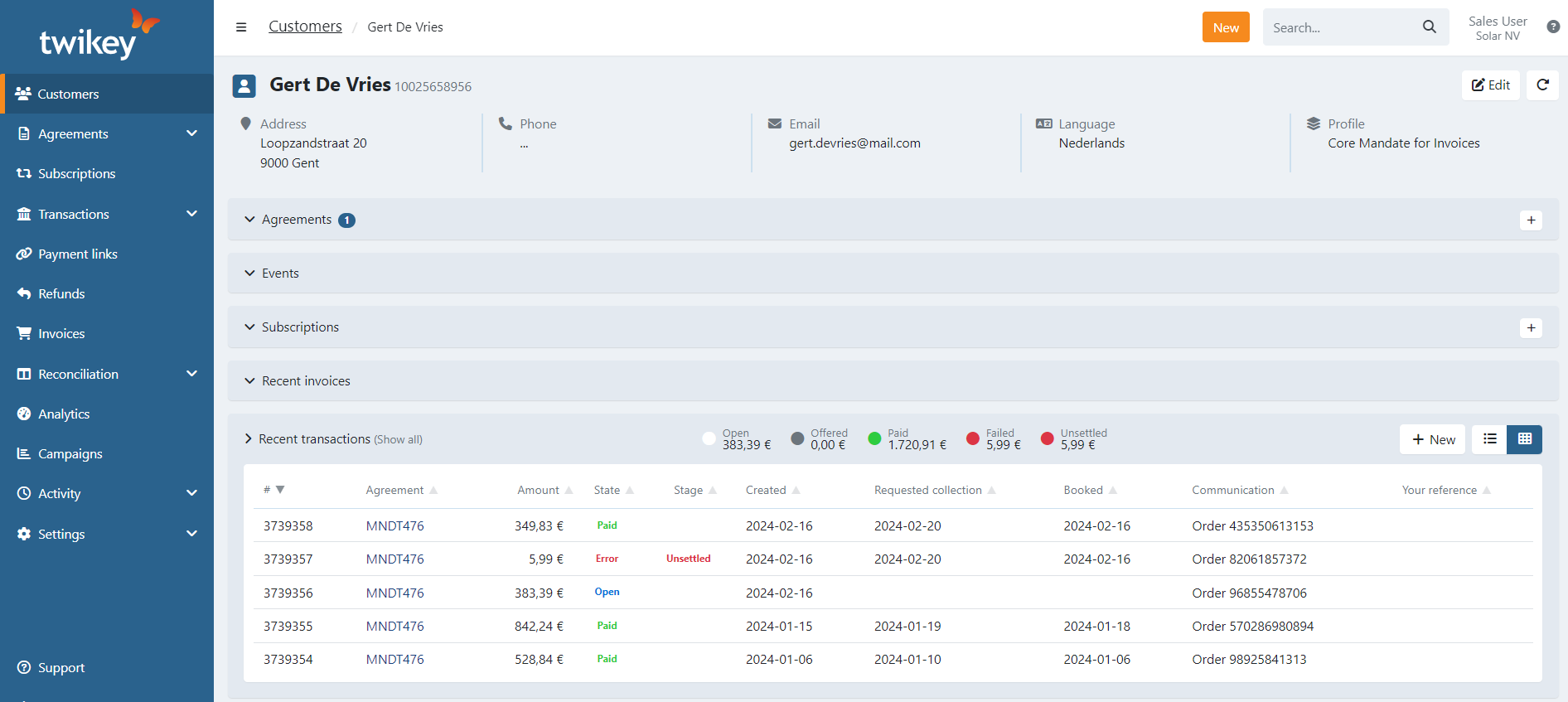
Via the customer menu
- Lookup the customer in the customer menu.
- Click on a customer to enter the details
- Navigate to the 'Recent transactions'
- A list with all transactions linked to that agreement appears
- Click on the transaction for the details
Via the transaction menu
Depending on what you search for you can lookup the transaction in the different sub menus.
Transaction details
Details
Here you can find all the specific details of the transaction.
Customer : The name of the customer associated with the transaction
Customer no. : The unique customer number in the system
Mandate reference : The identifier of the mandate used for this transaction. A checkmark indicates the mandate is valid.
Communication to debtor : The message included for the debtor regarding this transaction
Your reference : Optional internal reference for tracking or bookkeeping purposes.
Amount : The total amount to be collected
Booked : The amount that has already been successfully booked/collected
Source : Indicates where the transaction originated, such as a subscription, API, or imported file
Events
The Events tab displays general transaction information and all failed payment actions applied or scheduled. Clicking on a red line (transaction with error) brings you to the details of the error.
Batches
Here you can find all the specific details of the batch sent to the bank or PSP of the specific transaction.
Collection date : The date on which the bank was instructed to collect the transaction
Feedback date : The date on which the bank provided feedback about the transaction
State : The status of the transaction within the batch. This can indicate success, failure, or errors. In the screenshot, MD06 is shown, which corresponds to an error code.
Bank reference : The reference assigned by the bank for this transaction, which can be copied for tracking purposes.
Comment : Optional notes related to the transaction or its processing.
Refunds
For paid transactions, you can refund the full or partial amount using the Refund button.
After a refund, a Refunds tab appears to track refunded amounts.
Possible statuses of a transaction
Each transaction can have one of the following statuses:
Open : The transaction has been created but not yet sent to the bank, or it has been prepared for recollection via your failed payment workflow
Offered : The transaction has been sent to the bank but feedback has not yet been received.
Paid : The transaction was successfully collected.
Failed : The transaction could not be collected, but alternative steps (failed payment) may be applied.
Archived : The transaction has been archived.
Unsettled : The transaction could not be collected due to issues such as missing/completed failed payment workflow
Actions on a transaction
Available actions depend on the transaction state and are accessed via the Action button in the transaction details.