
How to cancel a subscription
- How to cancel a subscription
- Start over with a new subscription
- Transactions of a cancelled subscription
A subscription can be cancelled manually or, when the agreement is cancelled all the subscriptions of that agreement are also cancelled.
Cancelled subscriptions are stopped, transactions already created can still be sent to the bank and a new subscription can be created from the cancelled one using the start over function.
How to cancel a subscription
Click on the subscription to open the details. Here you have a cancel button.
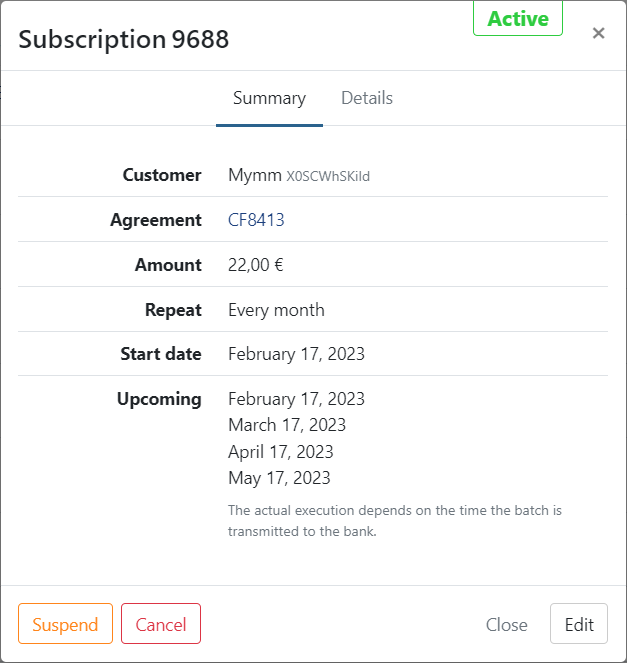
- Click on 'Cancel'
- Confirm
- The subscription is now cancelled
Start over with a new subscription
To quickly launch a new subscription based on a cancelled subscription you can click on it and use the Start over option. You then have the option to change any details of the subscription if needed or keep the current ones.
Click on Add to finish and a new subscription is created.
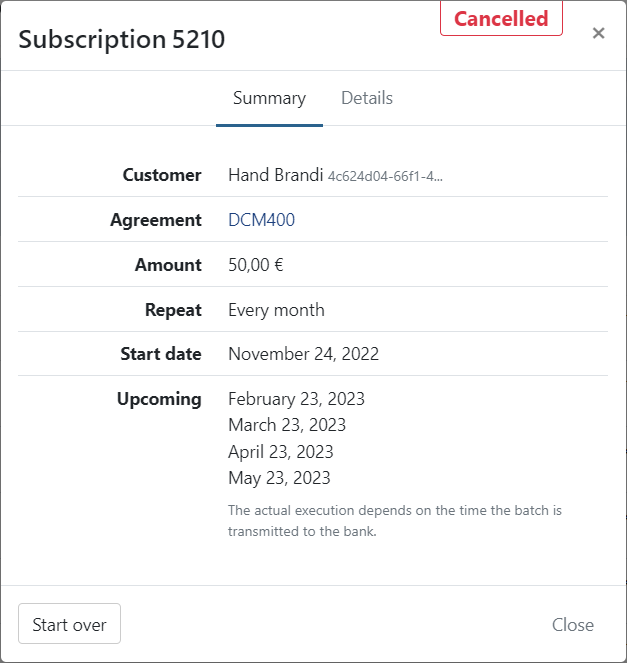
Transactions of a cancelled subscription
Transactions already created by the subscription can still be sent to the bank, edited or removed like any other open transactions. Future executions, if there are any, are disregarded since the subscription is stopped.